Report an Incident Become a Partner Careers Contact
Book a Demo
Customer portal

Everything we do for you,
and a way to answer back.

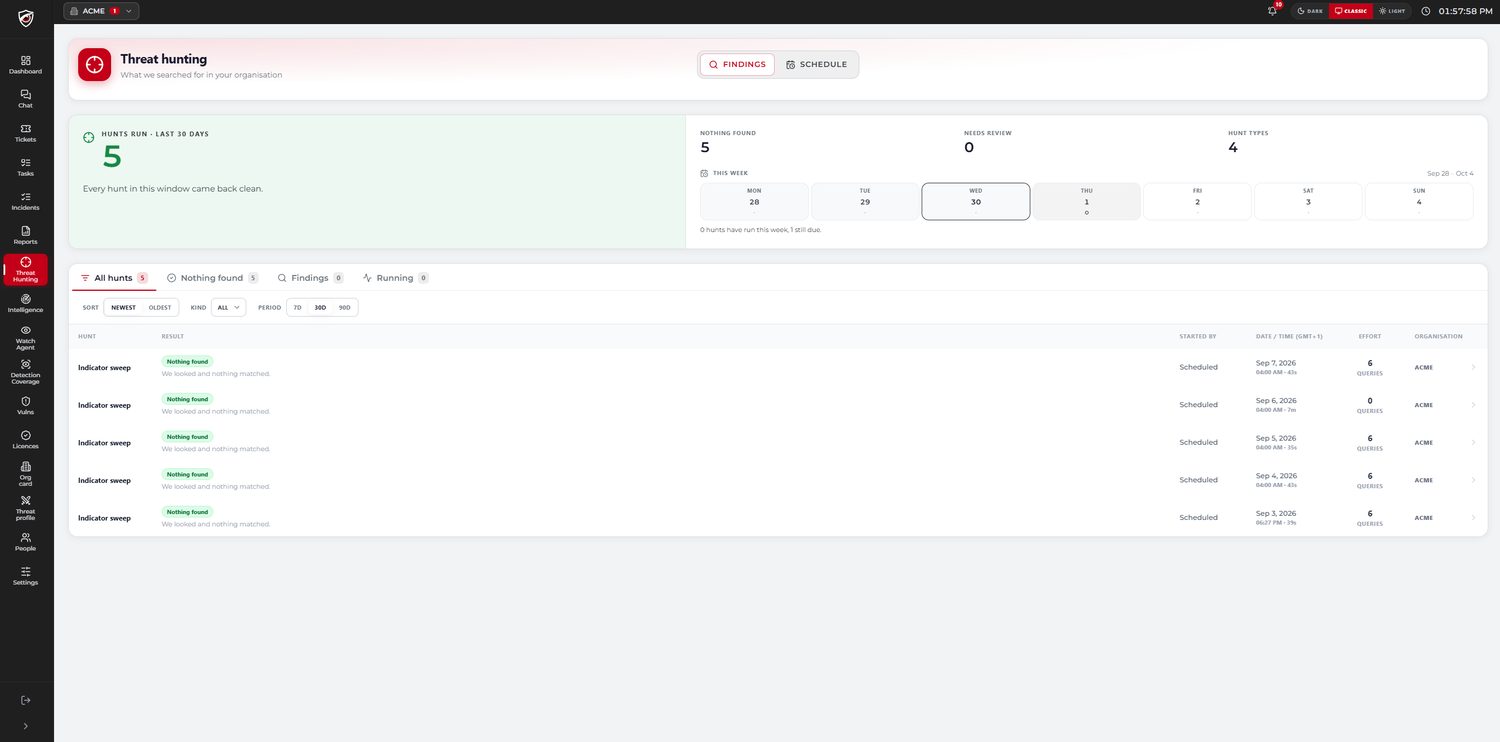
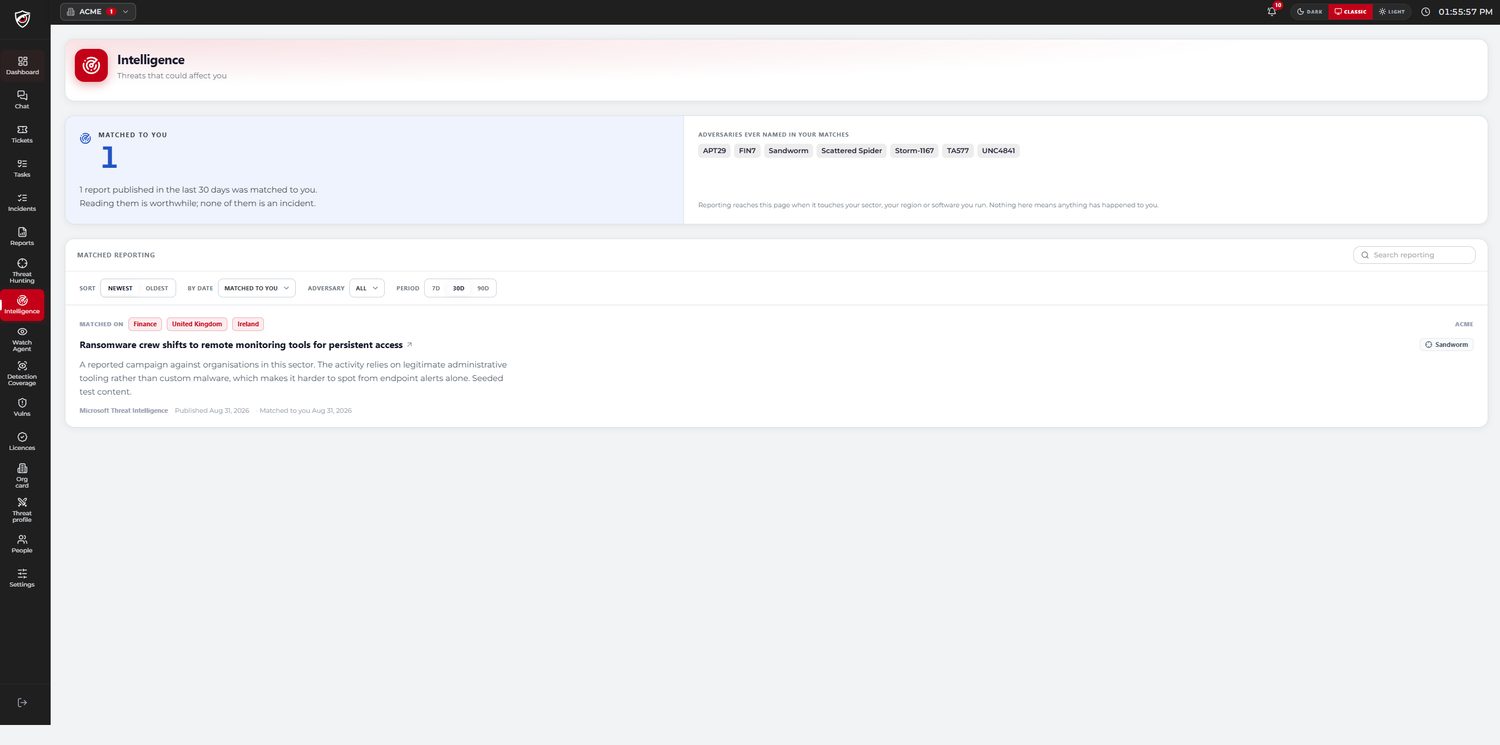
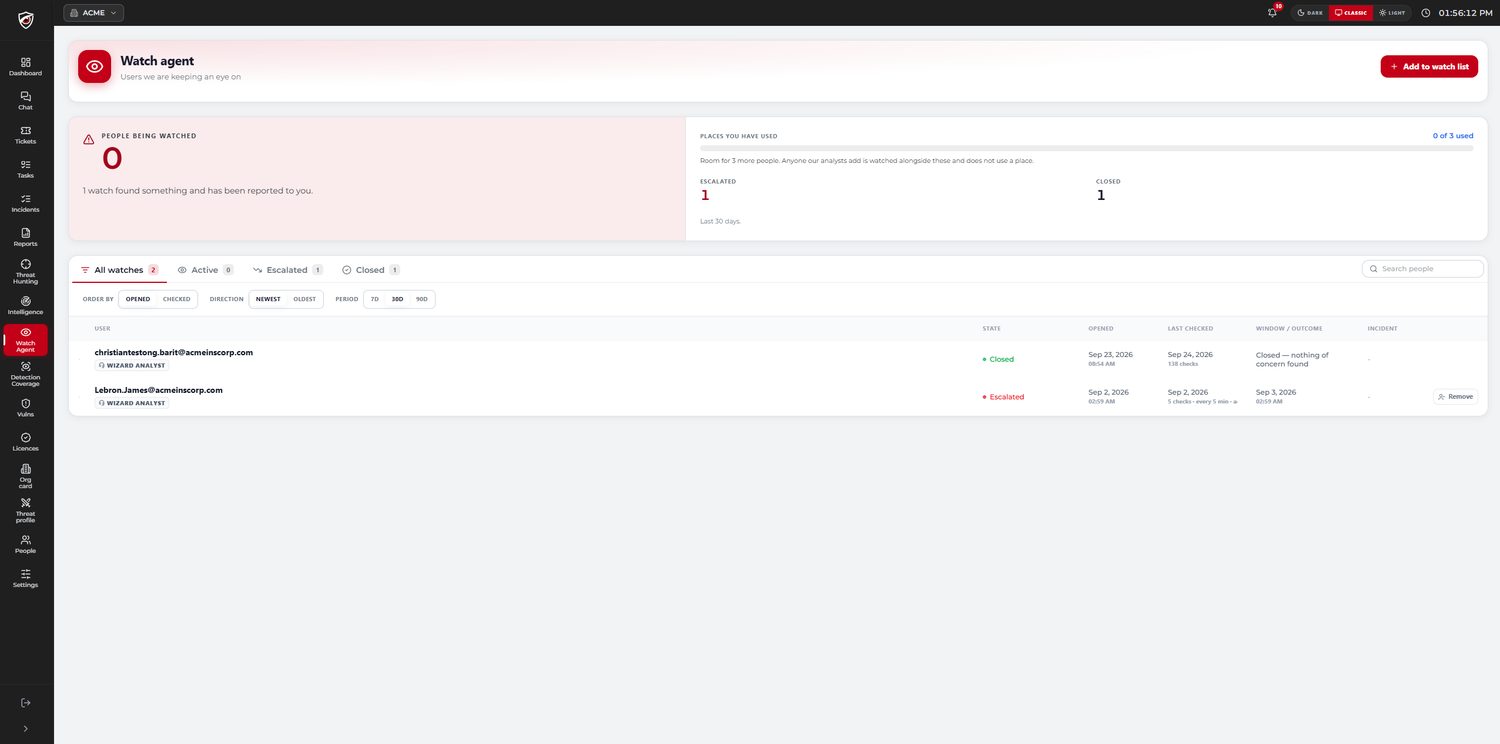
Every incident raised for you and the full investigation behind it, your reports, your threat hunts and your service levels. Tasks the SOC raises are answered in the portal, and anything you want looked at is raised there too. Live, and out of your inbox.

Customer portal · your tenantLive
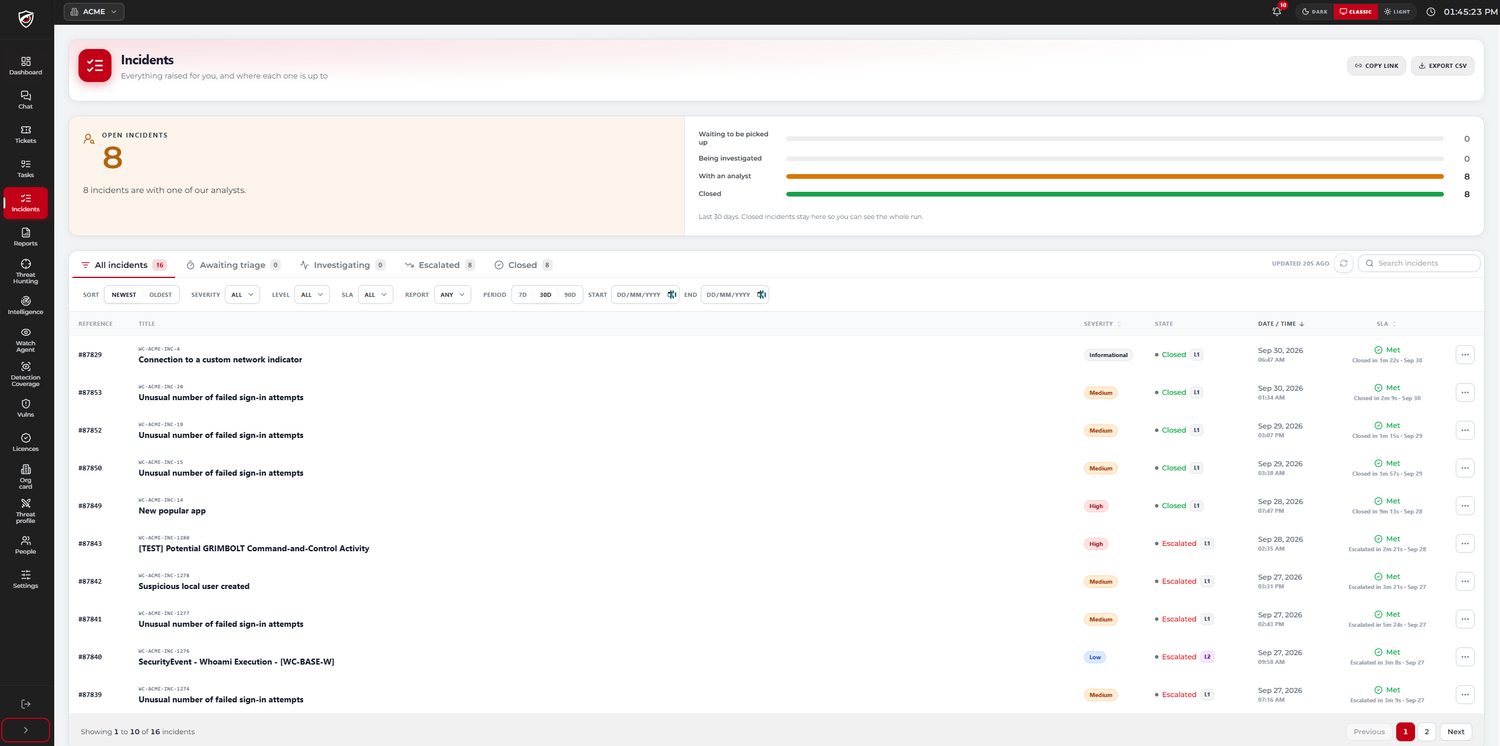
INCEvery incident raised for youlive
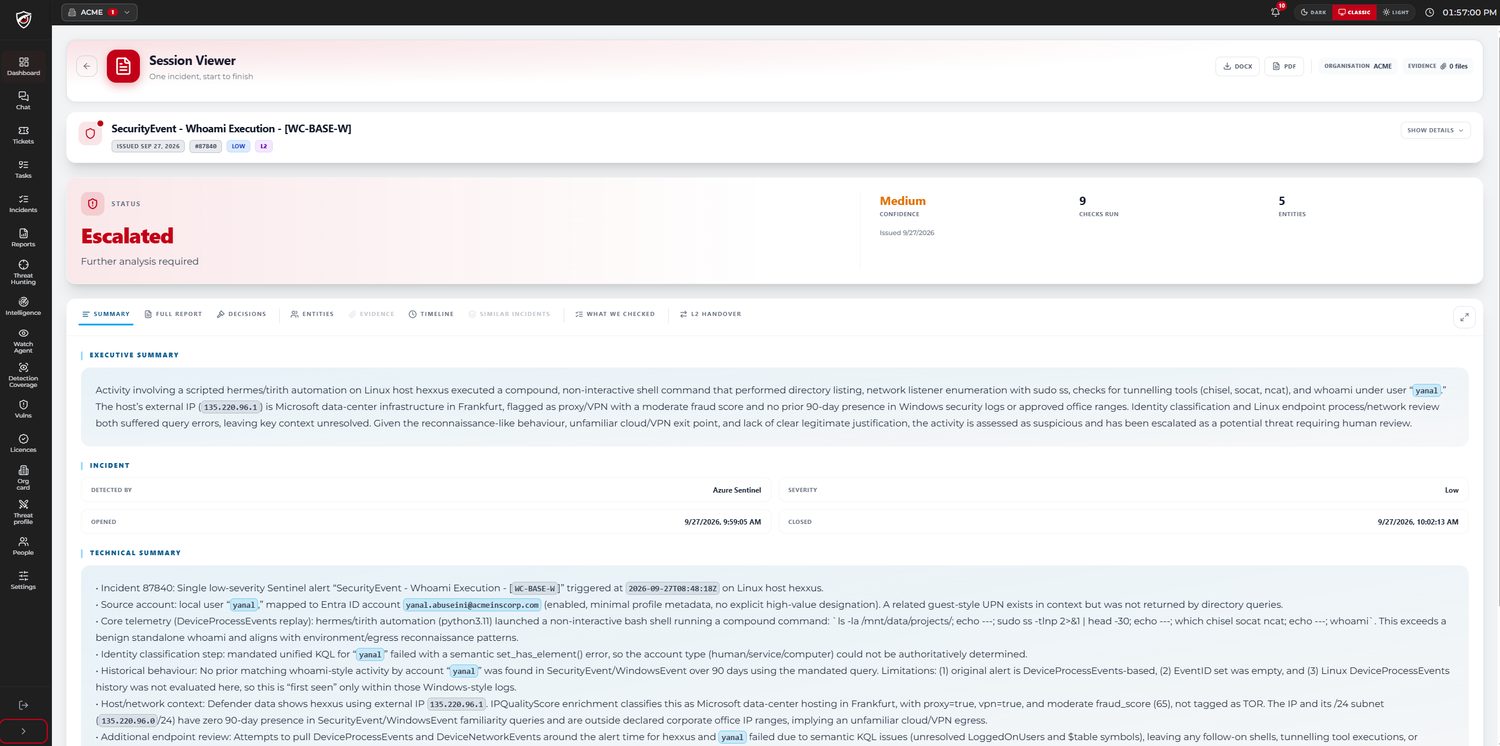
CASEThe investigation behind each verdictattached
TASKTasks from the SOC, answered heretwo-way
TKTTickets and enquiries you raisedirect
SLATime to verdict, met or missedtracked
DOCThe whole case as DOCX or PDFon demand
Out of the inbox

Not a window you watch.
A place you reply from.

Most of what a managed service sends you arrives as email, and email is where a question goes to get lost — answered to one person, forwarded to three, and impossible to find when it matters. Tasks, tickets and enquiries all sit on the incident they belong to, and so do the answers.

Tasks, answered in place

When an investigation needs something from you — a confirmation, an approval, a question only your team can answer — it arrives as a task and you reply to it there. No thread, no forwarding, and no working out which version of the answer is the current one.

Tickets you raise yourself

Something you want looked at goes in directly and reaches the same SOC that handles everything else. You are not composing an email and hoping it lands with somebody who is on shift.

Enquiries against the incident

A question about a particular incident attaches to that incident, so the answer sits with the evidence rather than in somebody’s inbox. Whoever reads the case in six months gets the exchange with it.

And on a phone

A mobile app alongside the portal, so something raised out of hours reaches the person who needs to see it where they actually are rather than waiting for a laptop to be opened.

What you see

The whole service,
not a summary of it.

Multi-tenant, with tenant isolation

One platform.
Your data is only yours.

The portal serves every customer from one platform, so the honest question is what stops one tenant reaching another. The answer is architectural rather than a matter of care.

Enforced, not intended
Every customer-facing read is filtered to the organisations the caller is entitled to, by a mechanism that fails closed. A query that cannot prove its tenant scope does not run.
Tested in the build
An automated test fails the build if portal code can reach internal authentication or internal permission resolution. The guarantee is a specification rather than a habit.
No cross-customer learning
No model training, no fine tuning and no embedding of your data. Models are used for inference only, grounded per customer and per incident.
What is shared, and is meant to be
Our playbooks, detection baselines, step library and global intelligence. That is accumulated method that we wrote, not anyone’s data, and it is the reason the service is any good.
Questions

The portal, answered.

Is this a ticketing system?

No. A ticket records that something was raised and who holds it. The portal carries the investigation itself — the steps that ran, in order, with the evidence each one returned and the reasoning that reached the verdict. The incident list is the way in, not the product.

Do we see incidents before they are closed?

Yes. An incident appears when it is raised and moves through the same states the SOC works to: waiting to be picked up, being investigated, with an analyst, closed. You are watching it happen rather than reading about it afterwards.

We already get emails from the SOC. What does the portal add?

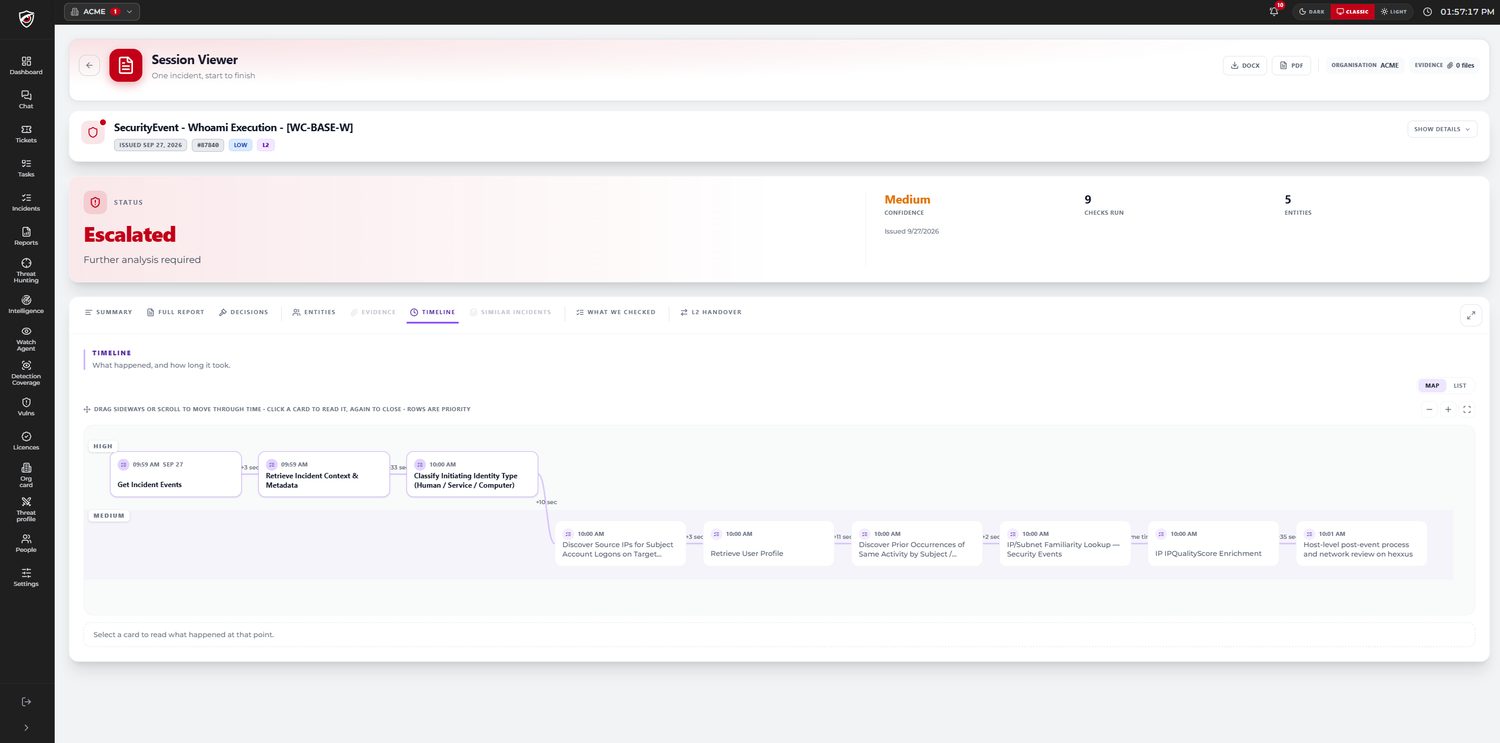
The email tells you an incident exists and what was decided. The portal carries everything behind that decision: every step, every entity, the evidence, the timeline with the seconds between each stage, and the limitations. The two are the same incident at different depths, and the email links to it.

Can we get the investigation out of the portal?

Yes. A full case exports as DOCX or PDF, the incident list exports as CSV, and any individual incident has a link you can send to somebody internally. Reporting you can put in front of a board or an auditor without anyone reformatting it first.

What stops another customer seeing our data?

Every customer-facing read is filtered to the organisations the caller is entitled to, by a mechanism that fails closed — a query that cannot prove its tenant scope does not run. An automated test fails the build if portal code can reach internal authentication or internal permission resolution, so it is a specification rather than a habit. There is no cross-customer learning: no training, no fine tuning, no embedding of your data.

Does the portal show what the AI did, or only what it concluded?

Both, and they are on separate tabs so neither hides the other. The timeline shows every step the investigation ran and the gap between them; the report shows what each step returned and how the evidence reached the verdict. The close-or-escalate decision is made by policy and by your own decision templates rather than by the model, and on the managed service a senior analyst signs it off by default.

Who in our organisation can use it?

Access is managed per organisation, so you decide who sees it. It is usually the people who would otherwise be forwarded the email — the security lead, the IT manager who has to act on a containment, and whoever answers for security at board level.

Is there an extra charge for it?

No. The portal is how the managed service is delivered rather than a module sold beside it. Every customer has it.

See it with your own eyes

Ask for the portal,
not the slides.

An hour with a SOC analyst, in the product rather than in a deck: a real investigation opened up step by step, the timeline behind it, and the tasks and replies that would otherwise have been an email thread.