
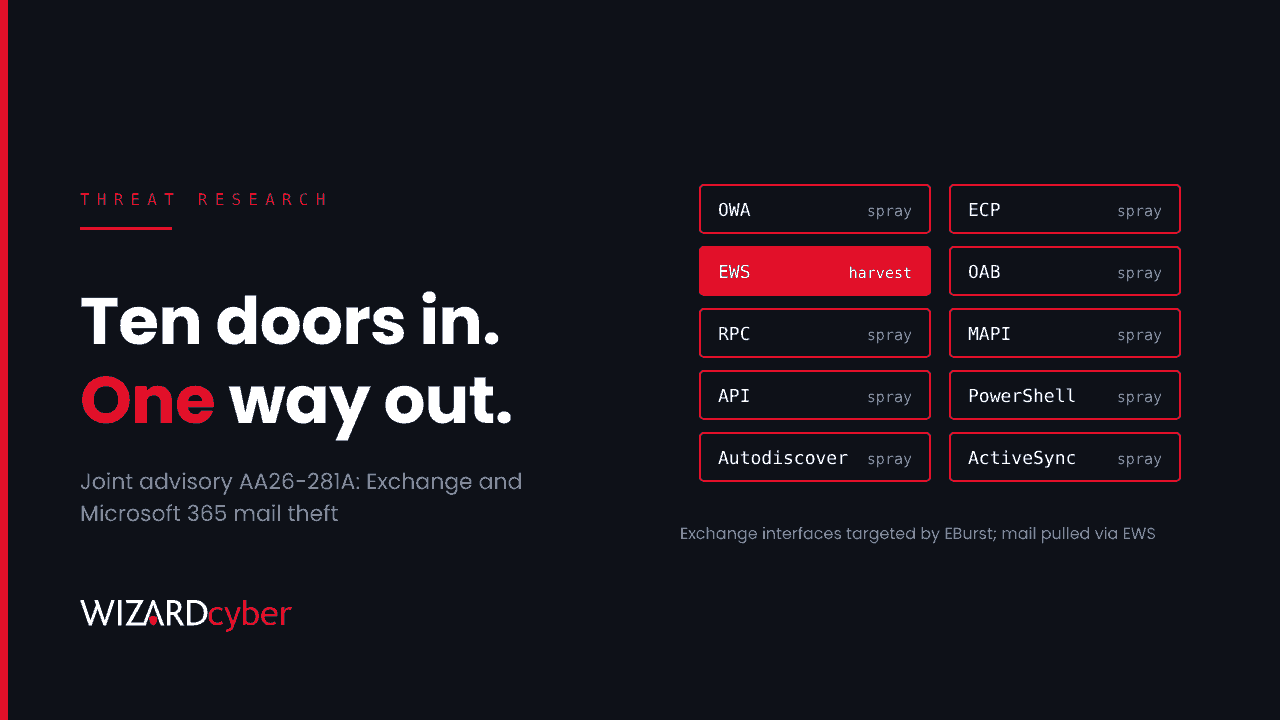
On 8 October the FBI, CISA and NSA, together with the UK's NCSC and agencies from Australia, Canada, Japan, New Zealand and Spain, published joint advisory AA26-281A. It describes tooling built and run by Integrity Technology Group, a China-based company the advisory says has links to the Chinese government. The tooling password-sprays every way into Exchange, then pulls mail out through Exchange Web Services (EWS) and through stored application credentials.
None of it relies on a new vulnerability. It works because valid credentials, legacy protocols and over-permissioned apps are still common in Microsoft 365 tenants and on-premises Exchange. That also means you can hunt for it with the telemetry most Microsoft customers already have.
What the advisory says
- Who: actors enabled by Integrity Technology Group ("Integrity Tech"), which builds and sells tools, hosts infrastructure and supports intrusions. The activity overlaps with groups tracked publicly as Flax Typhoon, Ethereal Panda and RedJuliett, though the agencies note those names may not map one-to-one to their own attribution.
- Since when: access to victim networks since at least mid-January 2021, with some tooling and indicators going back to 2016 and 2017.
- Who was hit: organisations in Southeast Asia, Africa and North America, including government, critical manufacturing, healthcare, IT, law enforcement, education and religious organisations. Email theft victims were reported in Southeast Asia.
- Why it stands out: the actors run a web application that gives third parties access to stolen email content. Stolen mailboxes aren't only used by the people who took them. They're made available to whoever has a login to that portal.
The advisory also lists older, non-Microsoft CVEs used for initial access against web-facing systems, five of which CISA added to its Known Exploited Vulnerabilities catalogue alongside it. For Microsoft-centric organisations, the email tooling is the part that needs action.
The mail-theft toolkit
EBurst: spraying every door
EBurst is an open-source Python tool for password spraying and guessing against Exchange-hosted accounts. The advisory lists the interfaces it targets: ECP, EWS, OAB, OWA, RPC, API, MAPI, PowerShell, Autodiscover and Microsoft-Server-ActiveSync. Many organisations protect OWA with MFA or Conditional Access and forget the rest. Any one of the other nine that still accepts a username and password is enough. If you need a refresher on how spraying differs from brute force, see our explainer, What Is Password Spraying?
Curlc4.txt: a bot built for EWS
Once a password works, a PHP script called Curlc4.txt talks to the EWS API to collect mail, calendar and contact items. It compresses them, sometimes encrypts them (RC4 or AES-128-CBC) and uploads them to actor servers. EWS gives bulk, programmatic access to a mailbox, so a single valid credential can produce a full mailbox export.
office-cli: mail theft that looks like an app
The third tool, office-cli, repeatedly pulls mail from Microsoft 365 mailboxes using JSON configuration files holding a client_id, tenant_id and secret. Those are the values of an app registration in Entra ID. If a client secret with mail permissions is stolen or added by an attacker, mailbox access can carry on with no user sign-in, no MFA prompt and nothing in the user's own sign-in history. The advisory notes the actors rotate in newer accounts over time and lean on legitimate access methods to stay hidden.
SoftEther for persistence
On compromised hosts, the actors install SoftEther VPN clients for persistent remote access and to hide command-and-control traffic, sometimes renamed as conhost.exe or dllhost.exe. They also used DCSync, so treat a confirmed intrusion as a possible domain compromise.
Who should act
Four groups should assume this applies to them:
- Anyone still running on-premises or hybrid Exchange with internet-facing OWA, EWS, ActiveSync or Autodiscover.
- Microsoft 365 tenants where legacy authentication or basic auth paths aren't blocked everywhere by Conditional Access.
- Tenants with app registrations that hold mail permissions (Mail.Read, Mail.ReadWrite or full_access_as_app) and long-lived client secrets.
- Organisations with service, shared or functional accounts excluded from MFA. Separate research published by Proofpoint in September, "Spraying in the Andes", described a TeamFiltration campaign that targeted 5,714 Microsoft 365 accounts across 28 tenants. The only seven accounts it compromised were unmanaged functional accounts with no MFA and no prior legitimate sign-ins.
Detection and hunting
The queries below are starting points for Microsoft Sentinel and Defender XDR. Tune the thresholds, time windows and exclusions to your own estate before you rely on them, and expect the first runs to surface legitimate noise you'll want to list as exceptions.
1. Spraying against Entra ID
Spraying shows up as many accounts each failing a few times from the same source. ResultType 50126 is an invalid username or password.
union SigninLogs, AADNonInteractiveUserSignInLogs
| where TimeGenerated > ago(14d)
| where ResultType == "50126"
| summarize Accounts = dcount(UserPrincipalName), Attempts = count(),
            Apps = make_set(AppDisplayName, 10), UserAgents = make_set(UserAgent, 5)
          by IPAddress, bin(TimeGenerated, 1h)
| where Accounts >= 20 and Attempts <= Accounts * 3
| order by Accounts desc
2. A spray that worked
The question that matters is whether any address that sprayed also produced a successful sign-in. If you only run one query from this article, run this one.
let Sprayers = union SigninLogs, AADNonInteractiveUserSignInLogs
| where TimeGenerated > ago(14d) and ResultType == "50126"
| summarize Accounts = dcount(UserPrincipalName) by IPAddress
| where Accounts >= 20
| project IPAddress;
union SigninLogs, AADNonInteractiveUserSignInLogs
| where TimeGenerated > ago(14d) and ResultType == "0"
| where IPAddress in (Sprayers)
| project TimeGenerated, UserPrincipalName, IPAddress, AppDisplayName,
          ClientAppUsed, UserAgent, ConditionalAccessStatus
Pay particular attention to rows where ClientAppUsed is a legacy protocol such as Exchange ActiveSync, Exchange Web Services or Other clients. Those sign-ins often skip MFA entirely.
3. Spraying against on-premises Exchange
If Exchange IIS logs reach Sentinel, look for one client address failing authentication for many usernames across the interfaces EBurst targets.
W3CIISLog
| where TimeGenerated > ago(14d)
| where scStatus == 401
| where csUriStem has_any ("/owa/", "/ecp/", "/EWS/", "/oab/", "/rpc/", "/mapi/",
                           "/api/", "/powershell", "/autodiscover/",
                           "/Microsoft-Server-ActiveSync")
| where isnotempty(csUserName) and csUserName != "-"
| summarize Usernames = dcount(csUserName), Requests = count(),
            Interfaces = make_set(tostring(split(csUriStem, "/")[1]), 10)
          by cIP, bin(TimeGenerated, 1h)
| where Usernames >= 15
| order by Usernames desc
4. Mail permissions granted to apps
office-cli depends on an app that can read mail. Review every grant of mail permissions and every new client secret, not just the recent ones.
AuditLogs
| where TimeGenerated > ago(90d)
| where OperationName in ("Add app role assignment to service principal",
                          "Add delegated permission grant",
                          "Consent to application",
                          "Update application – Certificates and secrets management ")
| extend Target = tostring(TargetResources[0].displayName),
         Detail = tostring(TargetResources[0].modifiedProperties),
         Actor = tostring(InitiatedBy.user.userPrincipalName)
| where OperationName has "Certificates" or Detail has_any ("Mail.Read", "Mail.ReadWrite",
        "full_access_as_app", "EWS.AccessAsUser.All")
| project TimeGenerated, OperationName, Target, Actor, Detail
The secrets operation name carries a trailing space in many tenants. Check how it appears in yours.
5. Apps reading mail from somewhere new
Application sign-ins appear in the service principal sign-in log, not the user log. A mail-reading app that suddenly authenticates from an unfamiliar address or country deserves a look.
let lookback = 30d; let recent = 2d;
AADServicePrincipalSignInLogs
| where TimeGenerated > ago(lookback) and ResultType == "0"
| where ResourceDisplayName in ("Office 365 Exchange Online", "Microsoft Graph")
| summarize Known = make_set_if(IPAddress, TimeGenerated < ago(recent), 200),
            Recent = make_set_if(IPAddress, TimeGenerated >= ago(recent), 50)
          by ServicePrincipalName, AppId
| extend NewIPs = set_difference(Recent, Known)
| where array_length(NewIPs) > 0
6. Renamed VPN clients on endpoints
SoftEther disguised as Windows binaries gives itself away by running from the wrong folder or carrying the wrong product metadata.
DeviceProcessEvents
| where TimeGenerated > ago(30d)
| where FileName in~ ("conhost.exe", "dllhost.exe")
| where not(FolderPath startswith @"C:\Windows\System32\")
    and not(FolderPath startswith @"C:\Windows\SysWOW64\")
    or ProcessVersionInfoProductName has "SoftEther"
| project TimeGenerated, DeviceName, FolderPath, ProcessCommandLine,
          ProcessVersionInfoCompanyName, InitiatingProcessFileName
If you also want to cover the TeamFiltration activity, Proofpoint reported a hard-coded, outdated Teams desktop user agent containing Teams/1.3.00.30866. Adding | where UserAgent has "Teams/1.3.00.30866" to a sign-in query is a cheap extra check.
Mitigation
- Block legacy authentication everywhere. Use a Conditional Access policy targeting Exchange ActiveSync clients and Other clients, with no exclusions you can't name and justify.
- Put every interface behind MFA, not just OWA. On hybrid Exchange, use modern hybrid authentication, and turn off EWS, ActiveSync or PowerShell access per mailbox where nobody uses them.
- Treat functional and service accounts as privileged. Give each an owner, rotate default or inherited passwords, and stop excluding them from MFA by default.
- Audit app registrations with mail permissions. Remove the ones nobody owns. Restrict the rest to the mailboxes they need with RBAC for Applications in Exchange Online, and replace long-lived secrets with certificates or managed identities.
- Turn on the logs these hunts depend on. That means non-interactive and service principal sign-in logs in Sentinel, mailbox auditing including MailItemsAccessed, and Exchange IIS logs for any on-premises servers.
- Vet the advisory's indicators before you block them. Many date back years and some will now belong to someone else.
How a managed SOC helps
This advisory documents a patient, low-noise operation: a few failed sign-ins per account, then quiet, legitimate-looking mailbox access through EWS and app credentials. Catching it means joining weak signals across identity, mail and endpoint logs, around the clock.
- Continuous coverage. Our SOCs are manned 24/7, so a spray that succeeds at 03:00 on a Saturday is investigated on Saturday.
- Investigation that joins the dots. CYBERSHIELD AI's Investigation Agent works each incident through to a verdict, averaging 3m 30s, or 7m 50s where it needs Advanced Investigation. It links the successful sign-in to the spray that came before it and the mailbox access that came after.
- Analysts who sign it off. On the managed service, senior analyst sign-off is the default. Whether to close or escalate is decided by policy and your own decision templates, not by the model.
- Built on Microsoft. We have run Microsoft Sentinel since 2019. Hunts like the ones above become tuned, maintained analytics for your tenant rather than one-off queries.
If you're not sure whether every route into your mailboxes needs MFA, or which apps in your tenant can read mail, talk to our team.