

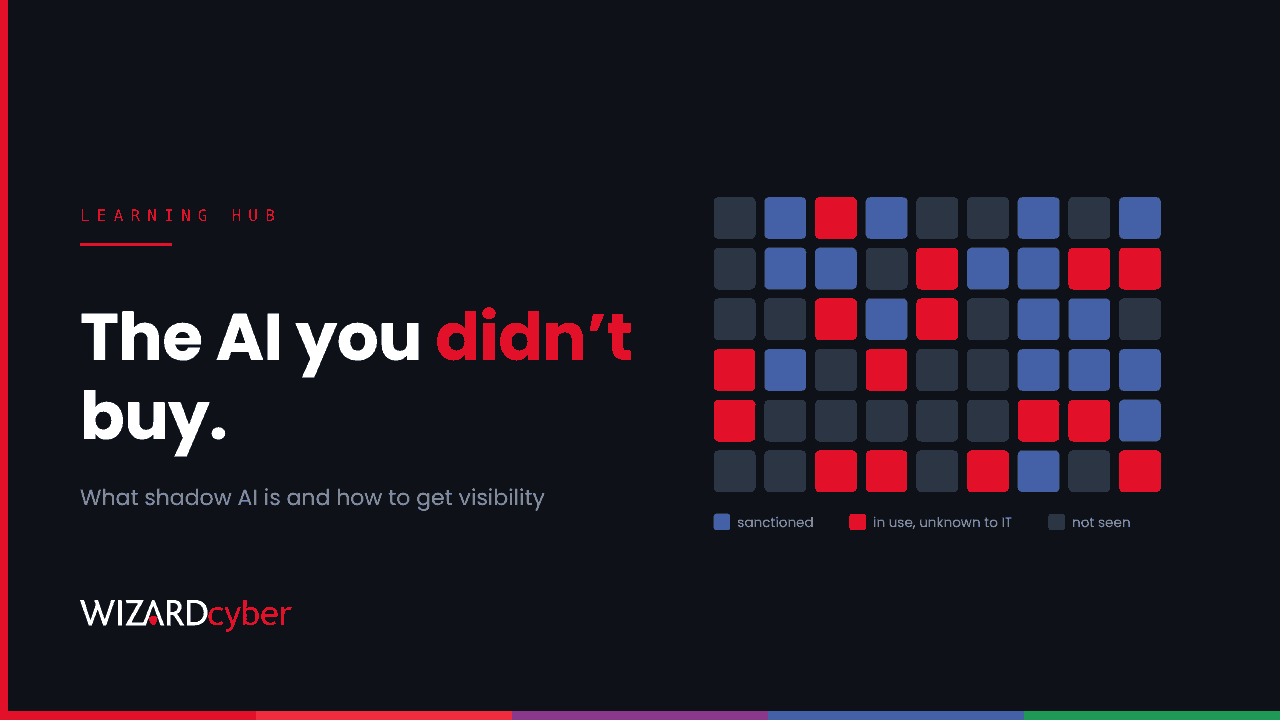
Shadow AI is the use of AI tools, models or agents at work without the knowledge or approval of the organisation's IT or security team. It covers an employee pasting a contract into a public chatbot, a team using an AI note-taker nobody vetted, a browser extension that rewrites emails, and a personal AI agent connected to a work mailbox. It's the AI version of shadow IT, with one important difference: many of these tools don't just store your data, they learn from it, act on it or pass it on.
It's widespread. Microsoft and LinkedIn's 2024 Work Trend Index found that 75% of knowledge workers were using generative AI at work, and that 78% of those users were bringing their own AI tools rather than waiting for one to be provided. Most organisations have shadow AI. The question is how much, and where.
Shadow AI vs shadow IT
| Shadow IT | Shadow AI | |
|---|---|---|
| Typical example | An unapproved file-sharing app | An unapproved chatbot, AI note-taker or AI agent |
| Main data risk | Data stored somewhere you don't control | Data stored, processed, possibly used for training, and summarised into outputs |
| Can it act? | Rarely | Often: agents send mail, edit files and accept meetings |
| How it gets in | Sign-ups, installs | Sign-ups, installs, browser extensions, OAuth consent, and AI features switched on inside approved apps |
Common examples of shadow AI
- Public chatbots used with personal accounts to summarise, translate or rewrite work documents.
- AI meeting assistants that join calls, record them and send transcripts to an external service.
- Browser extensions that read every page you visit to offer writing help or summaries.
- Coding assistants that send source code, secrets in config files or internal APIs to a model provider.
- Personal AI agents connected to work email, calendars and drives through OAuth consent or saved credentials.
- AI features in approved SaaS that a supplier switched on by default, so data now goes to a new sub-processor nobody assessed.
- Home-built automations, such as a script calling a model API with a key from someone's personal account.
Why shadow AI is a risk
Data leakage
The most immediate risk is sensitive data leaving your control: customer records, financial results, source code, legal advice, HR cases. Once it's in a consumer AI service, you may not know where it's stored, how long it's kept, who can see it or whether it's used to train future models.
Identity and access
An AI agent with a delegated OAuth grant can read and send mail as the user. If the agent's vendor is breached, or the grant is phished, an attacker gets the same access, and it looks like the user in your logs. We look at this more closely in Every AI Agent Is A New Joiner.
Compliance and contracts
Data protection law requires you to know who processes personal data and on what basis. Many client contracts restrict where their data may go. Shadow AI can put you in breach of both without anyone deciding to.
Wrong answers, real decisions
AI output is sometimes confidently wrong. When unvetted tools feed decisions, such as a summary that drops a clause or code with a vulnerability, nobody has checked whether the tool is fit for that use.
Prompt injection
Agents that read email, documents and web pages can be steered by instructions hidden in that content. An agent with access to your mailbox and no guardrails is a new way in for an attacker.
How to get visibility of shadow AI
You can't govern what you can't see. In a Microsoft-centric estate, most of the telemetry you need is already available.
1. Discover AI apps in use
Microsoft Defender for Cloud Apps' cloud discovery classifies traffic from your endpoints, proxies and firewalls against its app catalogue, which includes a generative AI category with a risk score for each app. Start with a report of every AI app seen in the last 30 days, how many users use each and how much data was uploaded.
2. Review OAuth consent grants
Agents and AI add-ins usually connect through OAuth. This starter query for Microsoft Sentinel lists recent consents and the permissions granted. Tune the time window and review the results with each app's owner.
AuditLogs
| where TimeGenerated > ago(90d)
| where OperationName == "Consent to application"
| extend App = tostring(TargetResources[0].displayName),
         User = tostring(InitiatedBy.user.userPrincipalName),
         Props = tostring(TargetResources[0].modifiedProperties)
| extend Scopes = extract(@"Scope:\s*([^,\]]+)", 1, Props)
| summarize Users = dcount(User), FirstSeen = min(TimeGenerated),
            Scopes = make_set(Scopes, 10) by App
| order by Users desc
Anything with mail, file or calendar permissions that you don't recognise is a candidate for review.
3. See what data is going to AI
Microsoft Purview's Data Security Posture Management for AI, together with Endpoint DLP, can show and control sensitive content being pasted or uploaded into AI sites from managed devices. Run it in audit mode first to see what's happening before you block anything.
4. Check the AI inside your approved apps
Ask each critical SaaS supplier which AI features they've enabled, which models and sub-processors they use, and whether your data is used for training. Add these questions to your supplier assessments.
How to govern shadow AI without driving it underground
- Provide a sanctioned option. People use shadow AI because it helps them. Give them an approved tool that's at least as useful, inside your tenant, and most will switch.
- Write a short, clear policy. What data may and may not go into AI tools, which tools are approved, and how to ask for a new one. One page beats twenty.
- Control the front door. Restrict user consent in Microsoft Entra ID to verified publishers and low-risk permissions, and turn on the admin consent workflow so requests have somewhere to go.
- Tier the response. Block the riskiest apps, warn on unvetted ones and allow approved ones. A "warn and justify" prompt teaches people more than a silent block.
- Give every agent an owner. Each agent or AI integration with access to data needs a named person accountable for it, and its access should end when theirs does.
- Monitor continuously. New AI apps launch every week. Discovery and consent reviews need to be ongoing, not a one-off audit.
Frequently asked questions
Is shadow AI the same as shadow IT?
It's a subset with extra risks. Shadow IT is any technology used without approval. Shadow AI is specifically AI tools and agents, which can process, learn from and act on the data they're given, not just store it.
Should we just block public AI tools?
Blocking the highest-risk tools is sensible, but a blanket ban usually pushes use onto personal devices and accounts where you have no visibility at all. Combine targeted blocking with an approved alternative and a clear policy.
Is shadow AI illegal?
Using an AI tool isn't illegal in itself, but putting personal or client data into one without a lawful basis, a proper contract or adequate security can breach data protection law and contractual obligations. Take legal advice for your own situation.
How do we find AI agents connected to Microsoft 365?
Review the enterprise applications and OAuth consent grants in Microsoft Entra ID, focusing on apps with mail, file or calendar permissions. Then check sign-in logs for apps and non-interactive sign-ins you don't recognise.
Who should own shadow AI risk?
The policy needs a senior owner, often the CISO or a governance lead, with input from legal, data protection and the business. Day-to-day discovery and monitoring usually sit with IT and security operations.
How Wizard Cyber helps
Our AI governance service helps you set a practical policy for AI use, decide which tools and agents are approved, and build the approval and review process around it. Our vCISO service gives leadership teams senior support to own that risk. Our 24/7 SOCs watch the consent grants, sign-ins and data movements that show when AI use, sanctioned or not, puts your data at risk.
If you'd like to find out how much shadow AI is in your organisation and what to do about it, book a demo or talk to our team.