

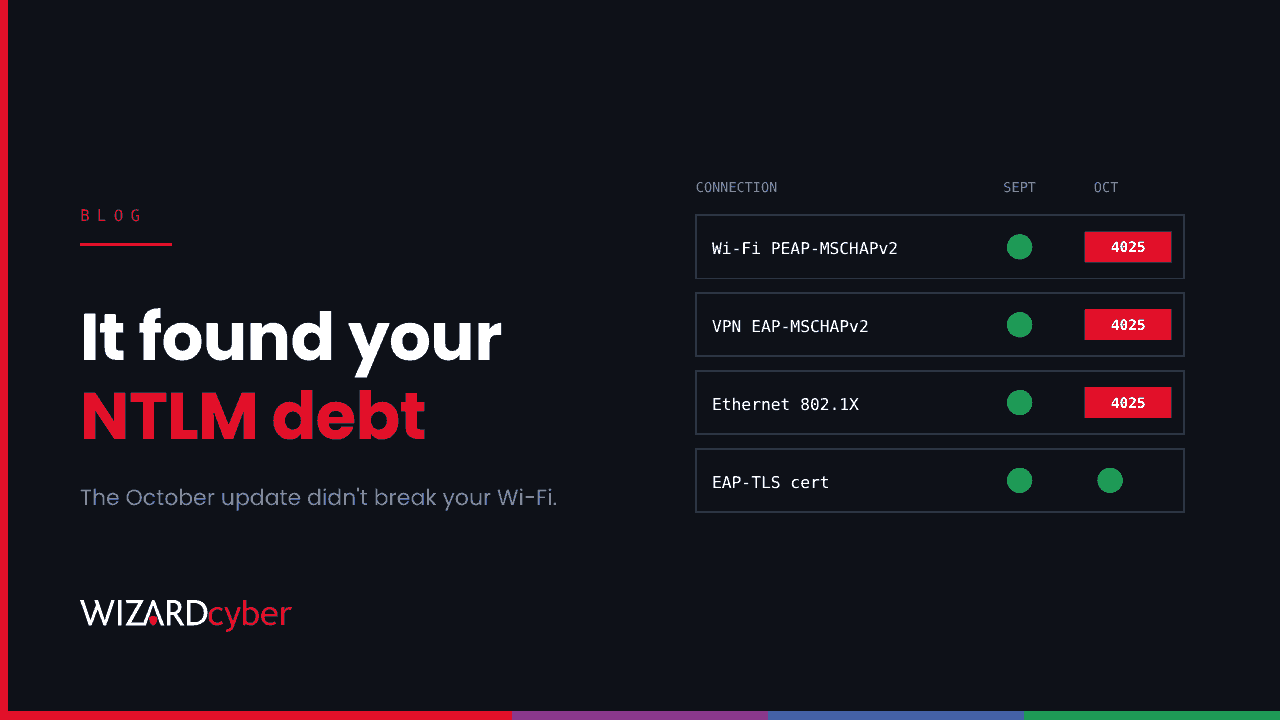
If some of your Windows laptops stopped joining the office Wi-Fi or connecting to the VPN automatically after the October update, the update isn't broken. It has done what Microsoft said it would do more than a year ago, and it has shown you where your network still relies on NTLM, one of the oldest pieces of Windows authentication.
The quick fix is a registry value. The better fix takes longer, and October is a good time to start it.
What changed in October
Since the October 2026 security update, Windows 11 (24H2, 25H2 and 26H2) and Windows Server 2025 block single sign-on that relies on NTLMv1-derived credentials by default. Before, they allowed it and logged a warning. The change is controlled by a registry value called BlockNtlmv1SSO under HKLM\SYSTEM\CurrentControlSet\Control\Lsa\MSV1_0. The update doesn't set the value itself. It changes what Windows does when the value isn't there, from Audit to Enforce.
The main thing affected is Wi-Fi, wired 802.1X and VPN connections that use MS-CHAPv2, including PEAP-MSCHAPv2 and EAP-MSCHAPv2, on domain-joined devices. Those connections stop connecting automatically. Users can still type their credentials, but Windows won't save them. Devices with Credential Guard enabled already blocked this and aren't affected.
None of this was a surprise. Microsoft documented it in August 2025, turned on auditing then, and confirmed it again in Message Center post MC1508562 on 15 October. The Register reported the network problems that followed.
The quick fix, and why it should stay quick
Setting BlockNtlmv1SSO to 0 puts a device back into Audit mode, and the connections work again. Microsoft describes this as a scoped, temporary exception that lowers the device's security. If you need it to keep people working this week, use it. But apply it to the devices that need it rather than the whole estate, write down who approved it and when it ends, and watch the audit events while it's in place.
In Audit mode, Windows logs Event ID 4024 in the Microsoft-Windows-NTLM/Operational log each time an NTLMv1-derived credential is used. In Enforce mode, Event ID 4025 records each one that was blocked. Collected centrally, those events are your list of what still depends on it.
The real fix
MS-CHAPv2 is a password-based protocol from the late 1990s, and its weaknesses are well known. Microsoft's recommended fix is to move Wi-Fi and VPN authentication to certificates, using EAP-TLS or PEAP-TLS. With Intune or Group Policy issuing device certificates, that's usually a project of weeks rather than months, and it removes passwords from network access altogether.
It's also worth turning on Credential Guard wherever devices support it. It protects credentials in memory against a range of theft techniques, not just this one.
This is the first of several
The NTLMv1 change is one step in a longer plan. In February 2026, Microsoft set out three phases for retiring NTLM: better auditing now, new Kerberos features (IAKerb and a local KDC) to remove the common reasons for falling back to NTLM, and then NTLM disabled by default in the next major release of Windows Server and the matching Windows client. Microsoft says disabled by default isn't the same as removed, and it can be re-enabled through policy. But the direction is clear.
When that next release arrives, everything that still quietly uses NTLM will hit the same problem your Wi-Fi did this month: old file shares accessed by IP address, applications that hard-code it, printers and scanners, service accounts with no service principal names, and so on. The organisations that find those dependencies now, in audit mode, will have a quiet upgrade. Those that find them on the day will have the Wi-Fi problem again, everywhere at once.
Why this is a security issue as well as an IT one
NTLM is a favourite of attackers. Its hashes can be relayed to other servers, cracked offline or passed straight through without the password. A lot of lateral movement inside Windows networks still runs on it. Every NTLM dependency you remove is one less route for an attacker who has a foothold. We explain how it works and how it's abused in our guide, What Is NTLM?
So treat this month's outage as useful information. You now know at least one place NTLM was hiding. Here's how to find the rest:
- Collect the evidence. Send the NTLM operational logs (events 4024 and 4025) and domain controller NTLM audit events to your SIEM.
- Turn on NTLM auditing on domain controllers to see which accounts, servers and applications still authenticate with any version of NTLM.
- Fix in order of risk. Start with privileged accounts, then servers that hold sensitive data, then the long tail.
- Set an end date for every exception, including the registry value you set this week.
How we help
Our Microsoft security consultancy helps organisations audit NTLM use, plan certificate-based network authentication and move applications to Kerberos without breaking them. Our SOCs are manned 24/7 and watch for the NTLM relay and pass-the-hash activity attackers use in the meantime. If you'd like to know how much of your estate still runs on NTLM before the next Windows release decides for you, talk to our team.