
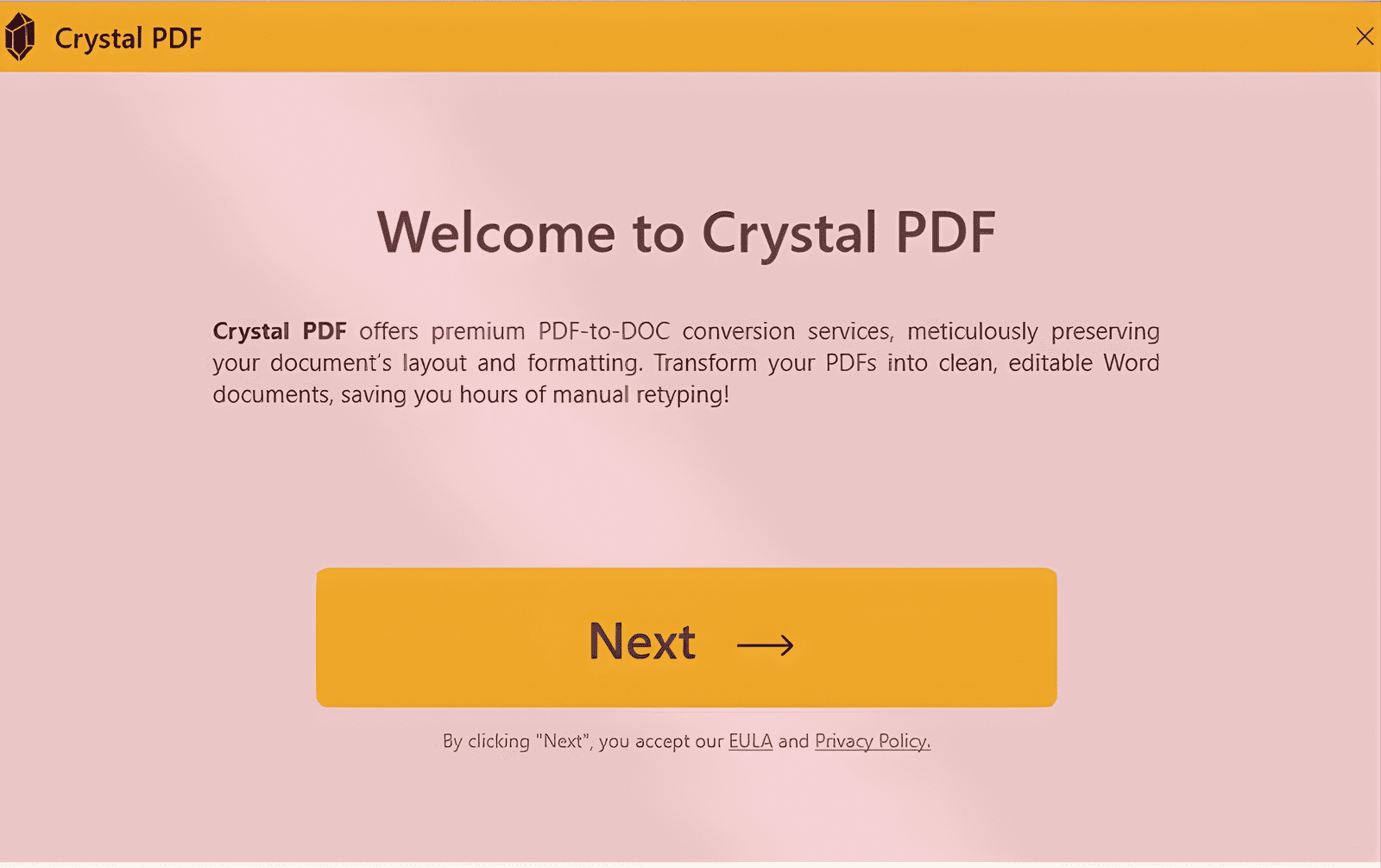
In late September 2025, Microsoft uncovered a campaign distributing a fake PDF editor called Crystal PDF through deceptive online advertising and SEO poisoning. The installer, CrystalPDF.exe, is an infostealer that harvests browser credentials and exfiltrates them to attacker-controlled infrastructure.
It primarily affected organisations in the United States, with education disproportionately represented. The detail worth sitting with is the delivery: attackers used Google Ads to distribute malware disguised as a legitimate productivity tool. The user did nothing unusual — they searched for a PDF converter and clicked the top result.
Threat overview
Microsoft tracked a financially motivated campaign promoting a counterfeit PDF utility. Search-engine manipulation and sponsored advertisements positioned the fake application as a legitimate document converter, which substantially raises the odds of user interaction — a sponsored result carries borrowed credibility.
Behind the productivity-tool appearance, the delivered binary is credential-stealing malware targeting browser-stored authentication data. Harvested credentials and session tokens go to attacker infrastructure for account takeover and onward exploitation.
Session tokens are the part that hurts. A stolen password can be reset; a stolen session token is already past MFA.
Technical analysis
Initial access
Users attempting to download Crystal PDF from crystalpdf[.]com were redirected to attacker-controlled sites and served the malicious payload instead of an application. The campaign combined social engineering with technical redirection while keeping the tool's appearance intact.
- Malicious hosting domains —
smartdwn[.]com,seranlo[.]com, andnovarion[.]net, the last of which is linked to multiple malvertising campaigns. - Ad delivery — Google Ads drove traffic to the fake tool.
- Tracking parameters —
utm_source,gad_campaignidandgclid, used by the operators to measure which ads converted. They were running this like a marketing campaign, because commercially that is what it was. - Automatic redirection — JavaScript (
variables.js) hosted on the fake site silently redirected visitors to the malicious domains.
Execution and persistence
On execution, CrystalPDF.exe:
- Copies itself to
AppData\Local\Temp\crys - Creates a scheduled task named Crystal_updater
- Configures daily execution at 07:15 local time
- Drops a second executable,
Crystal PDF.exe, to the Desktop
The scheduled task runs the payload with an update argument each day — persistence disguised as exactly the thing a real application would do.
Command and control, and exfiltration
The malware makes outbound connections to strongdwn[.]com, negmari[.]com and ramiort[.]com, and targets Chrome and Firefox for:
- Stored credentials
- Session cookies
- Authentication tokens
- Browser profile data from
AppData\Roaming
The secondary executable connects to legitimate CloudConvert-related domains and appears to be a decoy — it maintains the illusion that the user installed a working PDF tool, which delays the moment anyone becomes suspicious.
Indicators of compromise
| Type | Indicator | Description |
|---|---|---|
| Domain | strongdwn[.]com | Command-and-control |
| Domain | negmari[.]com | Command-and-control |
| Domain | ramiort[.]com | Command-and-control |
| Domain | crystalpdf[.]com | Fake PDF tool distribution site |
| Domain | smartdwn[.]com | Malware delivery infrastructure |
| Domain | seranlo[.]com | Redirect domain hosting the payload |
| Domain | novarion[.]net | Associated with multiple malvertising campaigns |
| Filename | CrystalPDF.exe | Primary credential-stealing payload |
| Filename | Crystal PDF.exe | Secondary decoy executable |
| Scheduled task | Crystal_updater | Persistence mechanism, daily at 07:15 |
| SHA-256 | 176cdfdb775d909ddb14cc5c3e7e035d1dd6ea7a36efe37e663f840fa75b9500 | CrystalPDF.exe sample |
| SHA-256 | 3bc62aca7b4f778dabb9ff7a90fdb43a4fdd4e0deec7917df58a18eb036fac6e | CrystalPDF.exe sample |
| SHA-256 | 598da788600747cf3fa1f25cb4fa1e029eca1442316709c137690e645a0872bb | CrystalPDF.exe sample |
| SHA-256 | c72f8207ce7aebf78c5b672b65aebc6e1b09d00a85100738aabb03d95d0e6a95 | CrystalPDF.exe sample |
| SHA-256 | 0f76f6a9f7c2575f9312953d37b51a8e1a7cc38a0758e272deef25bd6593306e | CrystalPDF.exe sample |
Hunting query
Correlate process activity with network connections to the known C2 domains to surface potentially compromised devices. For Microsoft Defender / Sentinel advanced hunting:
let C2Domains = dynamic(["strongdwn.com", "negmari.com", "ramiort.com"]);
let CrystalProcesses =
DeviceProcessEvents
| where TimeGenerated > ago(30d)
| where ProcessVersionInfoProductName has_any ("CrystalPDF", "Crystal PDF")
    or InitiatingProcessVersionInfoProductName has_any ("CrystalPDF", "Crystal PDF")
| where ProcessCommandLine !has "werfault.exe"
| project
    DeviceId, DeviceName, ProcessId,
    ProcessStartTime = TimeGenerated,
    FileName, ProcessCommandLine,
    InitiatingProcessFileName, InitiatingProcessCommandLine;
DeviceNetworkEvents
| where TimeGenerated > ago(30d)
| where RemoteUrl has_any (C2Domains)
| extend NetworkTime = TimeGenerated
| join kind=inner (CrystalProcesses) on DeviceId
| where NetworkTime >= ProcessStartTime
| project-reorder
    ProcessStartTime, NetworkTime, DeviceName,
    FileName, ProcessCommandLine,
    RemoteUrl, RemoteIP,
    InitiatingProcessFileName
| sort by ProcessStartTime desc
MITRE ATT&CK mapping
| Tactic | ID | Technique |
|---|---|---|
| Resource Development | T1583.001 | Acquire Infrastructure — domains registered to host malware and fake download pages |
| Resource Development | T1608.001 | Stage Capabilities — payloads uploaded to attacker infrastructure |
| Initial Access | T1204 | User Execution — victims download and run the installer |
| Execution | T1059.007 | Command and Scripting Interpreter: JavaScript — redirection to the payload |
| Persistence | T1053.005 | Scheduled Task/Job — the Crystal_updater task |
| Defense Evasion | T1036.005 | Masquerading — impersonating a legitimate application |
Prevention
- Enable cloud-delivered protection and real-time antivirus scanning.
- Run EDR in block mode so malicious processes are stopped rather than reported.
- Enable network and web protection in your endpoint platform.
- Move users off browser-stored credentials. This campaign exists because browsers are a credential store that any process running as the user can read.
- Enforce MFA everywhere — and understand it does not help against a stolen session token, which is why the point above matters.
- Apply attack surface reduction rules: block executables from untrusted sources, and restrict scheduled tasks launching unknown binaries.
Detection
Microsoft Defender Antivirus may identify the components as Trojan:MSIL/Malgent or Trojan:MSIL/Stealer.
In Defender for Endpoint telemetry, look for:
- Outbound connections to the domains listed above
- Executables downloaded from newly registered or untrusted domains
- Unexpected scheduled task creation, particularly
Crystal_updater - Binaries executing from
AppData\Local\Temp
The last of those is the most durable signal here. Campaign infrastructure rotates; execution from a temporary directory followed by an outbound connection does not stop being suspicious.
Remediation
- Isolate affected systems to prevent lateral movement.
- Delete
CrystalPDF.exefrom the Temp folder andCrystal PDF.exefrom the Desktop. - Remove the
Crystal_updaterscheduled task. - Block the malicious domains at network and firewall level.
- Reset credentials and revoke sessions for affected accounts. Resetting a password without invalidating the session leaves the attacker logged in.
- Run endpoint scans to confirm all components are gone.
Trends and impact
This aligns with tactics seen in the EvilAI campaign — masquerading as legitimate applications, manipulating search and advertising, and stealing browser credentials. US educational institutions appear to have been the primary targets, and similar campaigns are likely to expand as attackers continue abusing malvertising and legitimate cloud services to evade detection.
What is affected when this lands: Windows endpoints where the installer ran; Chrome and Firefox profiles targeted for credentials and session tokens; and — the part that turns an endpoint problem into an identity problem — any Microsoft 365 or SaaS session still live in a stolen token.
Why this matters
The campaign shows how readily trusted business tools and advertising platforms can be turned into a delivery channel for credential theft. There was no exploit, no vulnerability and no phishing email. Somebody searched for a PDF converter, clicked a sponsored result, and installed what they were offered.
That is a hard thing to train away, and it is why the controls that matter are the ones that do not depend on the user being suspicious: application control, EDR in block mode, credentials that do not live in the browser, and someone watching for the outbound connection that follows.