
Introduction
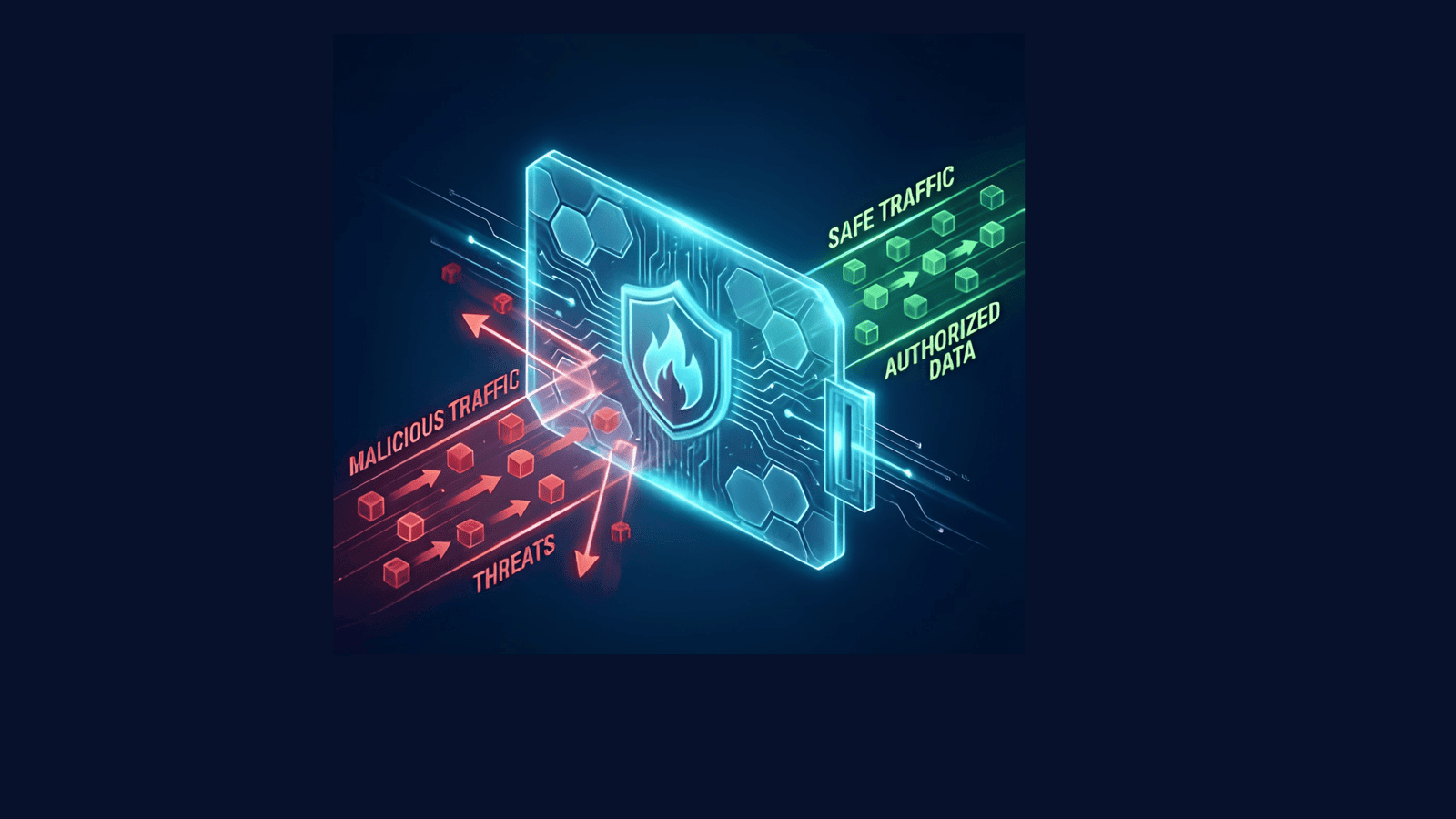
Firewalls are often viewed as the first line of defence against external threats. Every day, they inspect, filter and control thousands of connections between internal systems and the internet.
Modern appliances do far more than simply allow or block traffic. They leverage threat intelligence, intrusion prevention signatures, reputation services and behavioural analysis to identify potentially malicious activity in real time.
When reviewing firewall security events, most attention naturally goes to blocked threats. A blocked exploit attempt or denied connection demonstrates that a security control worked as intended.
From a detection engineering perspective, though, the more interesting question is usually: what happened to the threats that were detected but still allowed?
Business requirements, policy exceptions, temporary firewall rules, misconfigurations or incomplete threat coverage can all result in suspicious traffic being permitted despite being identified as malicious or high risk.
For defenders, these situations deserve special attention, because the firewall recognised something suspicious and the communication succeeded anyway.
This detection was developed to find exactly those scenarios: malicious or suspicious traffic that was allowed to communicate and remained active long enough to represent a meaningful security risk.
Why allowed malicious traffic is a red flag
Not all firewall detections carry the same level of risk.
When a threat is identified and blocked, the attack chain is interrupted before meaningful communication can occur. Allowed malicious traffic is different. If communication associated with malware, exploit activity, botnet infrastructure or known malicious indicators is permitted to continue, defenders must assume the threat may have successfully interacted with the environment.
High-risk examples include:
- Communication with known malicious infrastructure
- Successful exploitation attempts
- Botnet command-and-control activity
- Malware beaconing
- Data exfiltration channels
- Threat intelligence indicator matches
- Persistent sessions involving suspicious destinations
- Critical severity threats that bypassed blocking controls
A blocked event typically indicates that a security control worked as intended. An allowed event may indicate that a threat successfully communicated through the environment, and therefore warrants immediate investigation.
Detection strategy
The goal is not to alert on every suspicious firewall event, but to identify the subset most likely to represent meaningful attacker activity. The rule applies several layers of filtering and correlation.
Detection workflow
- Reviews recent firewall logs from CommonSecurityLog
- Identifies traffic that was explicitly allowed by the firewall
- Searches for malicious indicators, threat classifications and high-severity events
- Correlates activity with Microsoft Threat Intelligence indicators
- Evaluates whether the communication persisted for more than ten minutes
- Suppresses previously alerted indicators to reduce duplicate incidents
- Generates alerts for four high-confidence threat scenarios
This reduces noise while prioritising activity that may represent genuine compromise.
Reference KQL
The query below is written against Fortinet FortiGate logs in CommonSecurityLog. The vendor and product filters, and the private-range exclusion, are the parts to change for a different appliance.
let dt_lookBack = 1h;
let ioc_lookBack = 14d;

let ManagedAttempts =
    SigninLogs
    | where TimeGenerated > ago(14d)
    | union AADNonInteractiveUserSignInLogs
    | where isnotempty(DeviceDetail_dynamic.deviceId) or isnotempty(parse_json(DeviceDetail_string).deviceId)
    | distinct IPAddress;

let IP_Indicators =
    ThreatIntelIndicators
    | where TimeGenerated > ago(ioc_lookBack)
    | distinct TIEntity = ObservableValue
    | where isnotempty(TIEntity)
    | where ipv4_is_private(TIEntity) == false
        and TIEntity !startswith "fe80"
        and TIEntity !startswith "::"
        and TIEntity !startswith "127.";

//
// Case 1 - High severity inbound/outbound allowed security exploit
//
let HighSeverity_PreviouslyAlertedIPs =
    CommonSecurityLog
    | where TimeGenerated between (ago(14d) .. ago(1h))
    | where DeviceVendor contains "Fortinet"
    | where DeviceProduct contains "Fortigate"
    | where DeviceAction contains "accept"
    | where Activity contains "forward accept"
    | where isnotempty(IndicatorThreatType)
    | extend AcceptTime = TimeGenerated
    | join kind=leftouter (
        CommonSecurityLog
        | where DeviceAction !contains "accept"
        | extend CloseTime = TimeGenerated
    ) on MaliciousIP
    | where isnull(CloseTime) or CloseTime > AcceptTime
    | summarize arg_min(CloseTime, *) by MaliciousIP
    | where (CloseTime >= AcceptTime + 10m) or isnull(CloseTime)
    | distinct MaliciousIP;

let HighSeverity =
    CommonSecurityLog
    | where TimeGenerated > ago(1h)
    | where DeviceVendor contains "Fortinet"
    | where DeviceProduct contains "Fortigate"
    | where DeviceAction contains "accept"
    | where Activity contains "forward accept"
    | where isnotempty(IndicatorThreatType)
    | extend AcceptTime = TimeGenerated
    | join kind=leftouter (
        CommonSecurityLog
        | where DeviceAction !contains "accept"
        | extend CloseTime = TimeGenerated
    ) on MaliciousIP
    | where isnull(CloseTime) or CloseTime > AcceptTime
    | summarize arg_min(CloseTime, *) by MaliciousIP
    | where (CloseTime >= AcceptTime + 10m) or isnull(CloseTime)
    | where SourceIP != "[your-scanner-or-known-good-ip]"
    | where DestinationIP != "[your-scanner-or-known-good-ip]"
    | join kind=leftanti HighSeverity_PreviouslyAlertedIPs on MaliciousIP
    | extend AlertCase = "High severity inbound/outbound allowed security exploit"
    | extend CS_ipEntity = MaliciousIP;

//
// Case 2 - Botnet identified and allowed
//
let Botnet_PreviouslyAlertedIPs =
    CommonSecurityLog
    | where TimeGenerated between (ago(14d) .. ago(1h))
    | where DeviceVendor contains "Fortinet"
    | where DeviceProduct contains "Fortigate"
    | where DeviceAction contains "accept"
    | where Activity contains "forward accept"
    | where IndicatorThreatType has "Botnet"
    | extend AcceptTime = TimeGenerated
    | join kind=leftouter (
        CommonSecurityLog
        | where DeviceAction !contains "accept"
        | extend CloseTime = TimeGenerated
    ) on MaliciousIP
    | where isnull(CloseTime) or CloseTime > AcceptTime
    | summarize arg_min(CloseTime, *) by MaliciousIP
    | where (CloseTime >= AcceptTime + 10m) or isnull(CloseTime)
    | distinct MaliciousIP;

let Botnet =
    CommonSecurityLog
    | where TimeGenerated > ago(1h)
    | where DeviceVendor contains "Fortinet"
    | where DeviceProduct contains "Fortigate"
    | where DeviceAction contains "accept"
    | where Activity contains "forward accept"
    | where IndicatorThreatType has "Botnet"
    | extend AcceptTime = TimeGenerated
    | join kind=leftouter (
        CommonSecurityLog
        | where DeviceAction !contains "accept"
        | extend CloseTime = TimeGenerated
    ) on MaliciousIP
    | where isnull(CloseTime) or CloseTime > AcceptTime
    | summarize arg_min(CloseTime, *) by MaliciousIP
    | where (CloseTime >= AcceptTime + 10m) or isnull(CloseTime)
    | join kind=leftanti Botnet_PreviouslyAlertedIPs on MaliciousIP
    | extend AlertCase = "Botnet identified and allowed"
    | extend CS_ipEntity = MaliciousIP;

//
// Case 3 - Critical severity threat was allowed
//
let CriticalThreat_PreviouslyAlertedIPs =
    CommonSecurityLog
    | where TimeGenerated between (ago(14d) .. ago(1h))
    | where DeviceVendor contains "Fortinet"
    | where DeviceProduct contains "Fortigate"
    | where DeviceAction contains "accept"
    | where Activity contains "forward accept"
    | where ThreatSeverity >= 5
    | extend AcceptTime = TimeGenerated
    | summarize arg_min(AcceptTime, *) by SourceIP
    | distinct SourceIP;

let CriticalThreat =
    CommonSecurityLog
    | where TimeGenerated > ago(1h)
    | where DeviceVendor contains "Fortinet"
    | where DeviceProduct contains "Fortigate"
    | where DeviceAction contains "accept"
    | where Activity contains "forward accept"
    | where ThreatSeverity >= 5
    | where isnotempty(IndicatorThreatType)
    | extend AcceptTime = TimeGenerated
    | join kind=leftouter (
        CommonSecurityLog
        | where DeviceAction !contains "accept"
        | extend CloseTime = TimeGenerated
    ) on SourceIP
    | where isnull(CloseTime) or CloseTime > AcceptTime
    | summarize arg_min(CloseTime, *) by SourceIP
    | where (CloseTime >= AcceptTime + 10m) or isnull(CloseTime)
    | join kind=leftanti CriticalThreat_PreviouslyAlertedIPs on SourceIP
    | extend AlertCase = "Critical severity threat was allowed"
    | extend CS_ipEntity = SourceIP;

//
// Case 4 - TI map IP entity
//
let TIMapIP =
    IP_Indicators
    | join kind=innerunique (
        CommonSecurityLog
        | where TimeGenerated >= ago(dt_lookBack)
        | extend CS_ipEntity = iff(isnotempty(SourceIP), SourceIP, DestinationIP)
        | join kind=leftanti ManagedAttempts on $left.CS_ipEntity == $right.IPAddress
        | where DeviceAction contains "accept"
        | where Activity contains "forward accept"
        | extend AcceptTime = TimeGenerated
    ) on $left.TIEntity == $right.CS_ipEntity
    | join kind=leftouter (
        CommonSecurityLog
        | where TimeGenerated >= ago(dt_lookBack)
        | where DeviceAction !contains "accept" or Activity !contains "accept"
        | extend CS_ipEntity = iff(isnotempty(SourceIP), SourceIP, DestinationIP)
        | join kind=inner IP_Indicators on $left.CS_ipEntity == $right.TIEntity
        | extend CloseTime = TimeGenerated
    ) on TIEntity
    | where isnotnull(CloseTime)
    | where CloseTime > AcceptTime
    | summarize arg_min(CloseTime, *) by TIEntity
    | where not((CloseTime > AcceptTime) and (CloseTime < AcceptTime + 10m))
    | extend AlertCase = "TI map IP entity"
    | extend CS_ipEntity = TIEntity;

//
// Final output
//
union HighSeverity, Botnet, TIMapIP, CriticalThreat
| extend
    PolicyName = extract(@"FTNTFGTpolicyname=([^;]+)", 1, AdditionalExtensions),
    PolicyID = extract(@"FTNTFGTpolicyid=([^;]+)", 1, AdditionalExtensions)
| summarize arg_min(AcceptTime,*) by CS_ipEntity
| project
    AcceptTime,
    AlertCase,
    Computer,
    DeviceProduct,
    PolicyName,
    PolicyID,
    MaliciousIP = CS_ipEntity,
    MaliciousIPCountry,
    DeviceAction,
    DestinationIP,
    DestinationTranslatedAddress,
    ApplicationProtocol,
    DestinationPort
Rule logic summary
Rather than relying on a single condition, the detection evaluates several scenarios that may indicate malicious communications were successfully established through the firewall. Each focuses on a different aspect of suspicious activity while sharing a common objective: identifying threats that were detected but not blocked.
Threat intelligence preparation
Before evaluating suspicious communications, the rule prepares two datasets.
Threat intelligence indicators. A list of known malicious IP addresses from Microsoft Threat Intelligence. Only public addresses are retained — private ranges, loopback and local network ranges are excluded because they are not relevant for external threat intelligence correlation.
Managed sign-in activity. A list of managed authentication IP addresses observed through Entra ID sign-in activity. These are later excluded to reduce false positives from legitimate authentication traffic.
Preparing these datasets improves accuracy and lets the later stages focus on genuinely suspicious communication.
High-severity exploit activity
This identifies exploit-related activity where the firewall classified the traffic as malicious or suspicious, the action was Accept, a threat category was assigned, and the communication remained active for more than ten minutes. To reduce duplicates, it also checks whether the same malicious IP has generated an alert in the previous fourteen days.
Exploit-related communications that are detected but not blocked may indicate successful attacker interaction with a vulnerable system. Long-lived sessions increase the likelihood that the activity represents more than a connection attempt.
Botnet communication
This focuses on traffic classified as botnet activity: allowed traffic, botnet-related threat classifications, and communications active for more than ten minutes, with previously alerted botnet IPs suppressed.
Botnet traffic is often associated with malware infections, command-and-control, attacker-controlled infrastructure and automated malicious activity. Persistent communication with botnet infrastructure may indicate a system is already compromised.
Critical severity threats
This focuses on the highest-severity threats — ThreatSeverity of 5 or above, allowed traffic, associated threat indicators and communications that remained active.
A critical severity rating means the appliance assessed the activity as highly suspicious. If such traffic is allowed through, the event should be treated as a high-priority investigation.
Why ten minutes
A key design feature of this detection is the persistence check. Not every suspicious connection represents meaningful attacker activity — enterprise environments generate a large volume of short-lived network events including failed connection attempts, automated scanning, short-lived probes and sessions immediately terminated by security controls.
Long-lived communications are more likely to indicate successful attacker interaction, malware beaconing, command-and-control activity, data transfer or ongoing exploitation. Focusing on persistence increases confidence while reducing alert fatigue.
Investigation guidance
When reviewing alerts from this rule, examine the source and destination IP, threat category, policy name and ID, application protocol, destination port, device action, country information and the associated firewall policies.
Then determine whether the communication was expected, whether the destination is known malicious infrastructure, whether the source host shows signs of compromise, and whether similar activity exists for other devices or users.
Example interpretation
An allowed security exploit. The firewall identifies traffic associated with a known exploit attempt but allows the communication due to an existing policy exception. The session remains active for more than ten minutes. This may indicate successful exploitation or active attacker communication.
Botnet communication. An internal workstation communicates with an external IP categorised as botnet infrastructure. The firewall permits the connection and it persists. This may indicate malware infection or command-and-control activity.
A threat intelligence match. An internal device establishes communication with an IP present in Microsoft Threat Intelligence feeds. The session remains active and was not blocked. This may indicate contact with known malicious infrastructure and should be investigated immediately.
MITRE ATT&CK Mapping
| Technique | Description |
|---|---|
| T1190 | Exploit Public-Facing Application |
| T1071 | Application Layer Protocol |
| T1105 | Ingress Tool Transfer |
| T1571 | Non-Standard Port |
| T1046 | Network Service Discovery |
| T1584.005 | Botnet |
| T1588 | Obtain Capabilities |
Response and remediation
- Validate the malicious IP reputation.
- Review the firewall policy that allowed the communication.
- Determine whether the communication was expected or authorised.
- Review endpoint activity on the affected system.
- Investigate related network connections.
- Search for additional communications involving the same IP address.
- Review threat intelligence associated with the indicator.
- Examine firewall logs before and after the event.
- Isolate affected systems if malicious activity is confirmed.
- Update firewall policies if inappropriate allowances are identified.
Why this detection matters
Many security controls focus on detecting attacks that were blocked. From a defender's perspective, the most important events are often the threats that successfully communicated despite being identified as suspicious.
This detection surfaces situations where known malicious traffic was allowed, botnet communications succeeded, critical severity threats remained active, or threat intelligence indicators communicated through the environment.
By focusing on allowed and persistent malicious traffic, the rule helps analysts prioritise activity that may represent genuine compromise rather than unsuccessful attack attempts.
How Wizard Cyber can help
We develop behavioural and threat-informed detections designed to identify malicious activity across cloud, endpoint, identity and network environments.
- Firewall and network security monitoring
- Threat intelligence correlation
- Botnet and command-and-control detection
- Exploitation activity monitoring
- High-fidelity Microsoft Sentinel analytics
- Custom behavioural detections for Microsoft Defender XDR
- Advanced threat hunting and detection tuning
The approach focuses on identifying attacker behaviour and successful threat activity rather than relying solely on blocked events, static indicators or signature-based detections.