

There are many companies — Hak5 among the best known — manufacturing hacking hardware that is freely available on the open market. The ethics are widely debated. The same device that lets an attacker intercept traffic or inject keystrokes is the one a tester uses to prove an organisation is exposed to exactly that.
Hacking products can be used to find security vulnerabilities in systems and help protect against attacks. They can also be used to gain unauthorised access and steal data. Most are designed for experienced professionals, though some are aimed squarely at amateurs, and those can be used for good or bad purposes alike.
Here is a brief introduction to what Hak5 is, and to their product line-up.
Hak5 — an introduction
Hak5 provides a platform for offensive security technology, and their show-and-tell style demonstrations have made them a common starting point for people learning the field. Whether you are a beginner or a seasoned professional, there is something in the range — from the world-famous WiFi Pineapple to the USB Rubber Ducky — and the accompanying video tutorials are genuinely good.
1. WiFi Pineapple

The WiFi Pineapple is a wireless auditing tool: a portable device used to perform man-in-the-middle attacks against wireless networks. It can intercept and redirect traffic, perform denial-of-service attacks, and sniff data. It can also stand up fake wireless access points and honeypots.
It is straightforward to use and can be configured against a wide variety of wireless networks, which is precisely what makes it powerful — and what makes an unmonitored wireless estate worth testing.
- MITM attacks. The headline capability. The attacker intercepts and views all traffic passing between two devices, which can be used to steal sensitive information or redirect a victim to a malicious site.
- DNS spoofing. Redirects users to a different website than the one they intended to visit — the basis of a convincing phishing page.
- Web page redirects. A second route to the same outcome, sending users somewhere they did not choose to go.
- Packet sniffing. Intercepting and reading traffic crossing the network, whether to steal data or to watch for signs of malicious activity.
- ARP poisoning. Redirects traffic to a different device on the network, enabling sniffing or onward redirection.
2. USB Rubber Ducky
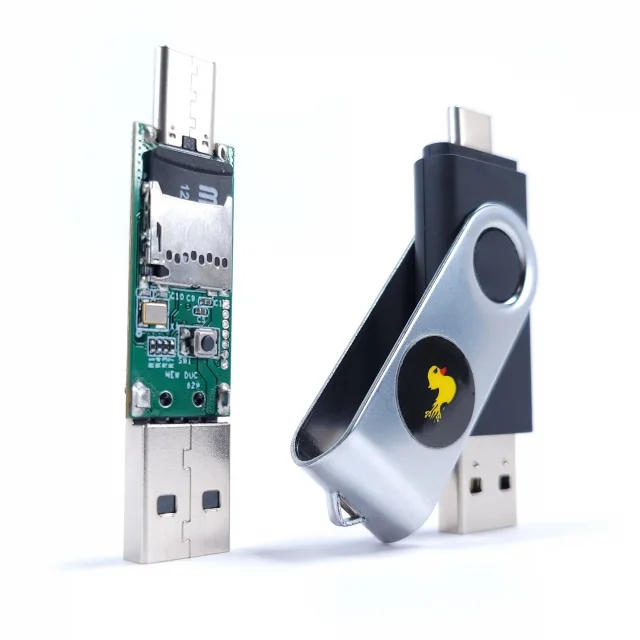
The USB Rubber Ducky is a keystroke injection tool. It sends keystrokes to a computer far faster than a person can type, which allows an attacker to automate a task or gain access to a system.
It looks like an ordinary USB flash drive. Plugged in, it runs a script — opening a program, opening a website, or working around a security measure such as a password prompt. The same mechanism that automates a harmless task will exploit a vulnerability if that is what the script is written to do, which is why an unattended, unlocked workstation is a real finding and not a pedantic one.
3. Bash Bunny
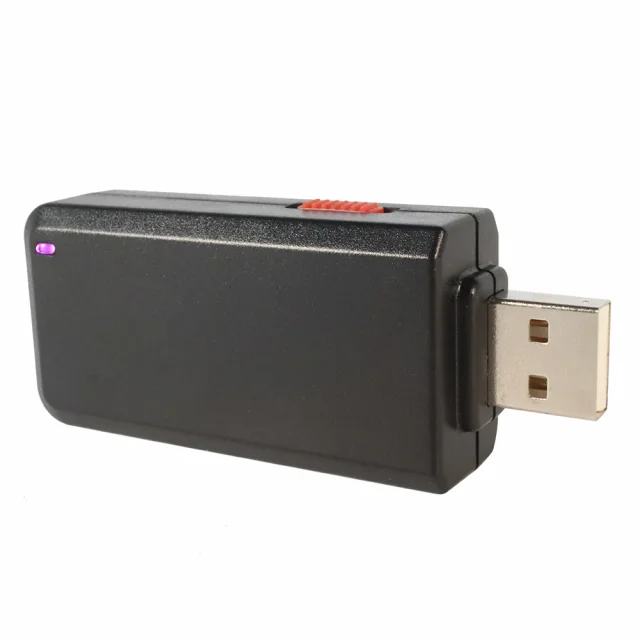
The Bash Bunny is a USB device for exploiting systems at close range. It injects payloads, executes commands and transfers files.
Plugged into a machine, it detects the operating system automatically and then delivers a payload appropriate to it — typically one granting remote access. It can also run commands directly on the host. Hak5 offers two versions: the Bash Bunny Mark I, and the Mark II, which adds Bluetooth.
4. Shark Jack
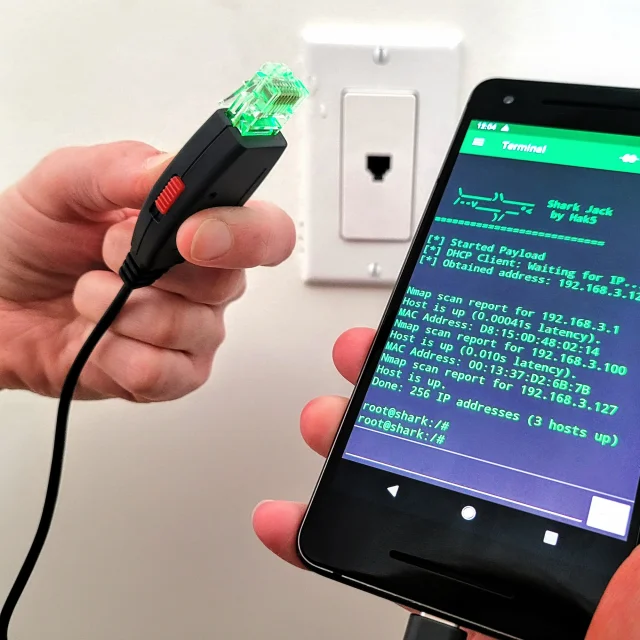
Shark Jack is a pocket-sized network attack tool built for fast assessments, aimed at penetration testers and network administrators who need to evaluate a network quickly. It has no built-in WiFi adapter and is not a wireless testing tool — its strength is reconnaissance and exploitation on wired networks. A flip-of-the-switch operation and multi-colour LEDs give instant feedback, which is what makes it practical for quick, targeted work.
5. Key Croc
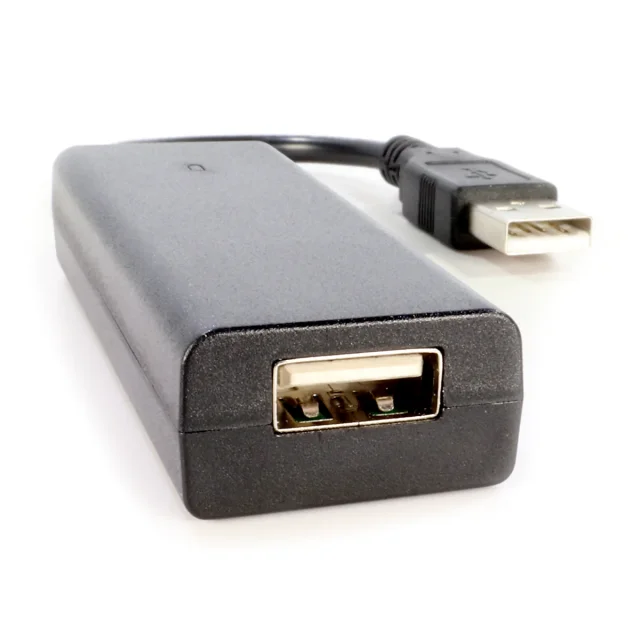
Key Croc is a keylogging device that records keystrokes on a computer, used by security professionals to understand how users interact with a system and to test the controls around it. Recorded data is retrieved over SSH, by mounting the device as a drive, or over serial. Its primary function is keystroke capture, and it also supports keystroke injection and WiFi connectivity, which together allow payload deployment and remote operation.
6. Screen Crab
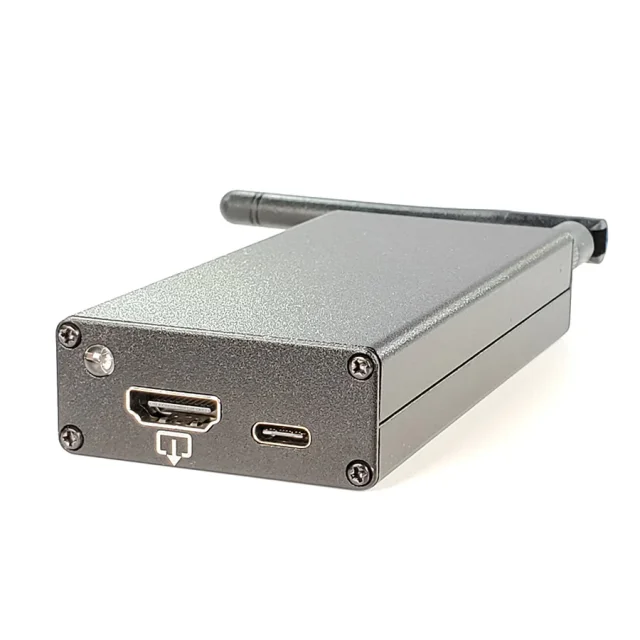
The Screen Crab captures and streams video from HDMI sources discreetly. It does not control the target machine — it sits inline on the HDMI cable and records what is on screen, whether from a computer, a smart projector or any other HDMI device. That makes it useful for assessments, training and monitoring, observing on-screen activity without interfering with it.
7. LAN Turtle
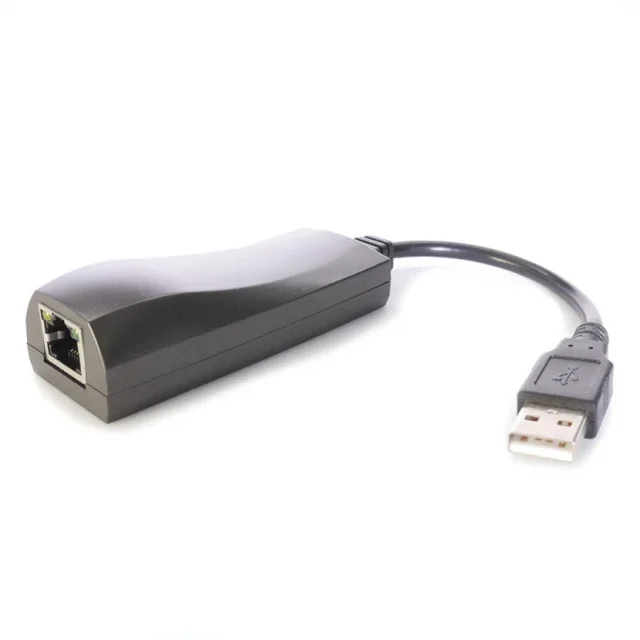
The LAN Turtle is a compact, USB-powered tool for covert network surveillance and penetration testing. It is sometimes described as a password-cracking device, which it is not: it is far too low-powered for that. What it does well is network reconnaissance, man-in-the-middle attacks, and exfiltrating password hashes to be cracked somewhere with real compute behind it. Its design goal is discreet remote access, intelligence gathering and network monitoring.
Is it ethical to use hacking devices?
It depends on the situation and on the motivation of the person using them.
Using these devices to gain unauthorised access to sensitive information is clearly unethical. Using them to test the security of a system, or to find vulnerabilities so they can be fixed, is a different matter.
Ultimately it comes down to intent — and to permission. With the authorisation of the organisation being tested, the same device that would otherwise be an attack tool is a diagnostic one.
Unethical hacking: the repercussions
The consequences for unauthorised use range from a caution to a custodial sentence, depending on the severity of the offence.
Someone caught breaching cybercrime legislation may be fined, placed on probation or imprisoned. Equipment is frequently seized. Where there are identifiable victims, restitution may be ordered on top. In the most serious cases — cyberterrorism, or attacks on critical national infrastructure — sentences reach the upper end of the scale.
The bottom line
Hak5's devices are genuinely valuable to anyone working in security, penetration testing and red teaming. They are built for professionals and enthusiasts, and they cover everything from network assessment to keystroke logging.
They are also powerful, and that cuts both ways. Use them responsibly, understand what each one actually does and does not do, and make sure every engagement is authorised in writing before it starts. The point of owning the attacker's toolkit is to find what it would find, first.