

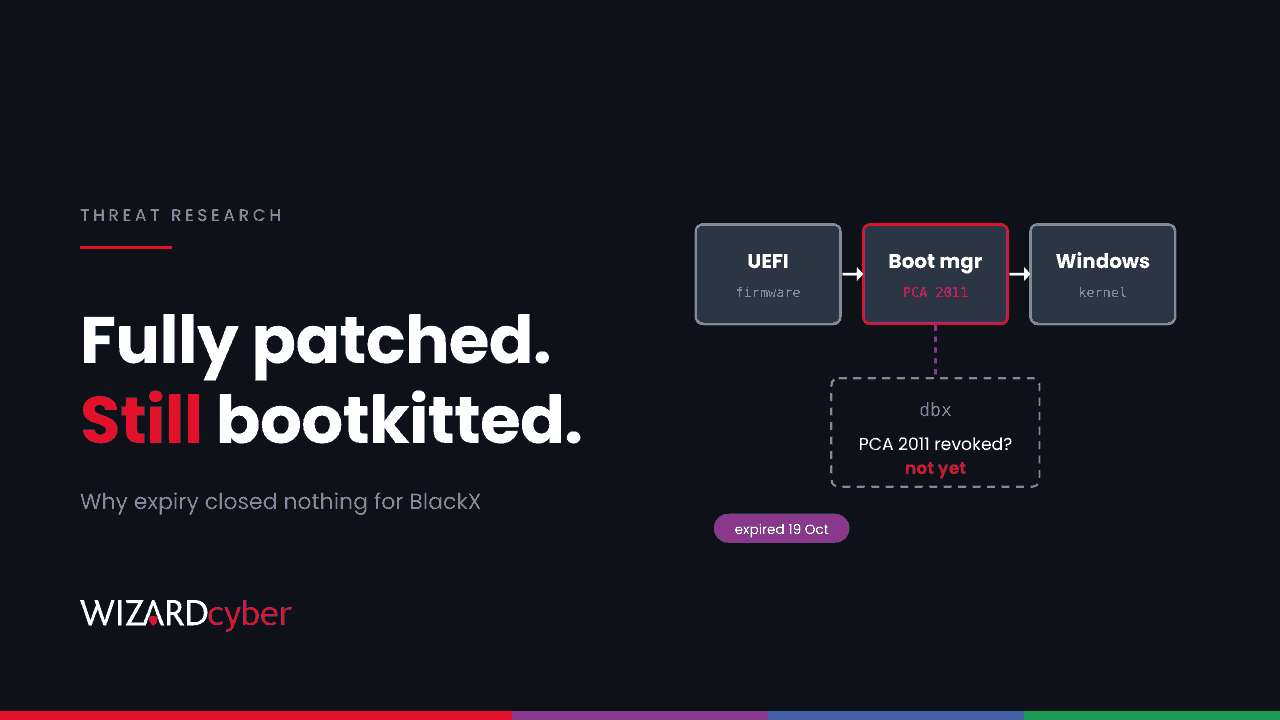
The machines were fully patched, and Secure Boot was switched on. A UEFI bootkit loaded anyway. Researchers published their analysis of BlackX on 22 October 2026. It worked because the fix for the boot flaw it uses doesn't take effect until an administrator completes a separate revocation step, and most Windows estates have never done it. The signing certificate behind that flaw expired on 19 October. Expiry closes nothing on its own.
This post explains what BlackX does, why "patched" didn't protect these devices, and how to check and fix your own estate with Microsoft's tooling.
What happened
The published research describes BlackX being used against diplomatic agencies in Central Asia earlier in 2026, attributed with medium confidence to APT41. The researchers' main findings:
- It comes after admin access. The attackers already had administrator rights on the network. BlackX is a way of staying in, not a way of getting in.
- It reuses a known Secure Boot bypass. The exploit closely resembles BlackLotus and abuses Baton Drop (CVE-2022-21894), using vulnerable Windows boot components signed under the Microsoft Windows Production PCA 2011 certificate.
- It enrols its own keys. The bootkit installs attacker-controlled Machine Owner Keys so its own EFI programs load at every start.
- It blinds the OS. A kernel driver tries to remove process, thread and registry callbacks that security tools rely on, interferes with ETW providers, and hides the bootkit's files.
- It hides in normal traffic. One payload is a remote access tool that uses consumer cloud storage, including OneDrive, for command and control. Another is loaded through DLL sideloading behind a signed updater.
Why patched wasn't protected
Secure Boot checks each boot component's signature against two firmware databases. db lists what is trusted. dbx lists what has been revoked. A boot manager that is signed by a trusted certificate and isn't in dbx will load, even if it is old and vulnerable.
Microsoft's fix for this class of attack, documented in KB5025885 for CVE-2023-24932 (BlackLotus), works by revoking the PCA 2011 certificate in dbx. Once that's done, every old boot manager signed by it stops loading, the vulnerable ones included. Monthly updates deliver the code to do this, but Microsoft doesn't apply the revocation automatically yet. The KB says the automatic "Enforcement Phase" will come with at least six months' notice. As of its latest revision on 30 September 2026, no date has been announced.
Two reasons for the caution. The revocation is permanent while Secure Boot stays on. Microsoft notes that even reformatting the disk won't undo it. And once it's applied, older recovery and installation media won't boot.
Doesn't the certificate expiry fix this?
No. Microsoft's certificate page lists the Windows Production PCA 2011 expiry as 19 October 2026. Expiry stops Microsoft signing new things with that certificate. It doesn't stop firmware trusting what was already signed, and the researchers make the same point: expiry doesn't block the vulnerable binaries unless they're revoked. A device without the 2023 certificates also can't receive future boot-level protections, so the expiry is a reason to finish the job, not evidence that it's done.
Who is affected
Any Windows device with Secure Boot on where PCA 2011 has not been added to dbx. That is most devices that haven't been through the KB5025885 steps, whether laptops, desktops, servers or Hyper-V Generation 2 virtual machines. The attacker needs administrator rights first, so the practical risk is to devices an attacker has already reached. That is exactly the case where you most need Secure Boot to hold.
Check your estate
On a device (PowerShell, as administrator)
# Is the 2023 certificate in db?
[System.Text.Encoding]::ASCII.GetString((Get-SecureBootUEFI db).bytes) -match 'Windows UEFI CA 2023'

# Has PCA 2011 been revoked in dbx?
[System.Text.Encoding]::ASCII.GetString((Get-SecureBootUEFI dbx).bytes) -match 'Microsoft Windows Production PCA 2011'

# Servicing status
Get-ItemProperty 'HKLM:\SYSTEM\CurrentControlSet\Control\Secureboot\Servicing' -Name UEFICA2023Status
The second check returning False means the revocation hasn't been applied. You can run these across the estate as an Intune remediation script in detection-only mode, which gives you a report without changing anything.
From the event log in Sentinel
KB5025885 lists the System log events that confirm each step: 1036 (2023 certificate added to db), 1799 (2023-signed boot manager applied), 1037 (dbx update revoking PCA 2011 applied) and 1042 (dbx updated with the latest SVN). If you collect System events, this starting query shows which devices have reached which step:
Event
| where TimeGenerated > ago(180d)
| where EventLog == "System" and EventID in (1036, 1799, 1037, 1042)
| summarize Steps = make_set(EventID), Last = max(TimeGenerated) by Computer
| extend Revoked = set_has_element(Steps, 1037)
| order by Revoked asc
Devices that never appear haven't logged any step, or aren't sending System events. Confirm with the PowerShell checks before drawing conclusions.
Hunting for bootkit installation
Installing a bootkit means writing to the EFI system partition, which ordinary software almost never does. These are starting points to tune, not detections:
DeviceProcessEvents
| where TimeGenerated > ago(30d)
| where (FileName =~ "mountvol.exe" and ProcessCommandLine has "/s")
    or (FileName =~ "bcdedit.exe" and ProcessCommandLine has_any ("/set", "testsigning", "nointegritychecks"))
| project TimeGenerated, DeviceName, AccountName, ProcessCommandLine,
          InitiatingProcessFileName, InitiatingProcessCommandLine
DeviceFileEvents
| where TimeGenerated > ago(30d)
| where FileName endswith ".efi"
| where InitiatingProcessFileName !in~ ("TrustedInstaller.exe", "TiWorker.exe", "svchost.exe")
| project TimeGenerated, DeviceName, FolderPath, FileName,
InitiatingProcessFileName, InitiatingProcessCommandLinePatching tools and firmware updaters will show up at first. Baseline them, and what's left is worth a look. Also review Defender alerts for tampering with security callbacks or ETW, which is the driver's behaviour once Windows is running.
Apply the revocation safely
- Escrow BitLocker recovery keys and confirm you can retrieve them. Boot changes can trigger recovery prompts.
- Update firmware on a pilot group first. Some older firmware handles db and dbx updates badly.
- Add the 2023 certificate. Set
AvailableUpdatesto0x5944underHKLM\SYSTEM\CurrentControlSet\Control\Secureboot, run the\Microsoft\Windows\PI\Secure-Boot-Updatescheduled task, and confirmUEFICA2023Statusreports Updated. - Refresh recovery and install media, including WDS and PXE boot images, before revoking.
- Revoke PCA 2011. Set
AvailableUpdatesto0x80, run the same task, and look for event 1037. Microsoft recommends having a recovery drive ready before this step. - Optionally apply the SVN update (
0x200) to block older boot managers by version. - Roll out in rings and track progress with the checks above.
Follow the current text of KB5025885 for each step. Microsoft has revised the values and order more than once. Our explainer, What is Secure Boot?, covers the background.
How a managed SOC helps
- The post-admin window. BlackX arrives after an attacker already has admin rights. Our SOCs are staffed 24/7 to work the credential theft and lateral movement that come first, with senior analyst sign-off by default on the managed service.
- Turning a patch note into a status. Manual steps like this one stall between the desktop, server and security teams. Give each one an owner, a deadline and a measurable status, the same as a patch.
- Experience with the Microsoft stack. We've run Microsoft Sentinel since 2019, and we bring System event data and Defender telemetry together in one investigation.
If you don't know how many of your devices still trust PCA 2011, talk to our team.