
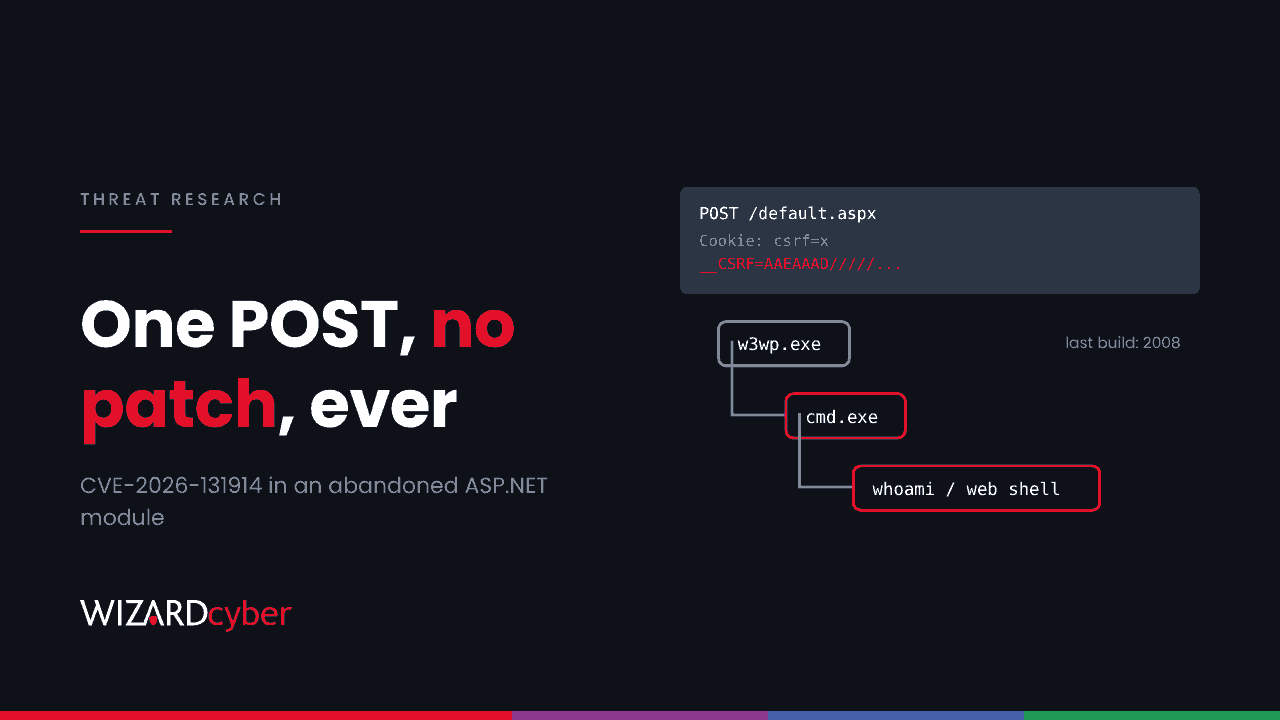
On 18 November, a security research team published an advisory for CVE-2026-131914. It is a critical deserialization flaw in Idunno.AntiCsrf, an ASP.NET WebForms module that was last built in 2008. One unauthenticated POST request to any .aspx page runs attacker code inside the IIS worker process. The researchers have seen it exploited in the wild. There is no patch and never will be: the project is abandoned. If the module is on one of your servers, the fix is to find it and remove it, and nobody else will tell you it's there.
What the flaw is
Idunno.AntiCsrf was a small, free library that added cross-site request forgery (CSRF) protection to WebForms applications. It was a sensible thing to add in 2008. It was hosted on CodePlex, which has since been retired, and has had no maintainer for years. Code like this gets copied into a project's bin folder once and then forgotten.
According to the advisory (MNDT-2026-0048):
- Affected:
Idunno.AntiCsrf.dllversion 0.9.1.0 (0.9.1 Beta). Recompiled or customised builds that keep the same code are also affected, even though their file hashes will differ. - The bug: the module deserialises the CSRF form field with an unkeyed
ObjectStateFormatterand no MAC or signature check. That is CWE-502, deserialisation of untrusted data. - Where it runs: in the module's
PreRequestHandlerExecutehandler. That runs before the page lifecycle, on POST requests to any WebForms page, including pages without a server-side form. - What an attacker needs: a single unauthenticated POST with any non-empty CSRF cookie and a Base64-encoded .NET gadget chain in the CSRF form field.
- Result: code execution as the IIS worker process,
w3wp.exe. CVSS 4.0 score 9.3. - Status: the advisory reports active exploitation. The root cause was found during an incident response investigation, which tells you how it came to light. No actor or victim count has been published.
The advisory timeline gives root-cause analysis on 4 November, CVE assignment begun on 11 November and publication on 18 November. Press coverage followed on 23 November.
Why this one is easy to miss
Your vulnerability scanner probably won't flag it. The DLL is not part of Windows or the .NET runtime, so it never appears in a patch report. It is usually not a NuGet package either, so dependency tools that read package manifests won't see it. It is a file in a folder that someone copied in a long time ago. This is the problem we described in patched the server, not the app, in its most extreme form: there will never be an update for the scanner to report as missing.
Step 1: find it
The advisory says to search Web.config files and bin directories for the strings Idunno.AntiCsrf and AntiCsrfModule. The public builds of the DLL are 69,632 or 70,144 bytes.
On the server
Run this on each IIS host, or through your endpoint management or Defender Live Response. Change the paths to suit your environment:
# Starting point: adjust roots to where your sites live
$roots = @("C:\inetpub", "D:\Sites", "E:\Web")
Get-ChildItem -Path $roots -Recurse -Include web.config -ErrorAction SilentlyContinue |
  Select-String -Pattern "Idunno.AntiCsrf", "AntiCsrfModule", "csrfSettings" |
  Select-Object Path, LineNumber, Line

Get-ChildItem -Path $roots -Recurse -Filter "Idunno.AntiCsrf*.dll" -ErrorAction SilentlyContinue |
  Select-Object FullName, Length, LastWriteTime
Do not forget sites that are not under inetpub, virtual directories that point to other drives, and older servers that only host one internal application.
Across the estate with Defender
Microsoft Defender for Endpoint records files when they are created or modified, so an old DLL may only appear if something has touched it since onboarding. Use this query as a quick first sweep. It does not replace the on-server search.
DeviceFileEvents
| where Timestamp > ago(30d)
| where FileName =~ "Idunno.AntiCsrf.dll" or FolderPath has "Idunno"
| summarize LastSeen = max(Timestamp) by DeviceName, FolderPath, FileName, FileSize, SHA256
Step 2: hunt for exploitation
Successful exploitation means code running as w3wp.exe. What an attacker usually does next is predictable: run a command, drop a web shell, and read the site's configuration for secrets. The queries below are starting points for Defender XDR and Microsoft Sentinel. Tune them to your own applications.
1. The IIS worker spawning a shell
DeviceProcessEvents
| where Timestamp > ago(30d)
| where InitiatingProcessFileName =~ "w3wp.exe"
| where FileName in~ ("cmd.exe", "powershell.exe", "pwsh.exe", "whoami.exe", "net.exe",
    "net1.exe", "certutil.exe", "bitsadmin.exe", "rundll32.exe", "csc.exe")
| project Timestamp, DeviceName, AccountName, FileName, ProcessCommandLine,
    InitiatingProcessCommandLine
| order by Timestamp desc
Some applications do legitimately start processes. Review what the query returns, record the legitimate ones as exceptions, then turn the query into a detection rule.
2. New script files written by the web server
DeviceFileEvents
| where Timestamp > ago(30d)
| where InitiatingProcessFileName =~ "w3wp.exe"
| where ActionType == "FileCreated"
| where FileName endswith ".aspx" or FileName endswith ".ashx" or FileName endswith ".asmx"
    or FileName endswith ".asp" or FileName endswith ".config"
| project Timestamp, DeviceName, FolderPath, FileName, SHA256
| order by Timestamp desc
A web application rarely needs to write new pages into its own webroot. A new .aspx file in an images or uploads folder is the classic sign of a web shell. Our web shell explainer covers what to look for.
3. The request pattern in IIS logs
The advisory suggests looking for unusual POST requests to .aspx pages that return HTTP 302 or 500, especially with a large request size where cs-bytes is logged. If IIS logs go to Sentinel:
W3CIISLog
| where TimeGenerated > ago(30d)
| where csMethod == "POST" and csUriStem endswith ".aspx"
| where scStatus in ("302", "500")
| summarize Requests = count(), MaxBytes = max(csBytes), Pages = make_set(csUriStem, 10)
    by cIP, sSiteName, bin(TimeGenerated, 1h)
| where MaxBytes > 5000 // starting threshold; baseline your own forms first
| order by MaxBytes desc
Gadget chains are large, so a POST several kilobytes bigger than your normal forms send is worth a look. cs-bytes is not logged by default, so check your IIS logging fields before you rely on this query.
Step 3: remove it and clean up
The advisory's remediation is direct:
- Remove the module registrations from
<httpModules>and<modules>inWeb.config. - Remove the
csrfSettingsconfig section and element. - Delete
Idunno.AntiCsrf.dllfrombin. - Replace the protection with something supported:
System.Web.Helpers.AntiForgery, ViewState withViewStateUserKeyand MAC-verified encryption, or ASP.NET Core'sIAntiforgeryif the application is being modernised.
If any of the hunts found something, or the server was exposed to the internet for any length of time, go further:
- Rotate secrets in
Web.configandapplicationHost.config:machineKeyvalues, encryption keys and database credentials. A stolenmachineKeylets an attacker forge ViewState and come back after you have removed the module. - Check the webroot for files you did not deploy, and compare it against source control.
- Check the database accounts named in connection strings for sign-ins from somewhere new.
The broader point
Most estates have a few applications like this: built years ago by someone who has left, still doing an important job, and never formally owned by anyone. They don't get patched, because nothing tells anyone they need patching. The first time anyone finds out what is in their bin folder is usually during an incident. This is a good week to build that list on purpose.
How a managed SOC helps
A flaw like this is found by behaviour, not by a version number: the web server process doing something a web server should not. Our SOC runs Microsoft Sentinel and Defender at the core of the managed service. Detection rules for web servers that spawn shells or write script files are part of what we build and tune at onboarding, and analysts are on shift 24/7 to act on them.
If you think one of these servers has already been used, our incident response team can scope it. If the problem is knowing what software you are running at all, our vulnerability and patch management service is where to start. Or book a demo.