
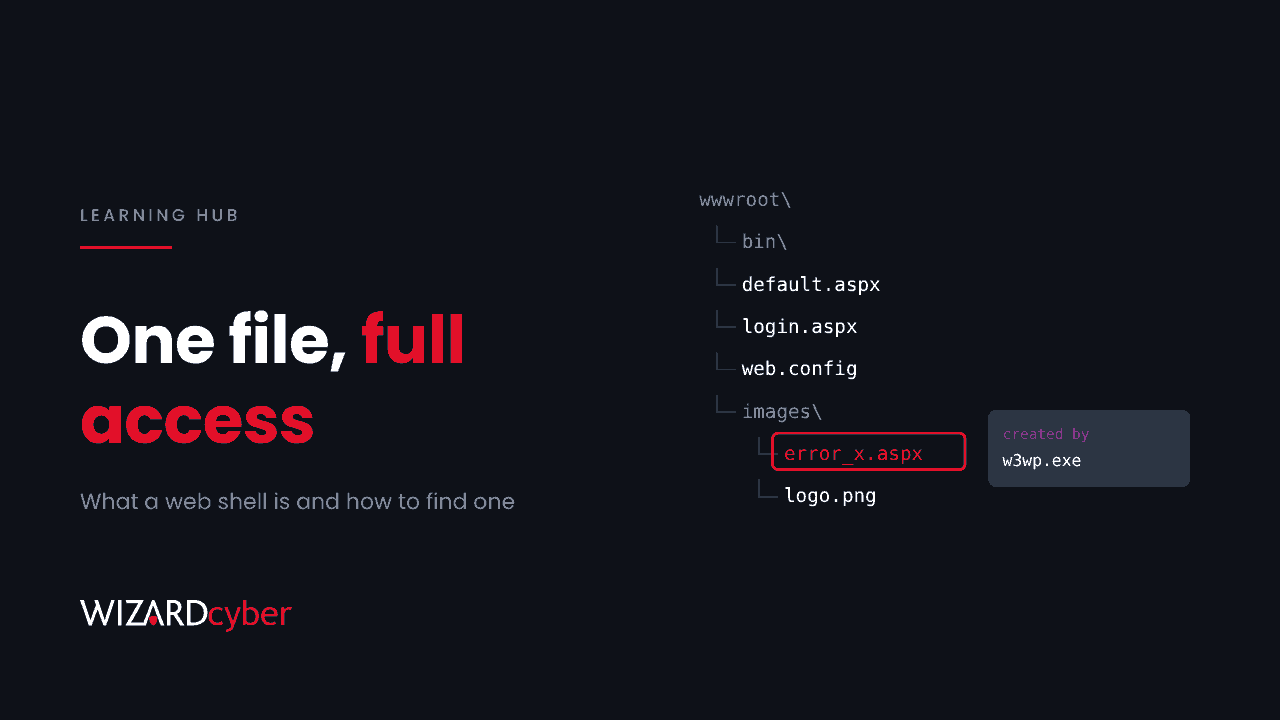
A web shell is a small script that an attacker places on a web server so they can run commands on that server through ordinary web requests. It might be a single .aspx, .php or .jsp file, sometimes only a few lines long. Once it is in place, the attacker no longer needs the vulnerability that got them in. They browse to the file, send a command, and the web server runs it for them, using the server's own permissions and network access.
Web shells are one of the most common ways attackers keep access after exploiting an internet-facing application. They are also one of the easiest things to miss, because to most tools they look like any other page on the site.
How a web shell works
A web server's job is to receive a request, run some code and return a response. A web shell uses that. The script takes input from the request, such as a form field, a header or a cookie, passes it to the operating system or the language runtime, and sends the output back in the response.
On a Windows server running IIS, that means the command runs as the application pool identity, inside or as a child of the worker process w3wp.exe. On Linux it is typically the web server or PHP process. Whatever that account can do, the attacker can now do: read the site's configuration files, connect to the database, reach internal systems, and often much more.
Web shells range from simple to elaborate:
- Minimal: one line that runs whatever is in a request parameter.
- Full-featured: file managers, database browsers and upload tools with a password-protected interface.
- Memory-resident: code loaded into the running application rather than saved as a file, which removes the obvious file artefact.
- Disguised: code added to a legitimate page, given an innocent name like
error.aspx, or hidden in an image folder.
How web shells get onto a server
A web shell is almost never the first step. It is what an attacker installs after a way in has worked. The common routes are:
- Remote code execution flaws in the application or a component it uses. A recent example is the Idunno.AntiCsrf deserialization flaw (CVE-2026-131914), where one POST request gives code execution as
w3wp.exe. Dropping a web shell is the obvious next move. - File upload weaknesses. A form that accepts "images" but doesn't check what is actually uploaded, or saves uploads somewhere the server will execute them.
- Edge and collaboration platform exploits. Mail servers, VPN portals and document platforms have all been targeted with campaigns that plant web shells at scale. We covered one in ToolShell and SharePoint.
- Stolen administrator credentials for a content management system or a hosting panel, used to upload a "plugin" or edit a template.
- Path traversal and misconfigured write permissions that let a file be written outside where the application intended.
Why attackers like them
- Persistence. The shell stays when the original flaw is patched. Patching the vulnerability without searching for web shells is one of the most common incident response mistakes.
- Blending in. Traffic to the shell is HTTPS to a web server, which is exactly what that server is meant to receive.
- Privilege and position. Web servers often hold database credentials, service account passwords and the
machineKeyin their configuration. They are often allowed to reach internal networks that the internet cannot. - Low cost. A shell is small, freely available and easy to adapt, so attackers can plant many and come back later.
Signs of a web shell
No single signal proves a web shell is there. Look for combinations of these:
- The web server process starting a shell.
w3wp.exe,httpdorphp-fpmlaunchingcmd.exe,powershell.exe,/bin/sh,whoamiornet. Very few legitimate applications do this. - New script files written by the web server. A
.aspx,.ashx,.phpor.jspcreated by the web server process rather than by your deployment pipeline. This is especially suspicious in upload, image or temp folders. - Pages nobody deployed. Files in the webroot that are not in source control, or with timestamps that don't match any release.
- Odd request patterns. Repeated POSTs to a single rarely-used page, requests with unusually large bodies or headers, or one IP address talking to one obscure file.
- Unexpected outbound connections from the web server to the internet or to internal hosts it normally never contacts.
Hunting for web shells with Microsoft Defender
If your servers are onboarded to Microsoft Defender for Endpoint, two queries cover most of the ground. Treat them as starting points to tune, because some applications have legitimate behaviour that will match.
The web server spawning a command shell
DeviceProcessEvents
| where Timestamp > ago(30d)
| where InitiatingProcessFileName in~ ("w3wp.exe", "httpd.exe", "php-cgi.exe", "tomcat9.exe")
| where FileName in~ ("cmd.exe", "powershell.exe", "pwsh.exe", "whoami.exe",
    "net.exe", "net1.exe", "certutil.exe", "rundll32.exe")
| project Timestamp, DeviceName, InitiatingProcessFileName, FileName, ProcessCommandLine
| order by Timestamp desc
Script files created by the web server
DeviceFileEvents
| where Timestamp > ago(30d)
| where InitiatingProcessFileName in~ ("w3wp.exe", "httpd.exe", "php-cgi.exe")
| where ActionType == "FileCreated"
| where FileName has_any (".aspx", ".ashx", ".asmx", ".asp", ".php", ".jsp")
| project Timestamp, DeviceName, FolderPath, FileName, SHA256
| order by Timestamp desc
Pair these with file integrity monitoring on the webroot, or a scheduled comparison against your release artefacts. That way a shell planted before your monitoring started is still found.
What to do if you find one
- Don't just delete it. Take a copy, note its path and timestamps, and preserve the web server logs. The shell's contents and the requests to it tell you what the attacker did.
- Find how it got there. The creation time and the requests just before it usually point to the vulnerability or credential that was used. Fix that, or another shell will follow.
- Look for others. Attackers rarely plant just one. Search every server running the same application.
- Rotate what the server could read. Database credentials, service account passwords, API keys and
machineKeyvalues from the server's configuration should all be treated as exposed. - Look beyond the server. Check sign-ins with those credentials, and connections from the web server to internal systems, for signs the attacker moved on.
How to reduce the risk
- Patch internet-facing applications first, and keep an inventory of the components inside them, not just the operating system.
- Don't let the web server write to folders it executes from. Uploads should go somewhere that cannot run scripts.
- Run application pools with least privilege. A web server that doesn't need domain rights shouldn't have them.
- Turn on attack surface reduction rules and EDR on web servers. They are servers, but they behave like the most exposed endpoints you have.
- Log enough to investigate. IIS logs with request sizes, kept centrally for long enough to look back weeks, not days.
Frequently asked questions
Is a web shell malware?
Yes, in effect, although it is often just a short script rather than a compiled program. Antivirus catches well-known web shells, but custom or obfuscated ones often get through. That is why behavioural detection, meaning the web server doing something a web server shouldn't, matters more than signatures.
Does patching the vulnerability remove a web shell?
No. Patching closes the way in. A web shell that was planted before the patch stays where it is and keeps working. After any exploited vulnerability on a web server, search for web shells as well as patching.
Can a web shell exist without a file?
Yes. Some web shells are loaded into the running application's memory, for example as a filter or module registered at runtime. A restart may remove them, but the vulnerability that loaded them may still be open. Process and network behaviour is the better way to detect these.
What is the difference between a web shell and a reverse shell?
A web shell waits on the server for the attacker to send it requests over HTTP. A reverse shell makes the compromised machine connect out to the attacker. Attackers often use a web shell to launch a reverse shell, so you may see both.
How quickly do attackers plant web shells after a vulnerability is disclosed?
Often within hours or days, especially for widely deployed internet-facing products. Mass-exploitation campaigns plant shells automatically and come back to them later. Assume that an exposed, vulnerable server has been tried.
How Wizard Cyber helps
Our 24/7 SOC runs Microsoft Sentinel and Defender at the core of the managed service. Detections for web servers spawning shells and writing script files are part of what we build and tune at onboarding, and a senior analyst signs off before anything is closed. If you think a server already has a shell on it, our incident response team can find it and scope what followed. Or book a demo.