
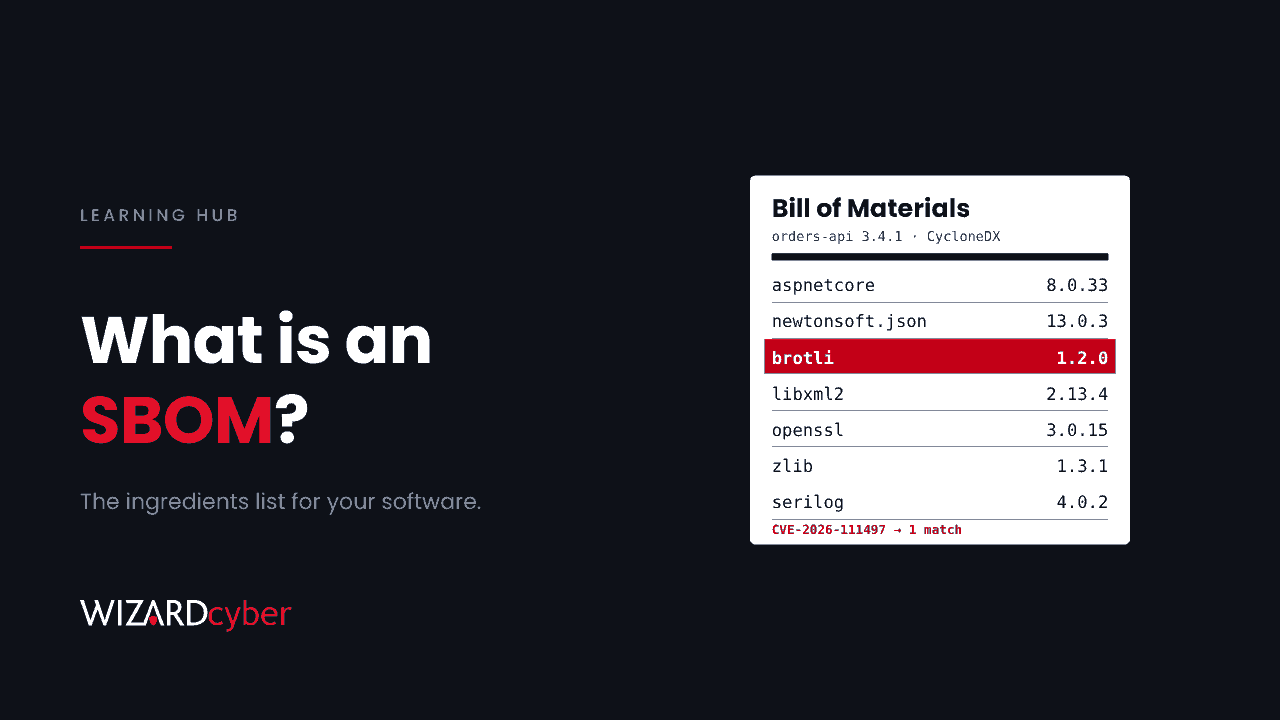
A software bill of materials (SBOM) is a machine-readable list of the components inside a piece of software: the open-source libraries, frameworks and modules it is built from, with their versions, suppliers and how they depend on each other. It works like the ingredients label on food. When a flaw is found in a common library, an SBOM turns "are we affected?" from a week of emails into a search.
This guide explains what an SBOM contains, the main formats, how to get one from suppliers, and how to use SBOMs when the next library vulnerability lands.
Why SBOMs matter
Most software is assembled, not written from scratch. A typical business application pulls in hundreds of open-source components, and each of those pulls in more. When one of them has a serious flaw, the vendor of the finished product may not say so, and your patch report won't show it, because the library isn't installed as a separate product.
October 2026 showed the problem twice in one week. The PHP2Shell flaws in the PHP runtime and a memory corruption bug in the Brotli compression library (CVE-2026-111497) both sat inside other software. The advisories for Brotli warned that updating the system library would not fix applications carrying their own copy. Organisations that knew which applications contained which libraries could act in hours. The rest had to find out the hard way. We cover that in why library flaws hide from your patch report.
What an SBOM contains
The US National Telecommunications and Information Administration set out widely used minimum elements in 2021. For each component, an SBOM should record:
- Supplier name: who created or maintains the component.
- Component name and version.
- Unique identifiers, such as a package URL (purl) or CPE, so tools can match it against vulnerability databases.
- Dependency relationships: which component includes which.
- Author of the SBOM data and a timestamp.
Good SBOMs often add licence information and cryptographic hashes, so you can check that the component you have is the one described.
The two main formats
- SPDX, maintained by the Linux Foundation and published as the international standard ISO/IEC 5962. It began as a licence compliance format and is widely used.
- CycloneDX, an OWASP project designed with security use in mind. It also covers services, hardware and vulnerability information.
Both are machine-readable, usually as JSON, and most tools can read either. Which one you use matters far less than having them at all.
Where SBOMs come from
Software you build
Generate an SBOM automatically in your build pipeline, every time you build, from the actual artifacts and lock files. An SBOM written by hand once a year will be wrong. Build it from the container image, not just the source repository, because base images bring their own packages. For .NET, the dependency graph in your NuGet lock files is a good starting point. For Node.js and Python, the lock files do the same job.
Software you buy
Ask for it. Put a requirement in contracts and renewals that suppliers provide an SBOM for each release, in SPDX or CycloneDX, and update it when components change. Many larger vendors can already do this. Smaller ones may need time, but asking tells them it matters.
Regulation is pushing in the same direction
US federal agencies have required SBOMs from software suppliers since Executive Order 14028 in 2021. The EU Cyber Resilience Act requires manufacturers of products with digital elements to draw up an SBOM as part of their technical documentation, with its main obligations applying from December 2027. If you sell software into the EU, you'll need them anyway.
How to use an SBOM when a flaw lands
- Search. Query your SBOM store for the component name and affected version range. This gives you a list of affected applications in minutes.
- Rank. Start with internet-facing systems and anything that handles untrusted input. For Brotli, that meant services accepting compressed request bodies and clients fetching external URLs.
- Check exploitability. Not every application that contains a library uses the vulnerable function. Suppliers may publish a VEX (Vulnerability Exploitability eXchange) statement saying whether their product is actually affected. Use it to focus effort, but don't treat it as a reason to skip patching indefinitely.
- Fix and rebuild. Update the component, rebuild, redeploy, and regenerate the SBOM so it reflects reality.
- Verify with telemetry. Microsoft Defender Vulnerability Management's software inventory and endpoint telemetry show what is actually running, which catches copies no SBOM listed.
Common mistakes
- Collecting SBOMs and never querying them. An SBOM in a shared folder is a document. An SBOM in a searchable store is a capability.
- Source-only SBOMs. They miss what the build and the base image add.
- One-off SBOMs. They go out of date with the next release.
- Ignoring transitive dependencies. The vulnerable library is often three levels down.
- Treating an SBOM as proof of security. It tells you what is inside, not whether it is safe.
Frequently asked questions
Is an SBOM the same as software composition analysis (SCA)?
No, but they're related. SCA tools scan code and artifacts to identify open-source components and known vulnerabilities. Many of them produce an SBOM as an output. The SBOM is the inventory; SCA is one way of building it and checking it.
Does an SBOM help attackers?
It could tell an attacker what's inside a product, which is why many suppliers share SBOMs with customers privately rather than publishing them. In practice, attackers can usually identify components themselves. The defender gains more from knowing than the attacker gains from being told.
Do small organisations need SBOMs?
If you build software, generating them is cheap once it's in your pipeline. If you only buy software, you don't need to produce them, but asking your key suppliers for them is worthwhile.
How is an SBOM different from an asset inventory?
An asset inventory lists devices and installed products. An SBOM lists what is inside each product. You need both: the asset inventory tells you where a product runs, and the SBOM tells you what that product contains.
How Wizard Cyber can help
Our vulnerability and patch management service turns new advisories into a ranked list of affected systems and follows fixes through to rebuild and redeploy. Our offensive security team sees the other side: on tests, outdated libraries inside otherwise patched applications are a common way in. And our third-party risk management service helps you ask suppliers the right questions, including for SBOMs.
To talk through where your gaps are, get in touch or book a demo.