
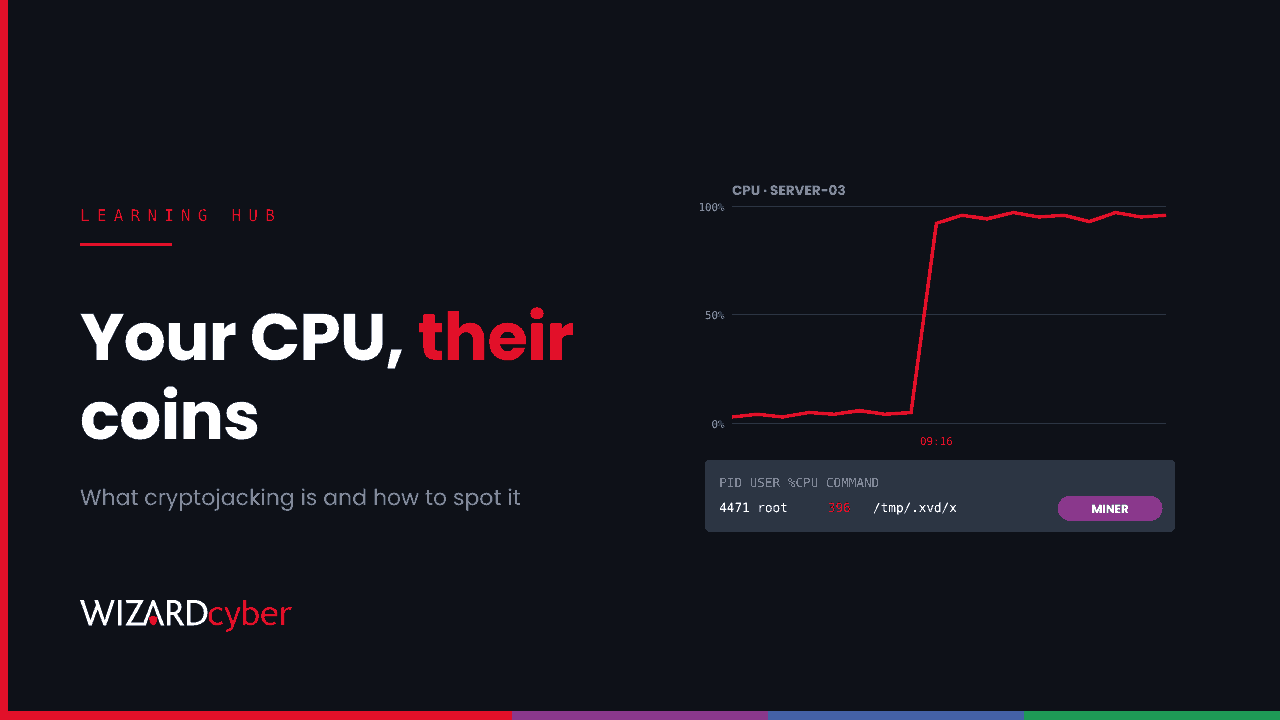
Cryptojacking is when attackers use your computing power to mine cryptocurrency for themselves, without your knowledge. They might run mining software on a compromised server, start virtual machines in your cloud account, or load a mining script in visitors' browsers. You pay for the electricity, the cloud bill and the slower systems. They keep the coins. It's often treated as a nuisance rather than a breach, but a miner on your server means someone already had the access to put it there.
How cryptojacking works
Mining some cryptocurrencies, Monero in particular, can be done profitably on ordinary CPUs, especially when someone else is paying for them. An attacker's aim is simple: get mining software running on as many machines as possible, keep it running, and point it at a mining pool that pays out to their wallet.
Most campaigns use XMRig, an open-source Monero miner. It's legitimate software, which is one reason attackers like it. They download it, configure it with their pool and wallet, and add something to restart it if it's killed.
The three main types
1. Server and endpoint cryptojacking
The attacker exploits an internet-facing system, or uses stolen credentials, and installs a miner. Linux servers are a favourite: they're powerful, often run unattended and are less likely to have endpoint protection than Windows desktops.
A current example: on 12 November 2026, a proof of concept was published for a new unauthenticated flaw in N-able N-central servers, nicknamed 4EverAble2Shell. According to research from huntback, reported by SecurityWeek, attackers were installing XMRig on live servers within hours. Huntback counted 21 compromised servers on one mining pool, 19 of them on the latest hotfix. The miner used half the CPU cores, ran from a hidden folder in /tmp, and kept itself alive with a systemd service or a cron entry. We covered the earlier N-central flaws in our downstream hunting guide.
2. Cloud cryptojacking
If an attacker gets hold of cloud credentials (an access key in a code repository, a leaked service principal secret or a compromised admin account), they don't need to install anything on your existing machines. They create new ones, often the largest GPU or compute instances the subscription allows, in regions you don't normally use. The first sign is often the bill.
3. Browser cryptojacking
A mining script is added to a website, and every visitor's browser mines for the attacker while the page is open. This was common around 2017 and 2018, when a JavaScript mining service made it easy, and it faded after that service closed in 2019. It still turns up as part of website compromises, alongside the skimmers and crypto clippers that target the same visitors.
Why it matters more than it looks
- It proves a breach. To install a miner, someone ran code on your server or created resources with your credentials. Whatever let them do that could be used for ransomware or data theft too.
- It's rarely alone. Access to a vulnerable system is often shared or sold. Once a flaw is public, the same server can be hit by several groups, and the miner is just the most visible.
- It costs real money. Cloud cryptojacking in particular can run up thousands of pounds a day, and the cloud provider will expect you to pay.
- It hurts performance. Servers slow down, batch jobs miss their windows and, in the worst cases, hardware overheats or services fall over.
Signs of cryptojacking
- Sustained high CPU (or GPU) use with no matching change in workload, especially overnight.
- Unknown processes with generic names (
x,kworker-lookalikes,sysupdate) running from/tmp,/var/tmp,/dev/shmor a user's temporary folder. - Command lines containing mining options such as
--donate-level,--rig-id,-o pool…orstratum+tcp://. - New systemd services, cron entries or scheduled tasks that restart a process every few minutes.
- Outbound connections to mining pools, often on unusual high ports.
- In the cloud: new virtual machines, especially GPU sizes, in unfamiliar regions, and a cost spike or budget alert.
Hunting for miners in Microsoft Defender and Sentinel
These queries are starting points to tune for your environment.
Mining command lines on Windows and Linux endpoints
DeviceProcessEvents
| where Timestamp > ago(14d)
| where ProcessCommandLine has_any ("--donate-level", "--rig-id", "stratum+tcp", "stratum+ssl", "randomx", "--cpu-max-threads-hint")
   or FileName in~ ("xmrig", "xmrig.exe")
| project Timestamp, DeviceName, AccountName, FolderPath, ProcessCommandLine, InitiatingProcessCommandLine
| order by Timestamp desc
Processes running from temporary folders on Linux
DeviceProcessEvents
| where Timestamp > ago(14d)
| where FolderPath startswith "/tmp/" or FolderPath startswith "/var/tmp/" or FolderPath startswith "/dev/shm/"
| summarize Runs=count(), FirstSeen=min(Timestamp), Cmd=any(ProcessCommandLine) by DeviceName, FolderPath, AccountName
| order by FirstSeen desc
New virtual machines in Azure
AzureActivity
| where TimeGenerated > ago(14d)
| where OperationNameValue =~ "MICROSOFT.COMPUTE/VIRTUALMACHINES/WRITE"
| where ActivityStatusValue =~ "Success"
| summarize VMs=dcount(_ResourceId), Regions=make_set(tostring(parse_json(Properties).resourceLocation))
    by Caller, CallerIpAddress, bin(TimeGenerated, 1h)
| where VMs >= 3
| order by TimeGenerated desc
Pair the last query with Azure cost budgets and anomaly alerts. A sudden jump in compute spend is a security signal, not just a finance one.
What to do if you find a miner
- Treat it as a compromise, not a clean-up job. Find out how the miner got there before removing it. Killing the process without closing the way in just means it comes back.
- Isolate the host and collect evidence: process list, persistence entries, recent logins, network connections and the miner binary itself.
- Look for anything else. Check for web shells, new accounts, SSH keys, scheduled tasks and remote access tools added around the same time.
- Remove all persistence, including systemd units, cron entries and watchdog scripts.
- Patch or rebuild. For a server exposed through an unpatched flaw, rebuilding from a known-good image is often quicker and safer than cleaning.
- Rotate credentials the host held or used, including service accounts and cloud keys. For cloud cryptojacking, revoke the compromised identity, delete the attacker's resources and contact your provider about the charges.
How to prevent it
- Patch internet-facing systems quickly, and put management consoles behind a VPN or zero trust access rather than on the open internet.
- Run endpoint detection on Linux servers as well as Windows.
- Block outbound connections from servers by default and allow only what they need. Most servers have no reason to reach a mining pool.
- Keep cloud credentials out of code, prefer managed identities, and set budgets, quotas and region restrictions on subscriptions.
- Alert on sustained CPU spikes and on new compute resources, not just on malware detections.
Frequently asked questions
Is cryptojacking illegal?
Yes. Running software on someone else's systems without permission is unauthorised access in the UK under the Computer Misuse Act, whatever the software does.
Can antivirus detect cryptominers?
Often, yes. Most endpoint protection flags XMRig and similar tools as potentially unwanted or malicious. But attackers rename, repack and run miners on servers that have no protection, so behaviour (CPU, persistence, network) is a more reliable signal than the file alone.
How do I know if my browser is being used for mining?
Your fan runs loudly and CPU stays high while a particular site is open, then drops when you close the tab. Modern browsers and many ad blockers block known mining scripts.
Why do attackers mine Monero rather than Bitcoin?
Monero's mining algorithm is designed to run efficiently on ordinary CPUs, and its transactions are harder to trace. Bitcoin mining needs specialist hardware to be worthwhile.
Is a miner a sign of a targeted attack?
Usually not. Most cryptojacking is opportunistic: automated scanning for any vulnerable system. But opportunistic access can be sold on to more targeted groups, which is why every miner deserves a full investigation.
How we help
Our SOC looks for the signs of a miner and for the access that comes before it: exploitation of internet-facing systems, new persistence and unusual outbound connections. Senior analysts and incident responders are on shift 24/7. If you've found a miner and want to know what else is there, a compromise assessment will tell you. Or talk to our team.