

From about 16 November, attackers were inside N-able's Mail Assure and SpamExperts hosted cloud. These are email filtering services that sit in front of customers' mailboxes. According to SecurityWeek, they compromised a web server and probably got at the credentials stored on it. N-able shut down portal and API access, changed credentials, revoked tokens, patched a critical flaw and restored service on 21 November. It says the activity was confined to one server. That is a reasonable vendor response. It also only covers the vendor's side.
What we know, and what we don't
- The attack began around 16 November. Portal and API access were disabled the same day. Logging, mailbox synchronisation, the management portal and quarantine were suspended. N-able says email delivery was not affected.
- N-able changed credentials and revoked API and OAuth tokens.
- It patched CVE-2026-134624, a server-side request forgery flaw rated CVSS 9.3. An API user with enough privileges could make the server connect to arbitrary internal hosts and ports through an LDAP synchronisation check. The fix is in version 20261121.1943.
- Dashboard and API access came back on 21 November. A root-cause analysis is promised within about two weeks.
We don't yet know which credentials were on that server, whether any belonged to customers, or how the attacker got in. The reporting doesn't say which mail platforms customers connect, so we are not going to claim a Microsoft 365 impact that hasn't been shown. What we can say is what a service in this position usually holds. That tells you what to check, whichever filtering vendor you use.
What a mail filter holds in your environment
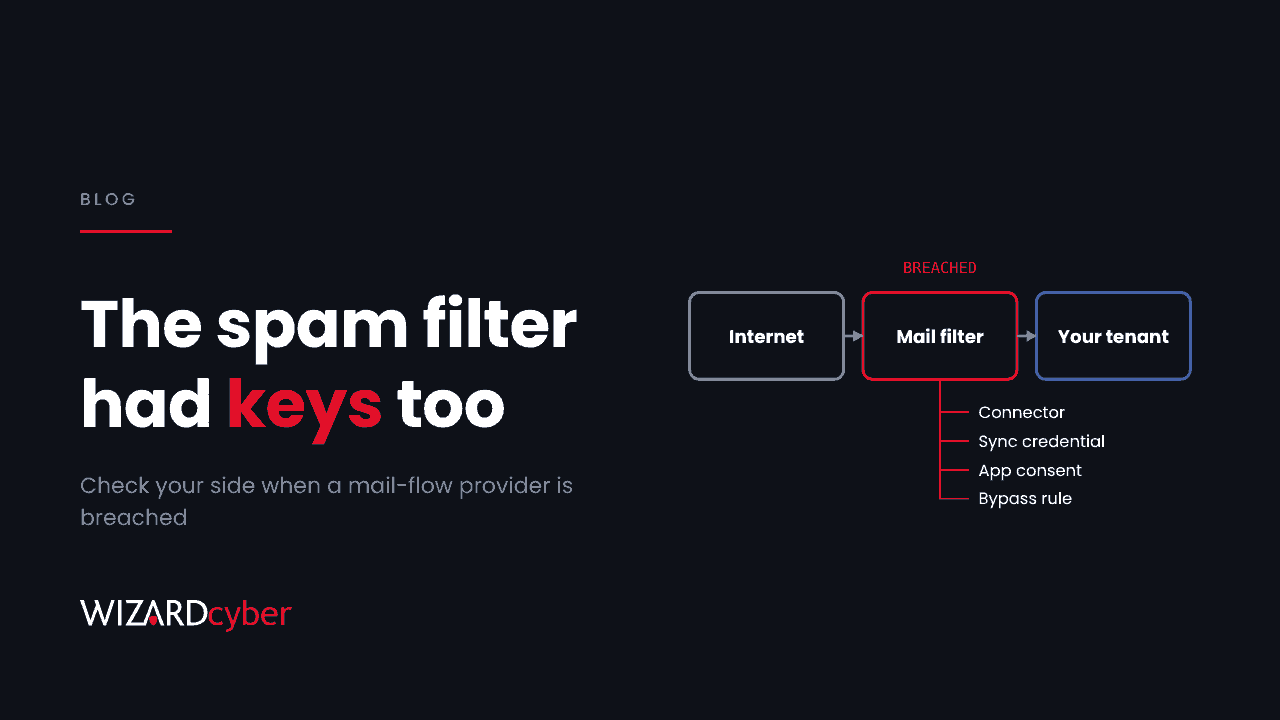
A third-party filter that sits in front of Microsoft 365 is not just a spam box. It usually has some or all of these:
- An inbound connector in Exchange Online that trusts mail from the provider's IP ranges or certificate.
- A transport rule that skips Microsoft's own filtering for that mail, by setting the spam confidence level to -1, so it isn't filtered twice. That is often the right design. It also means anything the provider passes on gets less scrutiny.
- A sync or directory credential, such as an LDAP bind account or an app registration, so the provider knows which recipients are valid.
- An app consent with mailbox permissions, if the service offers archiving, continuity, quarantine release or synchronisation features.
- An outbound connector, if outbound mail is filtered too.
Each of these was granted once, at onboarding, by someone who has probably moved on to other work since. Each one is a credential or a trust relationship that someone else can use.
What to check this week
These checks apply to anyone whose mail filtering provider reports a breach. If you use the affected services, they are urgent.
- List the connectors. In Exchange Online PowerShell,
Get-InboundConnectorandGet-OutboundConnector. For each one, confirm the provider still needs it and that it is restricted to the provider's published IPs or certificate, not left open. - Review the bypass rules.
Get-TransportRule, looking for rules that set SCL -1 or skip filtering. Confirm they are scoped to the connector and haven't been widened since they were created. - Find the provider's identities. In Entra ID, list the enterprise applications and service accounts the provider uses. Check their permissions and remove anything a current feature does not need.
- Rotate what you own. If the provider uses an LDAP bind account, an app secret or a password you created, rotate it yourself. The provider rotating its tokens does not change credentials that belong to you.
- Look at the audit trail. Check the unified audit log for changes to connectors, transport rules, accepted domains and app permissions since early November, and for sign-ins by the provider's accounts from unfamiliar addresses.
- Ask the vendor directly. Were customer credentials on the affected server? Which ones? Will the root-cause analysis say? Note the answers. They decide how far you need to go.
The point of view
Vendor statements are written about the vendor's systems. "No further malicious activity" means the vendor no longer sees the attacker in its own environment. It can't speak for yours, because the vendor can't see your tenant. Anything an attacker did with a credential from that server would show up in your logs, not theirs.
This is the same pattern we described in you stopped using the platform; its access never stopped and your provider has a key to your tenant. A supplier relationship is made of credentials, connectors and consents that live in your environment and outlast the purchase. When the supplier has an incident, those things are your exposure, and you need to have listed them before the incident, not during it.
Three questions are worth asking about every service that sits in your mail flow:
- What does it hold in our tenant, and who approved it?
- If it were breached tonight, which credentials would we rotate, and who would do it?
- Would we see misuse of those credentials in our own logs, or would we be relying on the vendor's word?
Where we can help
Our third-party risk management service builds that list for each supplier, including what it holds in your tenant, not just what its questionnaire says. When a supplier does have an incident, a compromise assessment answers the question the vendor's statement can't: whether anything happened on your side. Our 24/7 SOC watches the connectors, rules and service identities that make up that relationship as part of the managed service. Book a demo to see how.