

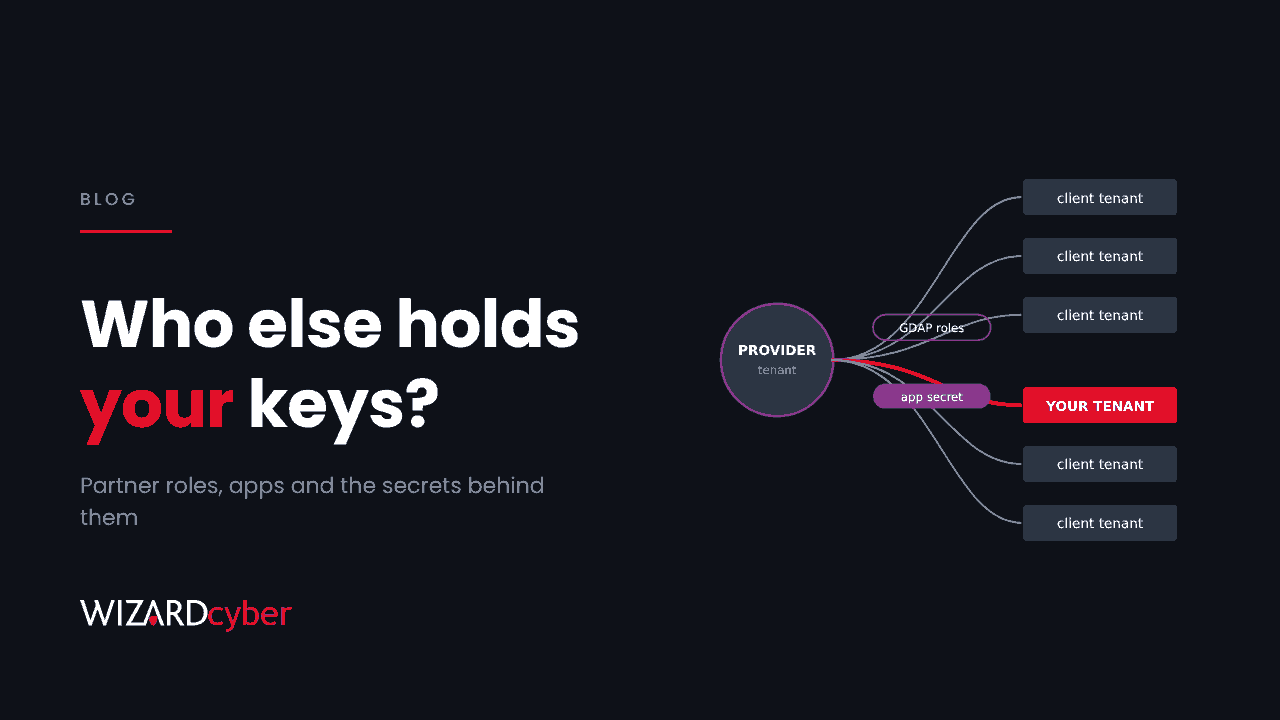
Ask most organisations who can act inside their Microsoft 365 tenant and they'll list their own admins. The honest answer is longer. It includes every partner with delegated admin access, every multi-tenant app a provider installed, and every secret those apps sign in with, most of which you have never seen and can't rotate. This week showed what happens when one of those secrets leaks.
What happened
On 3 November, Todyl described an ongoing campaign in which an operator, from 1 November, signed in to managed service providers' Microsoft 365 and Azure environments as their own applications, using client secrets that were still valid. No Microsoft vulnerability was involved. The secrets were simply stolen.
From there, the operator used the providers' multi-tenant and delegated-admin apps and Partner Center tokens to reach their clients' tenants. By Todyl's count, about 45 app registrations at around 18 organisations were targeted, and 27 organisations were reached, across government, energy, legal, education and other sectors. Todyl stresses these are minimums, counted only where it had logs.
The clients didn't do anything wrong. Their exposure came from a relationship they had approved, through credentials held by someone else.
Three kinds of key
A provider can hold access to your tenant in three main ways, and each one is managed differently.
- Delegated admin roles. Microsoft's granular delegated admin privileges (GDAP) let a partner's staff hold specific Entra roles in your tenant for a fixed period. You approve the request, and you can see and end the relationship. Our What Is GDAP? guide explains how it works.
- Multi-tenant apps. Backup, monitoring, licensing and automation tools often install an enterprise application in your tenant with application permissions. The app's credentials live in the provider's tenant, not yours. We covered this risk in One Trusted App, 173 Tenants.
- Accounts and tools of their own. Guest accounts, local admin accounts, remote management agents and scripts that a provider set up and you may have forgotten. Our guide to RMM tools covers the last of these.
Five questions to ask your providers
A provider worth keeping should be able to answer these without a fuss. That applies to us as much as anyone.
- Which roles do you hold in our tenant, and why? Each role should map to work they actually do. Global Administrator should be rare and short-lived.
- Which apps have you installed, and what can they do? Ask for the application names, their permissions, and whether any can read all mail, files or the directory.
- How do those apps sign in? A client secret is a password. Ask whether they use certificates or federated credentials instead, how long credentials live, and how they're rotated.
- Where are those credentials stored, and who can reach them? In this campaign, the operator used stolen app access to request Azure Key Vault tokens and harvest more credentials. A vault that one app can read is only as safe as that app's secret.
- How would you tell us if they were misused? Ask what they monitor, how quickly they would notify you, and whether your contract says so.
Five things to do in your own tenant
- List your partner relationships. In the Microsoft 365 admin centre, review your partner relationships and the roles attached to each. End any that no longer match a live contract.
- Review enterprise applications from other tenants. Filter the enterprise applications list to all applications, sort by permissions, and give every app with tenant-wide access a named internal owner.
- Collect the logs that show app activity. Service principal sign-ins and Microsoft Graph activity logs are what reveal an app signing in from an unfamiliar address or downloading files at machine speed. Many tenants don't collect either.
- Apply Conditional Access where you can. Policies can target service provider users, and Conditional Access for workload identities can restrict your own single-tenant apps by location. It doesn't cover third-party multi-tenant apps, which is why monitoring matters.
- Put it in the contract. Notification timelines for credential compromise, credential standards for apps, and a requirement to remove access at the end of an engagement belong in your supplier agreements. A third-party risk review should check them.
The point
Outsourcing work to a provider doesn't outsource the risk. You can't rotate a secret you don't hold, but you can know which keys exist, keep the number small, and make sure someone notices when one is used from somewhere it shouldn't be.
How we help
Our third-party risk management service reviews supplier access and contracts. Our identity threat detection and response service watches partner, app and user activity in Entra ID, and our SOCs are staffed 24/7. Our Microsoft security consultants can map every partner role and app in your tenant and help you cut back what isn't needed.
If you'd like to know which providers can act in your tenant today, talk to our team.