

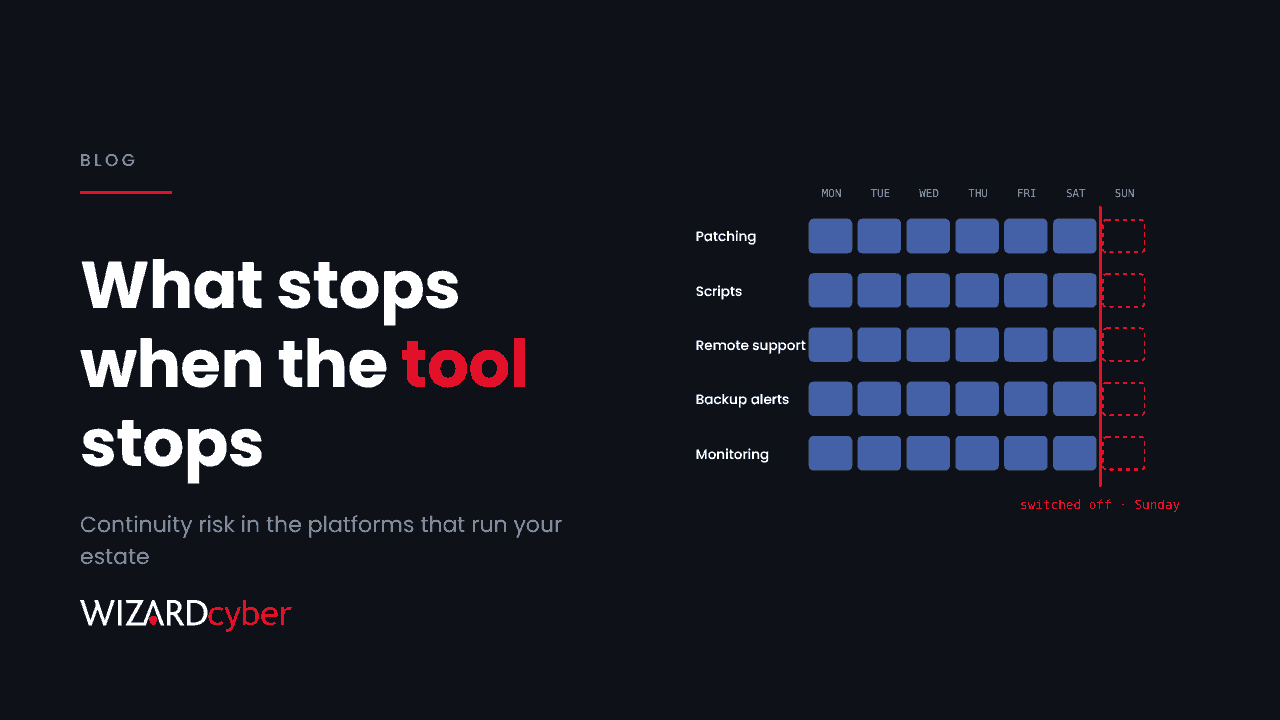
On Sunday evening a provider that many managed service providers rely on switched off its hosted remote management platform and asked customers running their own copy to do the same. It wasn't a breach. A researcher had published working exploit code for dozens of flaws, and taking the platform offline was the responsible thing to do. For thousands of organisations, it also meant that the tool their IT provider uses to patch, script and support their machines stopped working, with no restart date. Most of those organisations had never planned for that.
The question we asked last week, and the one after it
Last week we asked which keys your provider holds to your tenant. That is about access: what could go wrong if someone abused your provider's position. This week's question is the reverse. What happens to your security when your provider's tooling disappears, because it was attacked, because it was switched off as a precaution, or because the vendor had an outage?
Most supplier risk questionnaires don't ask this. They ask about ISO certificates, insurance and data processing. They rarely ask: if the platform you run our estate from goes dark at 6pm on a Sunday, what still works on Monday morning?
What actually stops
When a remote monitoring and management (RMM) platform goes offline, the list of what stops is longer than most buyers expect:
- Patching. Scheduled updates and approvals run through the RMM. This outage began the day before Microsoft's November security release.
- Scripted maintenance. Disk clean-ups, configuration fixes and software deployments are queued, not run.
- Remote support. The help desk loses its remote-control tool, so incidents that would have been fixed in ten minutes now need a site visit or a workaround.
- Monitoring that lives in the RMM. Backup job alerts, disk and service checks, and sometimes antivirus status are reported through the same console. If it is offline, those alerts don't arrive.
- Credentials. Many providers keep domain admin, hypervisor and backup passwords in the RMM's vault. Engineers who reach for them during the outage find them unavailable.
None of that is a breach, but each item is a gap that an attacker would welcome, and they all happen at the same time.
Concentration is the real risk
The mid-market has consolidated its IT operations onto a small number of platforms: one RMM, one PSA, one backup product, one identity provider. Each choice is sensible on its own. Together they create concentration risk, where a single vendor's bad week becomes your bad week, and also the bad week of every other customer your provider serves. The reporting on this incident notes that the same platform had exploited flaws in August and September, and that earlier exploitation led to scripts being pushed to managed endpoints. A tool that reaches every machine is worth a lot to an attacker, and that is why it gets attacked.
We aren't arguing against RMM tools or MSPs. They are how most organisations of this size get competent IT at all. The argument is that the tool sits in your Tier 0 whether you chose it or not, and should be planned for like Tier 0.
A dark-day runbook in five questions
Put these to your provider now, while the answer is still interesting rather than urgent:
- Which platforms do you depend on to run our estate, and which of them are hosted by a third party? You want names, hosting model and where your data sits.
- If the RMM is offline for a week, how do critical patches get applied? A credible answer names a fallback, such as Intune, Group Policy or a manual process with an owner, and gives a timescale.
- Which alerts stop arriving when the RMM is down, and who watches for them instead? Backup failure alerts are the ones most often forgotten.
- When the platform comes back, how will you confirm it is clean before reconnecting it to our machines? Queued jobs run on reconnect, so a compromised server would push its payload the moment it returns.
- Which of our privileged credentials live in your tooling, and can we rotate them if we need to? If the answer is "we'd have to check", that is your next piece of work.
Then add the same questions to your third-party risk review for every supplier with administrative reach into your environment, not only the RMM. If you're a security team that wants the technical side, our threat research post covers what to hunt on your endpoints.
Detection shouldn't share the same single point of failure
One thing makes a dark day much easier to live with: security monitoring that doesn't depend on the tool that just went offline. If your detection and response runs on Microsoft Defender and Sentinel in your own tenant, an RMM outage doesn't blind you. Endpoint telemetry, sign-in logs and alerts keep flowing, and someone can see whether the RMM agent did anything unexpected before it was switched off or after it was switched back on. That separation is a design choice. It is easy to make when you're choosing services and hard to retrofit during an incident.
Wizard Cyber's managed service is built on Microsoft Sentinel, which we've run since 2019, with SOCs staffed 24/7. Sentinel is the only hard requirement, and it doesn't depend on your RMM. That isn't a replacement for your MSP. It means that if your provider's tooling goes dark, or is turned against you, someone is still watching your estate.
The takeaway
This week's outage will probably end with a hotfix and an all-clear, and most customers will never know how close it came to something worse. Use it anyway. Ask the five questions, write down the answers, and decide which gaps you're willing to accept. The next time a provider's platform goes dark, you'll already know what to do.
Want an independent view of how much of your security depends on one supplier? Talk to our team.