

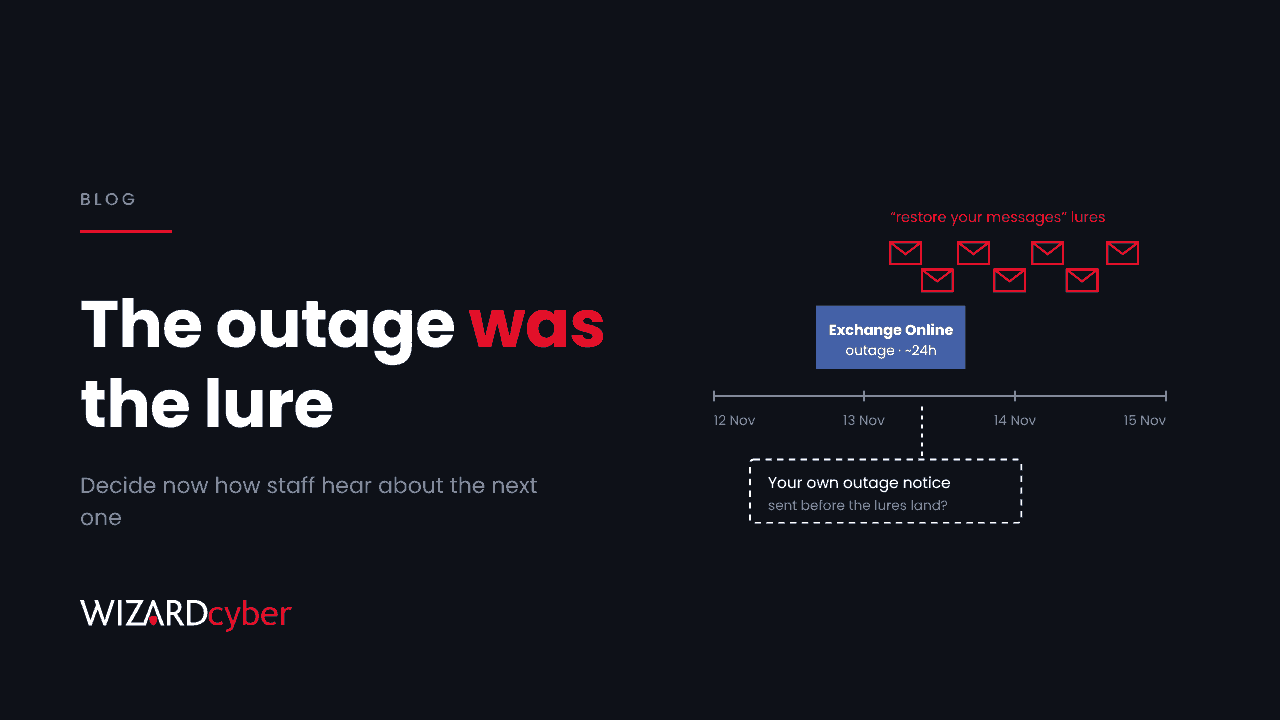
When Exchange Online went down on 12 November, most staff heard about it in the same way: their mail stopped working, someone in the office said Microsoft was down, and eventually a news alert confirmed it. Within a day, phishing emails arrived quoting the real incident number and offering to "restore" messages held during the outage. The attackers knew how the outage would be explained to users before most organisations had decided. That's the gap worth closing, and it costs very little to close.
The outage was real, and so was the reference number
Microsoft's preliminary post-incident report puts the impact at almost 24 hours, from 16:20 UTC on 12 November to 16:10 UTC on 13 November, caused by a latent defect in its networking gateway rather than an attack. On 14 November Microsoft Threat Intelligence warned of emails impersonating Microsoft 365 service health notices. They cited the genuine incident, EX1550543, claimed messages had been held and would be deleted within 24 hours, and linked through a mail delivery service to a credential page. We've written up the indicators and hunting queries separately.
The lure needed no clever pretext. It borrowed one from the news, at the moment users were most likely to believe it.
Outages are a phishing season
We tend to treat a cloud outage as an availability problem: what's down, when it's back, who needs telling. Security usually joins the conversation later. But an outage changes user behaviour in ways attackers can predict:
- People expect unusual messages. Delayed mail, bounce notices and status updates are normal for a few days, so one more "service notice" doesn't stand out.
- People want their mail back. An offer to restore missing messages answers the exact frustration they've had all day.
- The help desk is swamped. Reporting a suspicious email feels like adding to the queue, so fewer people do it.
- Security tooling may be affected too. Microsoft's report lists the Defender portals among affected services. Investigations that would normally take minutes can take longer, right when the lures arrive.
None of this is specific to Microsoft. Any widely used service that goes down publicly creates the same window. We made a related point about provider outages last week in If your provider switched off tomorrow. That piece was about keeping the lights on. This one is about not being phished while they're off.
Decide the channel before you need it
The fix is mostly a decision you make once, in advance, and then repeat until people remember it.
- Pick one place staff hear about outages. An intranet banner, a Teams announcement, a text message, or a status page your IT team owns. It shouldn't be email, because email is the thing that's broken, and it shouldn't be anything an outsider can imitate cheaply.
- State the rule plainly. "We will never ask you to click a link to restore, release or recover your mail." Put it in onboarding and in your next all-staff note. A rule people have heard before is one they can apply under pressure.
- Tell people where Microsoft's status lives. Administrators see service health in the Microsoft 365 admin centre. Everyone else should hear about it from you, not from an email claiming to be Microsoft.
- Pre-write the message. Have a short outage notice ready that includes the rule above. Sending it within the first hour of an incident takes the "restore your messages" story away from attackers.
- Make reporting easy during an incident. If the help desk queue is full, give people a one-click report button and say that reports during outages are wanted, not a nuisance.
What the SOC should do differently
For a security team, a major SaaS outage should trigger a short, planned change in posture:
- Raise the priority of email and sign-in alerts for a few days after recovery, because that's when the lures land.
- Have a hunt ready to run for outage-themed subjects, newly registered sender domains and clicks on links in "service notice" emails.
- Watch for spikes in risky sign-ins, new MFA registrations and new inbox rules among users who were affected by the outage.
- Write down what you'll do if your own security portals are slow or unavailable, including who can still query logs and how.
This is a few hours of work to plan, and it can be reused for every outage after this one.
The point
Attackers read the same status pages and news alerts we do, and they're faster at turning them into messages for your staff. You can't stop the next outage, but you can make sure your people already know how they'll hear about it, and that any other version of the story is fake.
How we help
Wizard Cyber's SOCs are staffed 24/7 and have run Microsoft Sentinel since 2019. When a large event like this one happens, we turn vendor warnings into hunts across our customers' email, click and sign-in data, and a senior analyst confirms what needs action. Our managed SOC and vCISO services can also help you write the outage communications plan and test it before you need it.
Want a second opinion on how your organisation would handle the next outage? Talk to our team.