

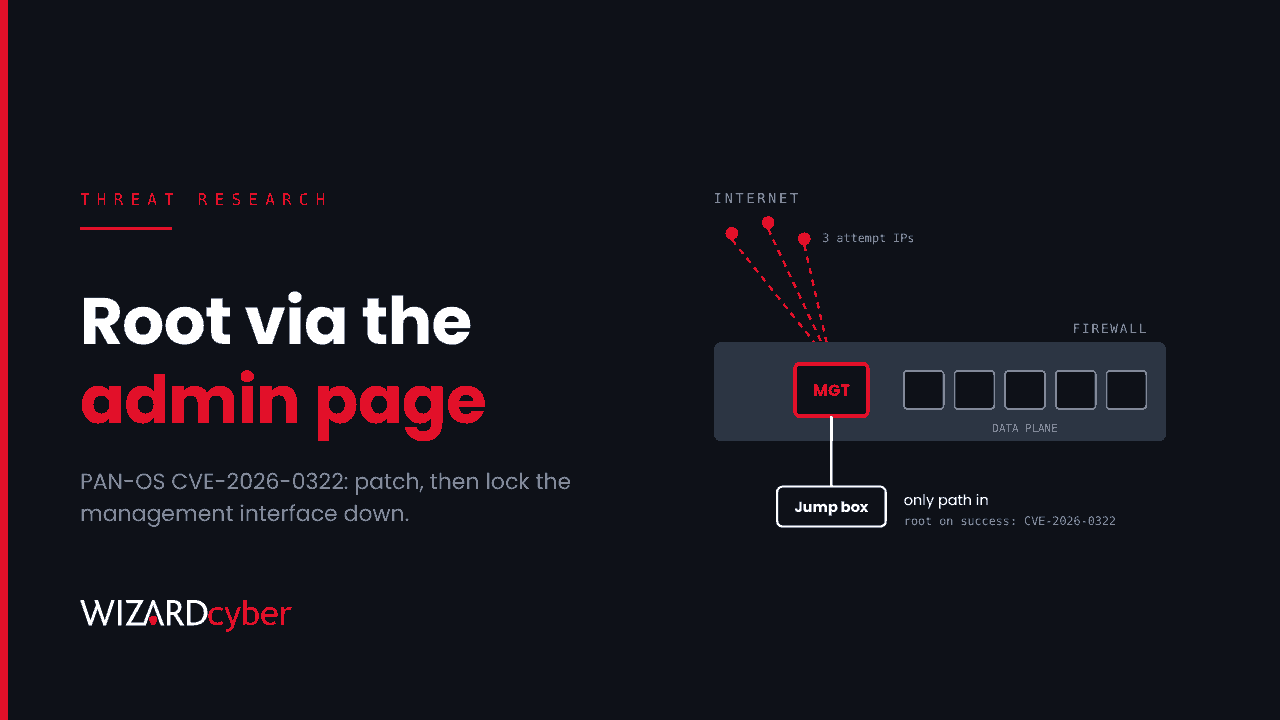
Palo Alto Networks has patched a zero-day in the PAN-OS management interface that gives an authenticated attacker root on the firewall. It is being exploited. CISA added it to the Known Exploited Vulnerabilities catalogue on 14 October and gave US federal agencies until 17 October to fix it. The word "authenticated" is doing a lot of work in that description, and it shouldn't reassure anyone. It means the attacker already has an admin login, and that is the part worth hunting for.
This piece covers what is affected, the fixed versions, why the management plane keeps getting targeted, and how to check in Microsoft Sentinel and Defender that neither the firewall nor what it holds has been used against you.
What happened
- 14 October 2026: Palo Alto Networks publishes CVE-2026-0322, a remote code execution flaw in the PAN-OS management interface. The advisory reports "very limited exploitation" against the management interface and lists exploit maturity as Attacked. The flaw was found internally.
- 14 October: CISA adds it to the KEV catalogue, with a federal remediation deadline of 17 October. SecurityWeek notes Palo Alto published about a dozen lower-severity advisories the same day.
- 15 October: the last fixed build for the 11.2 branch (11.2.16) was due, according to the advisory.
No threat actor has been named and the vendor has not described what the attackers did after getting in. It has published three IP addresses associated with exploit attempts, listed below.
The vulnerability
CVE-2026-0322: management interface RCE (CVSS 4.0: 8.6)
An authenticated attacker with network access to the management interface can run arbitrary code as root on the firewall. The CVSS vector sets privileges required to high, so the attacker needs administrator-level access to the web interface first. No special configuration is needed to be vulnerable. The advisory lists no workaround.
Affected: PA-Series and VM-Series firewalls, and Panorama (virtual and M-Series). Cloud NGFW and Prisma Access are not affected. Unsupported PAN-OS versions are affected and get no fix.
Fixed versions
- PAN-OS 12.2: 12.2.4 or later
- PAN-OS 12.1: 12.1.4-h12, 12.1.7-h8, 12.1.10-h2 or later
- PAN-OS 11.2: 11.2.4-h22, 11.2.7-h21, 11.2.10-h15, 11.2.13-h3, 11.2.16
- PAN-OS 11.1: 11.1.4-h37, 11.1.6-h39, 11.1.7-h11, 11.1.10-h35, 11.1.13-h15, 11.1.16-h3 or later
- PAN-OS 10.2: 10.2.7-h38, 10.2.10-h41, 10.2.13-h26, 10.2.16-h11, 10.2.18-h12 or later
Threat Prevention subscribers can enable Threat IDs 510046 and 510047 (content 9159-10287 or later) for limited coverage, but only if inbound management traffic is routed through a data-plane port and decrypted. Palo Alto is clear that the signatures may miss variants. Treat them as a stopgap until you've upgraded.
Indicators published by the vendor
66[.]42[.]72[.]14208[.]83[.]239[.]114149[.]248[.]47[.]234
Three addresses is a thin set. Blocking them is worth doing, and searching for them is worth doing, but a clean result tells you very little.
Why "authenticated" isn't comforting
A flaw that needs an admin login sounds like a second-order problem. In practice, firewall admin credentials turn up in attackers' hands more often than most teams assume:
- Directory-backed admin logins. Many firewalls authenticate administrators against Active Directory over LDAP, RADIUS or SAML. Compromise the right AD account and you have a firewall admin login too.
- Shared and default local accounts. The local
adminaccount, shared across a team, with a password that predates half the people who know it. - Credential harvesting from edge devices. Attackers collect edge-device credentials at scale. The FBI's recent FortiBleed warning describes 86,644 credentials gathered from one vendor's devices. Different product, same lesson: appliance logins are collected, sold and reused.
- Exposed management interfaces. If the admin page can be reached from the internet or from the general user network, anyone with a working password can try.
This is also not the first PAN-OS issue this year to be used for access. Ransomware affiliates were reported in the summer exploiting CVE-2026-0257 in GlobalProtect, where the intrusion arrived through the organisation's own VPN and looked like remote working.
Root on the firewall is rarely the goal. It is a vantage point over everything that passes through it, and a store of credentials for everything it talks to.
What an attacker gets with root on the firewall
Before anything else, the configuration. On a typical PAN-OS deployment in a Microsoft estate it can include:
- Directory service accounts: the LDAP bind account used for authentication and group mapping, and the User-ID service account that reads domain controller security logs. Both are often more privileged than they need to be.
- VPN material: GlobalProtect portal and gateway certificates and private keys, and IPsec pre-shared keys for site-to-site tunnels to branches, partners and cloud.
- Decryption keys: the forward-proxy CA used for SSL decryption. With it, an attacker can sign certificates that your own endpoints trust.
- RADIUS and SAML trust: shared secrets and federation settings for admin and user authentication.
As with the NetScaler compromises we covered in NetScaler Zero-Days: Why Patching Isn't Enough, upgrading the firmware closes the hole and rotates none of this.
What to do now
- Take the management interface off any network it doesn't need to be on. No internet exposure, and no access from the general user LAN. The vendor's recommended position is a jump box as the only route in. This alone takes most of the risk away, and it also protects against the next management-plane bug.
- Preserve evidence, then upgrade. Export the configuration and system, configuration and traffic logs, and generate a tech support file before you upgrade, in case you need them later.
- Review administrators. List every admin account, local and directory-backed. Remove the ones you can't explain, rotate local admin passwords, and require MFA for admin access wherever your authentication setup allows it.
- If anything looks wrong, treat the config as stolen. Rotate the LDAP bind and User-ID service account passwords, reissue VPN and decryption certificates, change IPsec pre-shared keys and RADIUS secrets, and review whether the device should be rebuilt from known-good firmware.
Hunting in Sentinel and Defender
These queries are starting points. PAN-OS logs normally reach Microsoft Sentinel as CEF in CommonSecurityLog, but parsing and field use vary by connector and by version, so check how your logs actually arrive and tune before you rely on them.
1. Admin logins to the firewall, and where they came from
Every management login should come from your jump box or management network. Anything else needs an explanation.
let MgmtSources = dynamic(["10.10.0.5", "10.10.0.6"]);   // jump box / management hosts
CommonSecurityLog
| where TimeGenerated > ago(30d)
| where DeviceVendor == "Palo Alto Networks" and Activity == "SYSTEM"
| where Message has_any ("authenticated", "logged in", "auth-success")
| extend SourceAddr = extract(@"[Ff]rom:?\s*'?(\d{1,3}(?:\.\d{1,3}){3})", 1, Message)
| where isnotempty(SourceAddr) and SourceAddr !in (MgmtSources)
| summarize Logins = count(), FirstSeen = min(TimeGenerated), LastSeen = max(TimeGenerated),
            Samples = make_set(Message, 5)
          by DeviceName, SourceAddr
2. The vendor's attempt IPs anywhere in your logs
let IOCs = dynamic(["66.42.72.14", "208.83.239.114", "149.248.47.234"]);
union isfuzzy=true
  (CommonSecurityLog | where SourceIP in (IOCs) or DestinationIP in (IOCs)
     | project TimeGenerated, Source = "Firewall", DeviceName, SourceIP, DestinationIP, Activity),
  (SigninLogs | where IPAddress in (IOCs)
     | project TimeGenerated, Source = "Entra", DeviceName = "", SourceIP = IPAddress, DestinationIP = "", Activity = AppDisplayName),
  (DeviceNetworkEvents | where RemoteIP in (IOCs)
     | project TimeGenerated, Source = "Defender", DeviceName, SourceIP = LocalIP, DestinationIP = RemoteIP, Activity = ActionType)
| where TimeGenerated > ago(60d)
3. Configuration changes nobody scheduled
New administrators, changed authentication profiles and commits outside change windows are worth reviewing line by line.
CommonSecurityLog
| where TimeGenerated > ago(30d)
| where DeviceVendor == "Palo Alto Networks" and Activity == "CONFIG"
| where Message has_any ("mgt-config", "users", "authentication-profile",
                          "admin-role", "certificate", "ssl-decrypt")
| project TimeGenerated, DeviceName, SourceUserName, Message
| order by TimeGenerated desc
An attacker with root can work below the audited configuration layer, so an empty result doesn't prove anything. A hit is unambiguous, though.
4. The firewall's service accounts used from somewhere else
The LDAP bind and User-ID accounts should only ever authenticate from the firewall's own addresses. Defender for Identity sees every authentication against your domain controllers.
let FirewallIPs = dynamic(["10.0.0.1", "10.0.0.2"]);       // management and data-plane IPs
let FwAccounts = dynamic(["svc-pan-ldap", "svc-pan-userid"]); // your service accounts
IdentityLogonEvents
| where TimeGenerated > ago(60d)
| where AccountName in~ (FwAccounts)
| where IPAddress !in (FirewallIPs)
| summarize Logons = count(), FirstSeen = min(TimeGenerated), LastSeen = max(TimeGenerated),
            Targets = make_set(DestinationDeviceName, 20)
          by AccountName, IPAddress, Protocol, ActionType
Any result here deserves a full investigation.
5. The firewall reaching into internal hosts
A firewall routes traffic. It doesn't normally open SMB, RDP or WinRM sessions to your servers from its own management address.
let FirewallMgmtIPs = dynamic(["10.0.0.1"]);
DeviceNetworkEvents
| where TimeGenerated > ago(30d)
| where ActionType == "InboundConnectionAccepted"
| where RemoteIP in (FirewallMgmtIPs)
| where LocalPort in (22, 135, 445, 3389, 5985, 5986)
| summarize Connections = count(), Ports = make_set(LocalPort), FirstSeen = min(TimeGenerated)
          by DeviceName, RemoteIP
The management plane is the attack surface
Firewalls, VPN gateways and mail gateways have had a hard year. They are internet-adjacent, highly trusted and patched on change-control timescales, and few organisations get endpoint-grade telemetry from them. The practical defence is the same each time. Keep their admin interfaces somewhere only admins can reach. Treat their configuration as a credential store. And watch what they are trusted to do inside the network, so you notice when that trust is used by someone else.
How a managed SOC helps
- Someone watching when the advisory lands. Our SOCs are manned 24/7, so a KEV addition on a Wednesday afternoon becomes a hunt the same day, not a ticket for next week.
- Investigation that connects the dots. CYBERSHIELD AI's Investigation Agent works each alert through to a verdict, averaging 3m 30s, or 7m 50s where the incident needs Advanced Investigation. A firewall service account logging on from a workstation is judged against where it should have come from, not in isolation.
- Analysts who sign it off. On the managed service, senior analyst sign-off is the default, and incident responders are on shift around the clock when a case needs hands-on response.
- Your appliances in the picture. Microsoft Sentinel is the only hard requirement. Connectors, parsers and analytical rules for the rest of the estate, network appliances included, are built at onboarding as part of the managed service.
If you run PAN-OS and aren't certain the admin interface has only ever been used by your own team, talk to our team about a compromise assessment.