

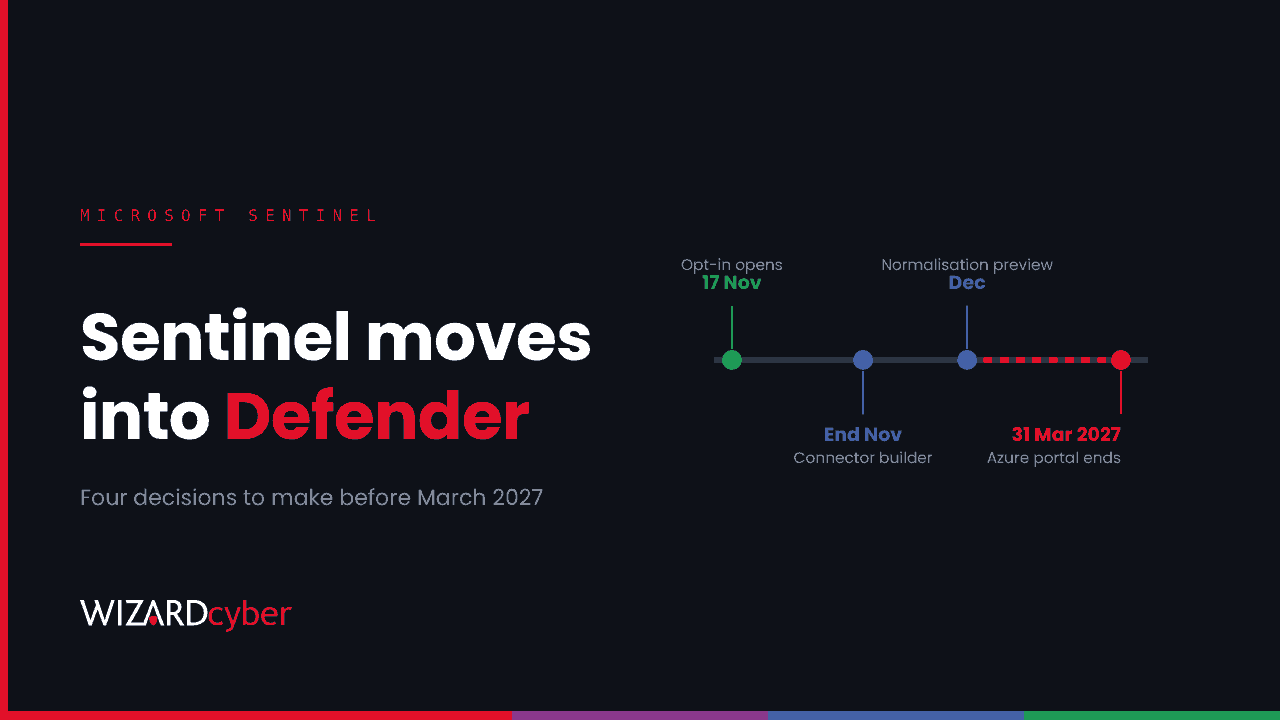
At Ignite this week, Microsoft took the biggest step yet in folding Microsoft Sentinel into the Defender portal. From 17 November 2026, existing Sentinel customers with Microsoft 365 E5, Microsoft 365 E7 or Defender Suite can opt in to what Microsoft is calling an integrated security operations centre in Defender: SIEM and threat protection in one place, with case management, playbooks, workbooks and UEBA generally available there. Microsoft's Sentinel announcement also sets a date that matters more than any feature: support for Sentinel in the Azure portal ends on 31 March 2027.
We've run Microsoft Sentinel for customers since 2019, through every portal change so far. Our view is simple. The move is coming whether you opt in this month or not, and the teams that come through it well will be the ones that made a few decisions deliberately rather than discovering them on the day. Here are the four we'd make first.
1. When to move, and who goes first
Opt-in is optional for now, and Sentinel carries on working as it does today. But four months is not long for a security operations change, especially across a holiday period and a financial year-end.
Pick a date, not a deadline. A sensible pattern is to move one workspace or one team first, run both portals side by side for a few weeks, and only then move the rest. Check your licensing qualifies before you plan around it. And check the small print in Microsoft's posts: several capabilities in the unified experience, including SOC optimisation recommendations, Content Hub and detections as code, are still in preview.
2. What your automation actually does
Most mature Sentinel workspaces carry years of automation rules and playbooks, some written by people who have since left. A portal move is the right moment to find out what all of it does, because anything that breaks quietly in the new experience will break at the worst time.
Microsoft is adding audit logs for automation in the Defender portal, in preview, recording when rules and generated playbooks are created, edited, switched on or off and deleted. That's useful from day one. Before you move:
- Inventory every automation rule and playbook, and name an owner for each.
- Retire the ones nobody can explain.
- Test the ones that take containment actions, and confirm who approves them. We made the case for agreeing those rules in advance in our post on containment rules.
3. What you keep, for how long, and where
Two changes alter the arithmetic. Retention for eligible Defender data in the unified experience goes from 30 to 90 days, and Microsoft is pushing a built-in data lake for historical hunting and compliance. Non-Microsoft data is still metered on ingestion, across what Microsoft says are now more than 500 connectors.
That makes it a good time to revisit three questions:
- Which logs drive detections and need to be in the analytics tier, and which are only there for investigation or compliance and could live in cheaper long-term storage.
- Whether your retention matches your obligations. Regulators and insurers ask how far back you can investigate. Ninety days of endpoint data is better than thirty, but it may not be enough on its own.
- Whether your parsers will survive. Microsoft is introducing ingest-time normalisation in preview, with Microsoft-managed parsers standardising data as it arrives. If your detections depend on custom parsers, test them against the normalised data before relying on it.
4. Who watches it, and how
A unified portal changes how an analyst's day looks. Incidents from endpoints, identity, email, cloud and third-party data arrive in one queue, and correlation pulls more of them together. That's good. It also means the queue becomes the single place where something is either picked up or missed.
Decide who owns that queue outside office hours. Decide how cases escalate, and how your own decision templates (what to close, what to escalate, what to contain) are carried into the new experience. If you work with a provider, ask them how they plan to work in the new portal, and when.
What we'd do this month
- Confirm licensing eligibility and pick a target date well before 31 March 2027.
- Export an inventory of analytics rules, automation rules, playbooks and workbooks, with owners.
- Review data connectors and retention against what your detections and obligations need.
- Run one team or workspace in the unified portal for a few weeks, then move the rest.
How we can help
We've been running Microsoft Sentinel since 2019 and we're a Microsoft Solutions Partner. Our Microsoft security consultancy can plan and run the move with you. If you'd rather hand over the operations, our managed service needs only Microsoft Sentinel: the connectors, parsers, analytical rules and playbooks for the rest of your estate are built at onboarding and included. Our SOCs are staffed 24/7, CYBERSHIELD AI investigates each incident with an average time to verdict of 3 minutes 30 seconds, and a senior analyst signs off by default.
To talk it through, get in touch or book a demo.