
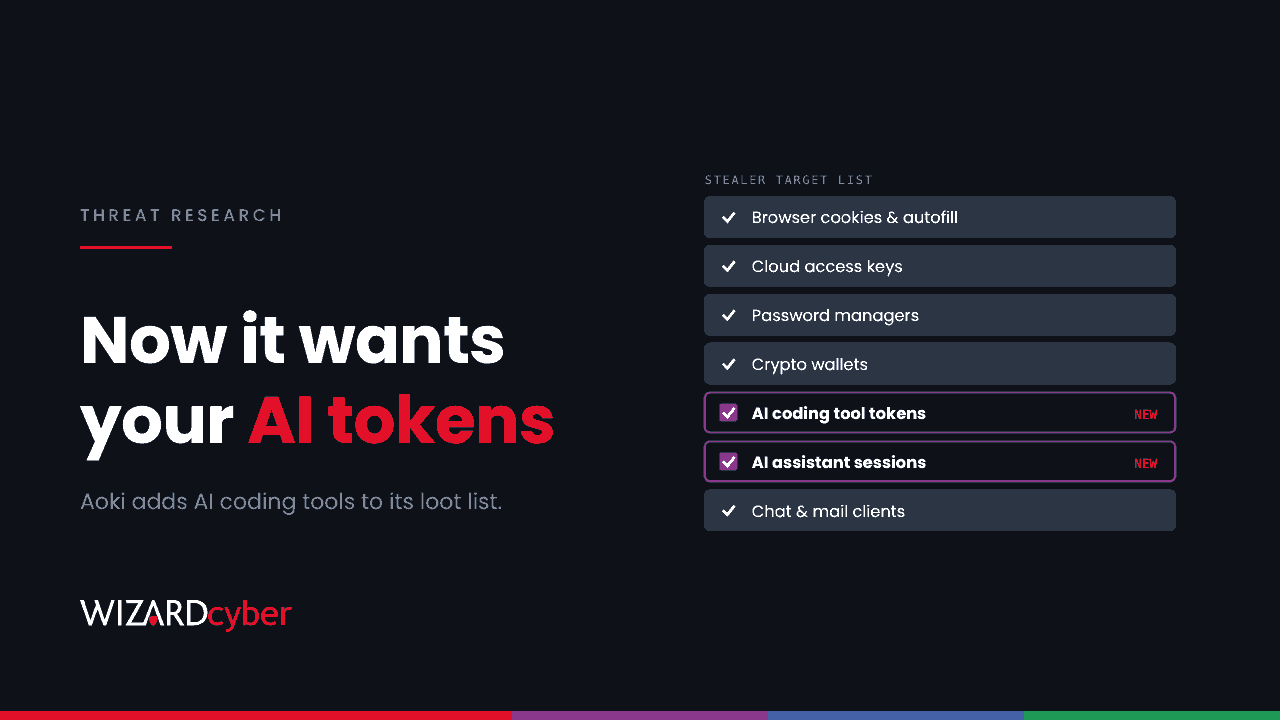
Infostealers have always gone after what a logged-in user holds: browser cookies, saved passwords, cloud keys, crypto wallets. A new build of the Aoki stealer adds something to that list. It now collects the configuration, token and session files of AI coding assistants and chat tools. For an organisation whose developers use them, a single infected laptop can now hand an attacker working access to source code, cloud accounts and AI services, all under that developer's identity.
This piece covers what the new Aoki build takes, why those files matter more than they look, and how to hunt for it and contain the damage with Microsoft Defender and Sentinel.
What happened
On 15 October 2026, Symantec's Threat Hunter Team published an analysis of new Aoki samples. Older samples did not look for AI-related files. The new ones go after:
- AI coding tools: configuration files, environment files and stored tokens for several widely used AI coding assistants and IDE plug-ins, including a local state database that can cache chat context and code snippets.
- AI chat services: browser and desktop-app cookies for AI assistants.
- Cloud credentials: AWS credential files.
- The usual stealer haul: browser cookies, autofill, saved cards and history, Google tokens, dozens of crypto wallets and extensions, Discord and Telegram data, Outlook and Thunderbird credentials (Outlook passwords read from the registry), FTP, VPN and password manager data. It also records which security products are installed.
Symantec lists the specific tools and file names in its report. Aoki has no command set. It collects whatever it finds and posts it to a /gate endpoint. Newer samples use domains, while older ones sent data over plain HTTP to an IP address on port 8080.
Aoki isn't alone in this. Gen Digital's analysis of Warden Stealer, a Rust-based stealer, describes the same interest in AI assistant and agentic coding tool configuration. When two unrelated stealer families add the same target in the same season, it has probably become worth something on the market.
Indicators
Network indicators from Symantec's report (all using the /gate path):
dobeqnesmot[.]cchjazfioe[.]surfneihite[.]cc
Symantec also publishes 17 SHA-256 hashes for the family. Take them from the report, not a copy, and drop them into the hash query below. The report doesn't describe how Aoki is delivered. For stealers in general, the usual routes are fake software downloads, malvertising, cracked tools and ClickFix-style lures.
Why AI tool tokens matter
It is tempting to file this as "they can use our AI subscription for free". The real exposure is wider.
- They act as the developer. Many AI coding tools sign in with OAuth to a source code platform or an identity provider. A stolen token or session can carry the same access as the user, often to private repositories.
- They sit next to secrets. Environment files used by AI tools often hold more than the tool's own API key. Developers keep cloud keys, database strings and third-party API keys in the same place.
- They hold context. Cached chat history and code snippets can include internal architecture, credentials pasted into a prompt, and proprietary code.
- They are long-lived. API keys for AI services often never expire, and nobody notices when one is used from somewhere new.
- They are often outside identity controls. Personal subscriptions and API keys don't pass through Entra ID, so Conditional Access, sign-in risk and token protection don't apply to them.
A stealer doesn't need to break your MFA if it can copy a token that has already passed it.
Hunting in Defender and Sentinel
These queries are starting points. Tune them to your environment, and add your own exclusions before turning any of them into a rule.
1. Connections to known Aoki infrastructure
let AokiDomains = dynamic(["dobeqnesmot.cc", "hjazfioe.surf", "neihite.cc"]);
DeviceNetworkEvents
| where TimeGenerated > ago(30d)
| where RemoteUrl has_any (AokiDomains)
| project TimeGenerated, DeviceName, InitiatingProcessAccountName,
          InitiatingProcessFileName, InitiatingProcessFolderPath,
          InitiatingProcessSHA256, RemoteUrl, RemoteIP
If you collect DNS logs in Sentinel, run the same domain list against them. A device that resolved one of these names and was then re-imaged still leaves a DNS trail.
2. Known Aoki files on disk or running
let AokiHashes = dynamic([
  // paste the SHA-256 values from Symantec's report here
]);
union DeviceFileEvents, DeviceProcessEvents
| where TimeGenerated > ago(30d)
| where SHA256 in (AokiHashes) or InitiatingProcessSHA256 in (AokiHashes)
| project TimeGenerated, DeviceName, ActionType, FileName, FolderPath,
          SHA256, InitiatingProcessAccountName
3. Stealer-shaped behaviour from user-writable folders
Hashes and domains change. Behaviour doesn't change as often. This looks for processes running from a user's Downloads, Temp or AppData folder that are rare in your estate and talk to the internet, which is what most commodity stealers look like on the wire.
let Prevalence = DeviceProcessEvents
| where TimeGenerated > ago(30d)
| summarize Devices = dcount(DeviceId) by SHA256;
DeviceNetworkEvents
| where TimeGenerated > ago(7d)
| where InitiatingProcessFolderPath has_any (@"\Downloads\", @"\AppData\Local\Temp\", @"\AppData\Roaming\")
| where RemoteIPType == "Public"
| join kind=inner (Prevalence | where Devices <= 2) on $left.InitiatingProcessSHA256 == $right.SHA256
| summarize Connections = count(), Destinations = make_set(RemoteUrl, 10)
          by DeviceName, InitiatingProcessFileName, InitiatingProcessFolderPath, InitiatingProcessSHA256
Expect some legitimate installers and updaters at first. Once you've baselined them, what's left is worth looking at.
4. Developer sessions reappearing somewhere new
Where a stolen token is an Entra ID token, the replay shows up in sign-in logs as a known user on an unfamiliar network, usually in non-interactive sign-ins. Scope this to your developer and admin groups first.
let Devs = dynamic(["dev1@contoso.com", "dev2@contoso.com"]);   // or join to a group
let Baseline = AADNonInteractiveUserSignInLogs
| where TimeGenerated between (ago(30d) .. ago(2d))
| where UserPrincipalName in~ (Devs) and ResultType == "0"
| summarize by UserPrincipalName, AutonomousSystemNumber;
AADNonInteractiveUserSignInLogs
| where TimeGenerated > ago(2d)
| where UserPrincipalName in~ (Devs) and ResultType == "0"
| join kind=leftanti Baseline on UserPrincipalName, AutonomousSystemNumber
| project TimeGenerated, UserPrincipalName, AppDisplayName, IPAddress,
          AutonomousSystemNumber, Location, UserAgent
For tokens issued by your source code platform or an AI provider, the equivalent evidence lives in those platforms' own audit logs. If they aren't in your SIEM, this is a good reason to bring them in.
If you find it: contain the identity, not just the device
Isolating and re-imaging the laptop is the easy part. Assume everything the stealer could reach has gone, and work through it:
- Isolate the device in Defender for Endpoint and collect an investigation package before re-imaging.
- Revoke the user's Entra ID sessions and refresh tokens, reset the password and review MFA methods registered since the infection.
- Rotate AI tool credentials: regenerate API keys, sign out of AI coding assistants and chat services on every device, and revoke their OAuth grants.
- Rotate developer secrets: personal access tokens and SSH keys for source code platforms, cloud access keys, and anything in
.envfiles on that machine. - Reset browser-held sessions for the business apps the user signs in to, and treat saved browser passwords and password manager contents as exposed.
- Review what was used. Check repository clones, cloud API calls and AI usage from new locations between the infection and the rotation.
Reducing the blast radius
- Bring AI tools under identity. Prefer business versions that sign in through Entra ID, so Conditional Access, device compliance and sign-in risk apply. Personal API keys on corporate laptops are a blind spot.
- Get long-lived secrets off disk. Use short-lived, federated credentials for cloud access and a secrets manager for API keys, rather than plain-text
.envfiles. - Bind tokens to devices where you can. Conditional Access token protection and compliant-device requirements make replayed Entra ID tokens far less useful.
- Harden the endpoint. Attack surface reduction rules, application control on developer machines, and blocking unsigned binaries from user-writable paths all make commodity stealers harder to run.
- Know which AI tools are in use. Our guide to shadow AI covers how to get that visibility.
How a managed SOC helps
- Endpoint and identity in one investigation. A stealer on a laptop and a token replay in Entra ID a day later are one incident. CYBERSHIELD AI's Investigation Agent works each alert through to a verdict, averaging 3m 30s, and links the endpoint and identity evidence together.
- 24/7 SOCs. Stolen sessions get used quickly. Our SOCs are manned around the clock, with senior analyst sign-off by default on the managed service.
- Connectors for the rest of the estate. Microsoft Sentinel is the only hard requirement. The connectors, parsers and rules for other log sources are built at onboarding and included in the managed service.
If your developers use AI coding tools and you aren't sure where their tokens live, talk to our team.