

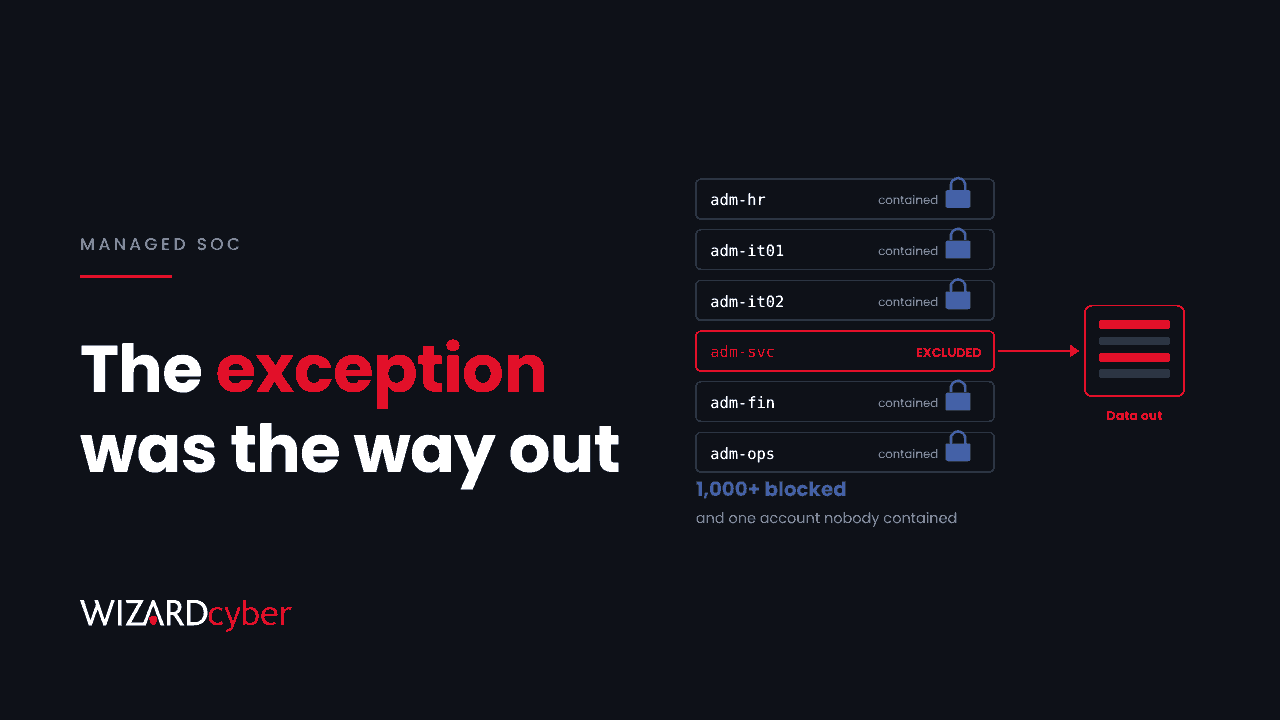
One detail in Microsoft's latest incident write-up is worth reading twice. The attacker had certificates for eleven privileged accounts. Defender's automatic attack disruption stepped in and blocked more than 1,000 SMB access attempts and a run of logons. It did its job. But one privileged account had been excluded from automated containment, and that is the account the attacker used to reach a file server and copy data out.
The tooling worked. The gap was a decision someone made earlier, for a reason that probably made sense at the time, and that nobody revisited.
What happened
In the case Microsoft published on 30 October, attackers posing as the help desk got remote access through Quick Assist, abused a misconfigured certificate template to impersonate admins, and ran DCSync against a domain controller. Our threat research post covers the technical chain and the hunts.
Microsoft's own recommendation is the line this post is about: treat containment exclusions as incident decisions, and assign manual compensating actions where automated containment cannot apply.
Why exclusions exist
Nobody excludes an account to help an attacker. Exclusions come from real operational pressure:
- Break-glass accounts that must work when everything else is locked. Microsoft itself advises excluding them from Conditional Access.
- Service accounts whose disablement would stop payroll, a production line or patient systems.
- Senior people who were once locked out at a bad moment and made sure it would not happen again.
- Integration and backup accounts that touch everything, so any automated action against them breaks something.
- Testing, where someone added an exclusion during a pilot and never removed it.
Each one is defensible on its own. The trouble is that together they form a list of the most privileged, least watched accounts in the organisation, and anyone who gets inside will find it. An attacker does not need to know your exclusion list. They just need to keep trying accounts until one of them works.
An exclusion is a risk decision, so treat it like one
We think every containment exclusion should have four things written down before the incident, not during it.
1. An owner
A named person, not a team, who agreed to the risk and can be reached at 3am when the account is involved in an attack. If nobody will own it, the exclusion should not exist.
2. A reason and an expiry date
Why the account cannot be contained automatically, and when that will be reviewed. Ninety days is a sensible default. Pilot and testing exclusions should expire within days.
3. A manual fallback
If automation will not act on this account, what will a person do instead, and how fast? For example: the SOC calls the owner within 15 minutes, the owner decides whether to reset credentials, and if the owner cannot be reached a named deputy decides. Write it down, and agree in advance who is allowed to break the service if the alternative is losing the data.
4. Extra watching, not less
An excluded account should generate more alerts than an ordinary one, not fewer. Any sign-in by a break-glass account should page someone. Any interactive logon by a service account should be investigated. Any use of an excluded admin account from a workstation that just ran Quick Assist should be treated as an incident in its own right.
Where to start this week
- Find every exclusion. Check Defender XDR's automated response and attack disruption exclusions, Conditional Access exclusions, and any accounts left out of MFA or Identity Protection policies. They live in different places, which is part of the problem.
- Match each one to an owner. Any you cannot match are candidates for removal.
- Remove the stale ones. In our experience, a meaningful share of the list is left over from projects that have finished.
- Write the fallback for the rest, and give it to whoever runs your SOC.
- Test one. Pick an excluded account, simulate a suspicious sign-in, and time how long it takes for a human to act.
What this means for your SOC
Automation is only as good as the scope it is given. When a SOC knows which accounts it cannot act on automatically, it can treat any activity on them with more urgency. When it does not know, the exclusion becomes a blind spot during the exact hours it matters most.
Our SOCs are staffed 24/7, and on the managed service the close-or-escalate decision is made by policy and by customer decision templates, not by the model. That is where exclusions belong: written into the triage procedures and escalation instructions we agree with each customer, with a named contact and a clear decision path. When an excluded account turns up in an incident, the analyst already knows who to call and what they are allowed to do.
If you would like help building an exclusion register and the escalation paths that go with it, talk to our team.