

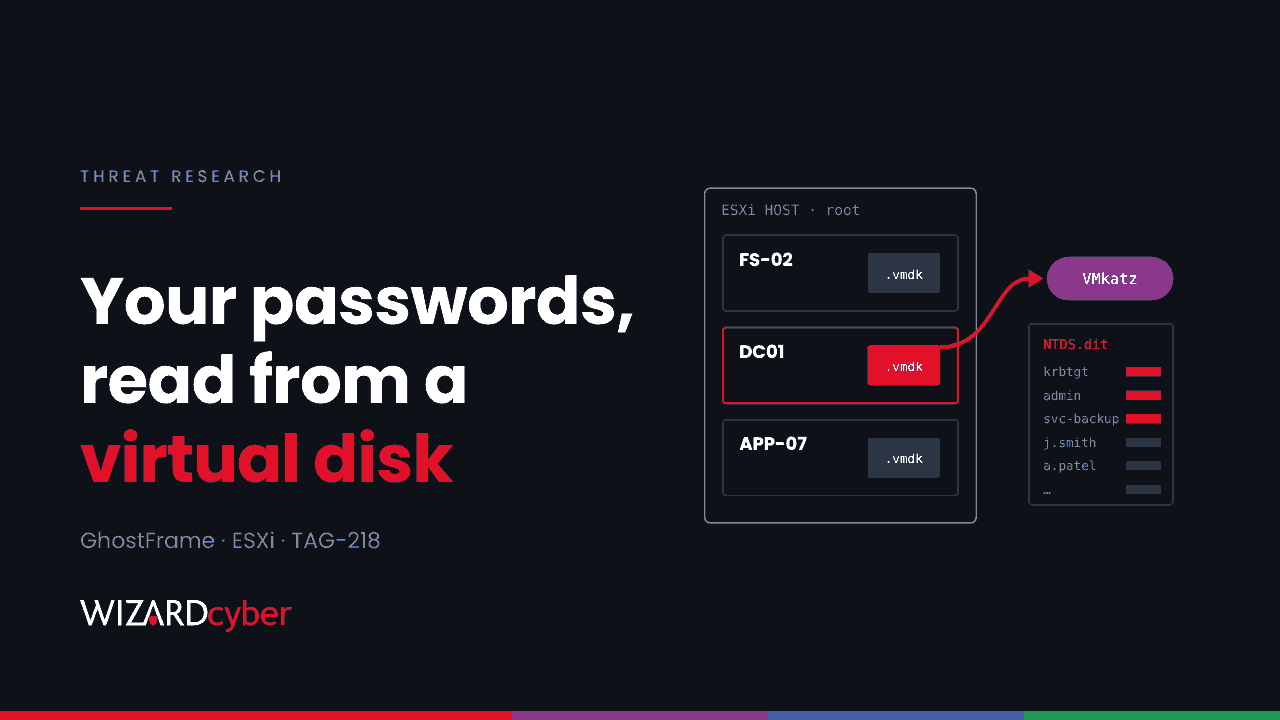
GhostFrame is a newly reported implant for VMware ESXi that gives an attacker a control panel for every virtual machine on the host. One of its features matters more than the rest to anyone running Windows: it can pull NTLM hashes, Kerberos tickets, SAM and LSA secrets and Active Directory's NTDS.dit straight out of VM snapshots and virtual disks. A domain controller that runs on a compromised host can lose every password in the domain without a single process starting inside it. This post explains what Recorded Future found, and how to hunt for it before and after the hypervisor, where your Windows logging can actually see something.
What happened
On 10 November Recorded Future's Insikt Group published GhostFrame: A New ESXi Implant Linked to Settra Ransomware, with a summary from GBHackers the following day. The key points:
- GhostFrame is a command-and-control and post-exploitation framework built for ESXi. A builder produces an ELF implant named
vmhostd-core, and a web panel lists "Sessions" for each compromised host. - It needs root on ESXi first. It doesn't exploit a vulnerability to get onto the host.
- Recorded Future tracks the operators as TAG-218. Between late August and October 2026, TAG-218 infrastructure targeted SonicWall, Palo Alto Networks and Fortinet VPN appliances in the US and Europe. Four of the targeted organisations later appeared on the leak site of the Settra ransomware group.
- On 12 October a victim's Fortinet VPN appliance contacted both GhostFrame infrastructure and a MeshCentral remote management server in the same period. That is what ties the implant to the intrusion chain.
- The report says the activity aligns with exploitation of the GlobalProtect authentication bypass CVE-2026-0257, but doesn't say that was the entry point for these victims. It also says GhostFrame may not be exclusive to Settra, and expects other ransomware affiliates and access brokers to pick it up.
What GhostFrame does on the host
- Persistence. It copies itself to
/opt/vmhostd-core, modifies the boot script/etc/rc.local.d/local.shand runs/sbin/auto-backup.shso the change survives a reboot. - Defence evasion. The boot script turns off the ESXi firewall and sets
execInstalledOnlyto 0, which lets unsigned binaries run, and keeps turning them off about every five seconds. Switching them back on doesn't fix anything while the script is in place. The process renames itselfvmhostdto look like VMware's ownhostd. - Command and control. The implant tries TCP ports 53, 2222, 3389, 4444, 8443 and 9443 on one server at the same time, keeps whichever connects first and drops the rest. Tasks arrive as machine code and run in memory, with a
/bin/shreverse shell as the fallback. - Control of VMs. The operator can list VMs, change their power state, create and delete snapshots, open graphical sessions over VNC through the C2, and tunnel the ESXi Host Client.
- Pivoting. A SOCKS5 proxy called
gfsoxlets the operator reach the internal network from the host. - Credential theft.
sdkmoncaptures user names and passwords from later ESXi logins. VMkatz, described by Recorded Future as an open-source credential-harvesting tool, reads VM memory snapshots, virtual disk images or both, and can scan every VM on a datastore for NTLM hashes, WDigest credentials, Kerberos tickets, SAM and LSA secrets and NTDS.dit data.
Why the Windows side matters
None of the credential theft happens inside Windows, so Defender for Endpoint on the domain controller has nothing to see. The opportunities are before the hypervisor (how the attacker got in), on the hypervisor (if you collect its logs) and after it (when the stolen credentials are used). The queries below cover all three. They are starting points to tune: ESXi log formats depend on version and on how syslog is forwarded into Sentinel.
1. Known infrastructure
let GhostFrameIOCs = dynamic(["45.158.196.81", "45.158.196.141", "193.5.65.114"]);
union isfuzzy=true
  (CommonSecurityLog | where TimeGenerated > ago(90d)
     | where DestinationIP in (GhostFrameIOCs) or SourceIP in (GhostFrameIOCs)
     | project TimeGenerated, Source = "Firewall", DeviceName = DeviceName, SourceIP, DestinationIP, DestinationPort),
  (DeviceNetworkEvents | where Timestamp > ago(90d)
     | where RemoteIP in (GhostFrameIOCs)
     | project TimeGenerated = Timestamp, Source = "Endpoint", DeviceName, SourceIP = LocalIP, DestinationIP = RemoteIP, DestinationPort = RemotePort)
| order by TimeGenerated desc
45.158.196.81 and 45.158.196.141 are GhostFrame C2 servers. 193.5.65.114 is the MeshCentral server, which Huntress had already linked to Settra. Recorded Future also lists one SHA-256 for GhostFrame: a05eae6d07b82e2e5451a72266f21fbaf76486ef4920a820988de93e15353a10. Check it against the report before blocking, as one secondary write-up printed it differently.
2. The six-port fan-out from an ESXi host
Recorded Future points out that the C2 connection pattern survives a change of IP address: six near-simultaneous connections from one ESXi host to one destination on these ports.
let EsxiHosts = dynamic(["10.10.5.21", "10.10.5.22"]);   // your ESXi management IPs
CommonSecurityLog
| where TimeGenerated > ago(30d)
| where SourceIP in (EsxiHosts)
| where DestinationPort in (53, 2222, 3389, 4444, 8443, 9443)
| summarize Ports = dcount(DestinationPort), PortList = make_set(DestinationPort)
    by SourceIP, DestinationIP, bin(TimeGenerated, 1m)
| where Ports >= 4
| order by TimeGenerated desc
ESXi hosts rarely need to start connections to the internet at all. If yours don't, a simpler rule is any outbound connection from the management range to a public address.
3. Tampering on the host (ESXi syslog in Sentinel)
Syslog
| where TimeGenerated > ago(30d)
| where HostIP in ("10.10.5.21", "10.10.5.22") or Computer has "esx"
| where SyslogMessage has_any ("execInstalledOnly", "local.sh", "vmhostd-core", "/opt/vmhostd",
                               "auto-backup.sh", "gfsox", "sdkmon")
   or (SyslogMessage has "firewall" and SyslogMessage has_any ("false", "disable"))
| project TimeGenerated, Computer, ProcessName, SyslogMessage
| order by TimeGenerated desc
Make sure ESXi forwards its shell and host agent logs, and treat any interactive shell session on a production host as something to explain.
4. Snapshots of domain controllers
let DCs = dynamic(["DC01", "DC02"]);   // VM names of your domain controllers
Syslog
| where TimeGenerated > ago(30d)
| where SyslogMessage has "Snapshot"
| where SyslogMessage has_any (DCs)
| project TimeGenerated, Computer, SyslogMessage
| order by TimeGenerated desc
Compare the results with your backup schedule. A snapshot of a domain controller outside the backup window, or one created and deleted within minutes, needs a ticket number or an incident.
5. Stolen credentials being used
Hashes taken from NTDS.dit will be used for pass-the-hash and forged Kerberos tickets. Two signals are worth a scheduled rule. First, Windows authentication coming from the ESXi management range, which with the SOCKS proxy is where the attacker's traffic appears to originate:
IdentityLogonEvents
| where Timestamp > ago(30d)
| where IPAddress startswith "10.10.5."      // ESXi / management subnet
| summarize Logons = count(), Accounts = make_set(AccountUpn, 20), Targets = make_set(DestinationDeviceName, 20)
    by IPAddress, Protocol, ActionType
| order by Logons desc
Second, privileged accounts authenticating with NTLM from machines they don't normally use. Defender for Identity raises "Suspected identity theft (pass-the-hash)" and "Suspected Golden Ticket usage" alerts for these patterns, so check those alerts are switched on and routed to someone. Our pass-the-hash guide covers the Windows events to look for.
6. MeshCentral agents on Windows
DeviceProcessEvents
| where Timestamp > ago(90d)
| where FileName has "meshagent" or ProcessVersionInfoProductName has "MeshCentral"
     or ProcessCommandLine has "meshagent"
| project Timestamp, DeviceName, AccountName, FolderPath, ProcessCommandLine
Our explainer on RMM tools covers how to tell a sanctioned agent from a rogue one.
Mitigation
- Close the way in. Patch and review your SSL VPN appliances, including GlobalProtect for CVE-2026-0257, and check them for signs of earlier compromise. Edge devices were the starting point in every case Recorded Future describes.
- Keep ESXi management off reachable networks. Management interfaces should only be reachable from a dedicated admin network or jump host, never from the VPN pool or user subnets.
- Harden the hosts. Use lockdown mode, disable SSH and the ESXi Shell unless needed, and on hosts with UEFI Secure Boot and a TPM use the options that stop
execInstalledOnlybeing switched off at runtime. Check VMware's guidance for your version. - Treat the virtualisation layer as Tier 0. Anyone who can read a domain controller's disk can read every password in the domain. vCenter and ESXi admins, backup operators and storage admins belong in the same tier as domain admins. We go into this in Every Snapshot Of A Domain Controller Is A Copy Of Every Password.
- If you find GhostFrame, assume the domain is compromised. Take the host out of service and rebuild it rather than trying to clean the boot script. Then reset every privileged and service account password and reset the
krbtgtaccount twice, with time for replication in between.
How a managed SOC helps
This intrusion crosses three teams' territory: network appliances, the virtualisation platform and Active Directory. That is why it works. Wizard Cyber's SOCs are staffed 24/7, and Microsoft Sentinel is the only hard requirement for the managed service. Connectors, parsers, analytical rules and playbooks for the rest of the estate are built at onboarding. If you are worried that a VPN or ESXi host was compromised before you patched, a compromise assessment will tell you what happened.
Want help getting your hypervisors and edge devices into the same view as your identities? Talk to our team.