
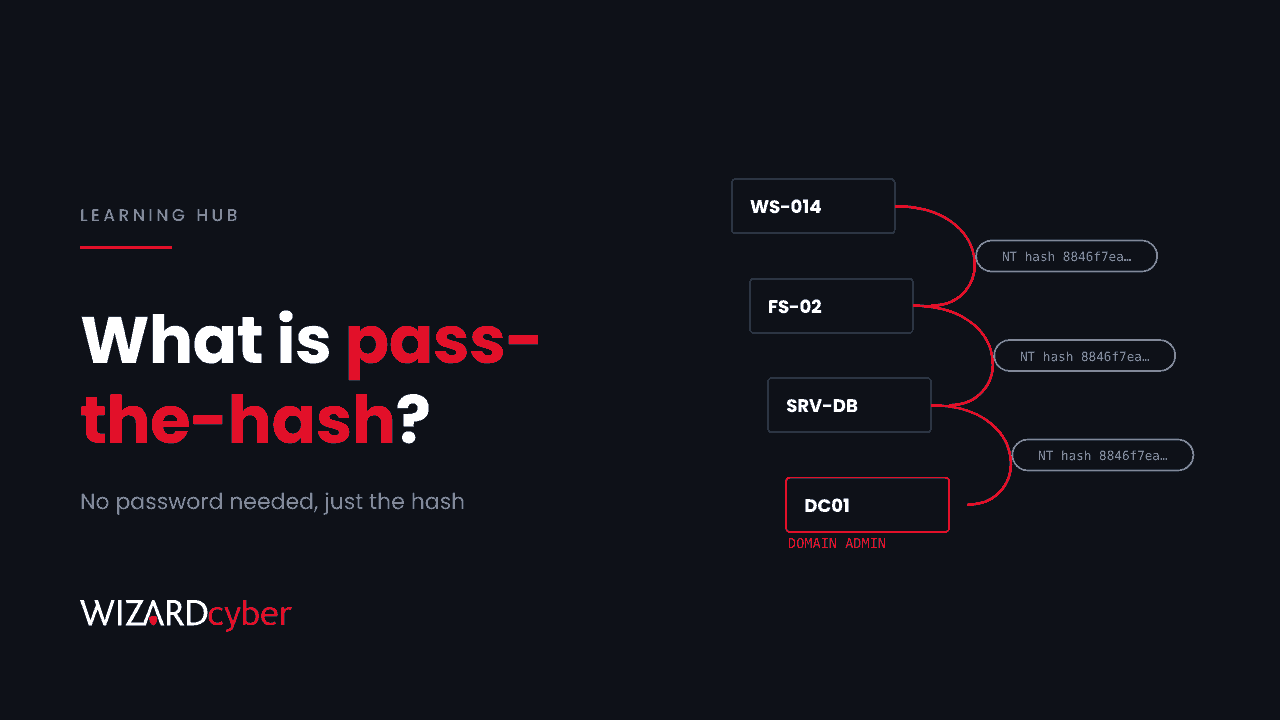
Pass-the-hash is an attack in which someone signs in to Windows systems using a stolen password hash instead of the password itself. It works because of how NTLM authentication is designed: the server never checks the password, only proof that the client knows its hash. To NTLM, a hash is as good as the password, so an attacker who steals one can use it straight away without cracking it. Pass-the-hash has been around since the late 1990s and is still one of the most common ways attackers move from one compromised machine to the rest of a Windows network.
This guide explains how pass-the-hash works, where attackers get hashes from, how to detect it in Microsoft Defender and Sentinel, and what stops it.
How NTLM makes pass-the-hash possible
Windows doesn't store your password. It stores the NT hash, a one-way fingerprint of it. When you authenticate to a server with NTLM:
- The server sends a random challenge.
- Your machine combines the challenge with your NT hash and sends back the result.
- The domain controller, which also holds your NT hash, does the same calculation and checks that the answers match.
Your password is never used in that exchange, only the hash. So if an attacker has your NT hash, they can answer the challenge exactly as you would. Our NTLM explainer covers the protocol in more detail.
Hashes and responses aren't the same thing
It is worth separating two things that are both loosely called "hashes":
- The NT hash is stored on the machine and in Active Directory. It can be passed directly.
- The NTLMv2 response is what crosses the network during sign-in. It can't be passed as it is, but it can be cracked offline to recover a weak password, or relayed in real time to another server that accepts NTLM.
That is why a flaw that tricks Outlook or Windows into authenticating to an attacker's server, like the Outlook zero-day patched in November 2026, is dangerous even though no NT hash leaves the machine.
Where attackers get hashes
- LSASS memory. Windows keeps credential material for signed-in users in the memory of the Local Security Authority Subsystem Service. With administrator rights, tools such as Mimikatz read it. Every account that signed in since the last restart is exposed.
- The SAM database. Local account hashes, including the built-in Administrator, are stored in the registry and can be copied with built-in commands.
- NTDS.dit. Active Directory's database holds the hash of every domain account. Attackers copy it from a domain controller, pull it with a replication request (DCSync), or take it from a backup.
- Virtual disks and snapshots. If an attacker controls the hypervisor, they can read hashes out of a VM's disk or memory without touching Windows at all. The GhostFrame implant for ESXi, reported in November 2026, does exactly that.
How the attack plays out
A typical sequence: the attacker gets local admin on one workstation, dumps LSASS, and finds the hash of a help desk account that signed in there last week. They pass that hash to reach a file server, where a server admin's hash is waiting in memory. Two or three hops later they have a domain admin. Each hop looks like a normal network logon.
Related techniques work the same way with other credential material. Overpass-the-hash (or pass-the-key) uses an NT hash or Kerberos key to request a Kerberos ticket, so the attack continues over Kerberos instead of NTLM. Pass-the-ticket reuses a stolen Kerberos ticket directly. NTLM relay forwards a live authentication to another server.
One pattern is especially common: if many machines share the same local Administrator password, they share the same hash, and one dump gives access to all of them.
How to detect pass-the-hash
Pass-the-hash uses legitimate authentication, so there is no single signature. Look for authentication that doesn't fit the account. Microsoft Defender for Identity raises a Suspected identity theft (pass-the-hash) alert and related alerts for overpass-the-hash and forged tickets. Make sure those alerts reach someone. The queries below are starting points to tune for your environment.
1. The classic local signature (Windows Security events)
When an attacker starts a process with a stolen hash using Mimikatz-style tools, the machine records a logon of type 9 (NewCredentials) through the seclogo logon process.
SecurityEvent
| where TimeGenerated > ago(30d)
| where EventID == 4624 and LogonType == 9
| where LogonProcessName has "seclogo"
| where AuthenticationPackageName =~ "Negotiate"
| project TimeGenerated, Computer, SubjectUserName, TargetUserName, IpAddress
| order by TimeGenerated desc
Administrators sometimes use runas /netonly, which looks similar, so check who it was before raising an incident.
2. Local Administrator logging on across the network
DeviceLogonEvents
| where Timestamp > ago(14d)
| where LogonType == "Network"
| where AccountName =~ "administrator" and AccountDomain =~ DeviceName   // local, not domain, account
| summarize Targets = dcount(DeviceName), Devices = make_set(DeviceName, 25) by RemoteIP, bin(Timestamp, 1h)
| where Targets >= 3
| order by Targets desc
One source authenticating as the local Administrator to several machines within an hour is the shared-password pattern above.
3. Privileged accounts using NTLM from unusual machines
let Privileged = IdentityInfo
| where TimeGenerated > ago(14d)
| where AssignedRoles has_any ("Domain Admins", "Enterprise Admins") or tostring(GroupMembership) has_any ("Domain Admins", "Enterprise Admins")
| distinct AccountUpn;
IdentityLogonEvents
| where Timestamp > ago(14d)
| where Protocol =~ "Ntlm" and AccountUpn in~ (Privileged)
| summarize Logons = count(), Targets = make_set(DestinationDeviceName, 10) by AccountUpn, DeviceName, IPAddress
| order by Logons desc
Your admins should be signing in from a handful of admin workstations, ideally with Kerberos. NTLM logons from anywhere else are worth explaining. Group names in IdentityInfo depend on how it is populated, so check a few rows first.
How to prevent pass-the-hash
- Use Windows LAPS so every machine has a unique, rotated local Administrator password. One stolen hash then opens one machine, not all of them.
- Block local accounts from network logon. Add the built-in "Local account" group to the "Deny access to this computer from the network" and "Deny log on through Remote Desktop Services" user rights on workstations and member servers.
- Turn on Credential Guard and LSA protection so hashes in LSASS memory can't be read even by an administrator.
- Put admins in the Protected Users group. Members can't use NTLM and their credentials aren't cached in reusable forms.
- Tier your admin accounts. Domain admins should never sign in to ordinary workstations or servers, so their hashes are never there to steal. See our guide to privileged access management.
- Reduce and restrict NTLM. Audit where NTLM is still used, disable NTLMv1, and use the "Restrict NTLM" policies to block it where you can. Require SMB signing to make relay harder.
- Protect the places hashes are stored. Domain controller backups, snapshots and virtual disks carry every hash in the domain, so treat whoever can reach them as Tier 0.
Frequently asked questions
Does MFA stop pass-the-hash?
Not on its own. MFA usually protects the first sign-in, to Microsoft 365 or the VPN. Pass-the-hash happens inside the network, against Windows authentication that doesn't prompt for MFA. Phishing-resistant MFA does make the attacker's first step harder.
Does pass-the-hash work against Microsoft Entra ID?
Not directly: Entra ID doesn't accept NTLM. But if password hash synchronisation is on and an attacker cracks a stolen hash to recover the password, that password works in the cloud too. Stolen sessions and tokens are a separate cloud problem, covered in our guide to session hijacking.
Does changing the password fix it?
Yes, for that account: a new password gives a new hash, and the stolen one stops working. After a domain-wide compromise, reset every privileged and service account and reset the krbtgt account twice.
Is pass-the-hash still relevant if we've moved to Kerberos?
Yes. Most networks still accept NTLM somewhere, and overpass-the-hash turns a stolen NT hash into Kerberos tickets anyway. Kerberos reduces relay risk, but protecting the hashes is what matters.
How quickly can attackers move with pass-the-hash?
Very quickly. Each hop is a single logon, and in a network with shared local admin passwords or admins signing in everywhere, going from one workstation to domain admin can take hours.
How Wizard Cyber helps
Our SOCs, staffed 24/7, investigate credential theft and lateral movement alerts from Microsoft Defender for Endpoint, Defender for Identity and Sentinel, and on the managed service senior analyst sign-off is the default. Our identity threat detection and response service focuses on exactly this kind of attack, where a valid credential is used in the wrong place.
If you'd like to know how far one stolen hash could get in your network, book a demo or talk to our team.