
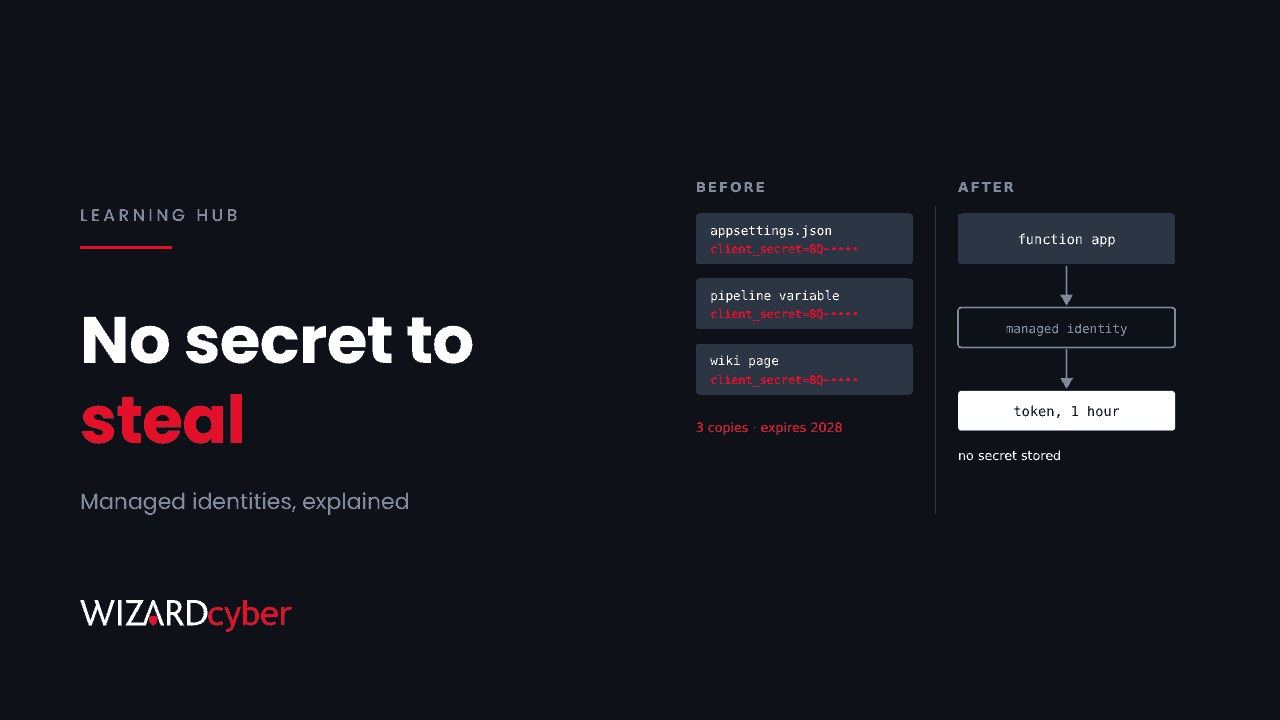
A managed identity is an identity in Microsoft Entra ID that Azure creates and looks after for an Azure resource, such as a virtual machine, function app, logic app or container. Code running on that resource can get tokens to call other services, like Azure Key Vault, Storage, SQL or Microsoft Graph, without storing a password, secret or certificate anywhere. Azure handles the credential, and you can't see or copy it.
That makes managed identities the simplest way to get rid of client secrets for workloads running in Azure. This guide explains how they work, the two types, when you still need something else, and how to find the secrets you could replace.
Why client secrets are a problem
When an application needs to call an API as itself, it signs in as a service principal. The quickest way to set that up is a client secret, which is effectively a password for the app. Secrets cause the same problems as passwords:
- They get copied into config files, pipeline variables, scripts and wikis.
- They live for months or years, and rotation gets skipped because it might break something.
- Whoever holds one is the app. There's no MFA in the way.
In November 2026, an operator signed in to managed service providers' tenants as their own apps using stolen secrets that were still valid, and reached 27 organisations. Todyl's write-up lists retiring client secrets in favour of managed identities or federation as a key fix. Our guide to secrets management covers the wider problem.
How a managed identity works
- You turn it on for a resource, or create one and attach it. Azure creates a matching service principal in your Entra tenant.
- You grant it access to what it needs, usually with an Azure role assignment, such as Key Vault Secrets User on one vault, or Storage Blob Data Reader on one storage account.
- Your code asks for a token. Using the Azure Identity libraries or MSAL, the code asks the local Azure platform for a token. On a virtual machine, that request goes to the Instance Metadata Service at
169.254.169.254, which is only reachable from inside the VM. - Azure returns a token for the target service. No secret was stored, typed or sent by your code.
Microsoft manages and rotates the underlying credential, and managed identities cost nothing extra.
System-assigned vs user-assigned
System-assigned
Created as part of a single resource and tied to its lifecycle. When the resource is deleted, the identity is deleted too. It can't be shared with another resource. Use it for a workload that lives in one resource and needs an identity of its own.
User-assigned
Created as a standalone Azure resource and attached to one or more resources. It survives when those resources are deleted or rebuilt, so its permissions stay the same. Microsoft recommends user-assigned identities for its own services and for workloads that run across several resources, need a stable identity, or are recreated often.
Which should you use?
- One app, one resource, short-lived permissions: system-assigned.
- A scale set, several function apps sharing access, or infrastructure rebuilt from templates: user-assigned.
- Either way, grant the narrowest role on the narrowest scope. A managed identity with Owner on a subscription is no safer than a secret with the same rights. It just can't leak in the same way.
When you can't use a managed identity
Managed identities only work for code running on Azure resources that support them. For everything else, there are better options than a secret:
- Workload identity federation. An Entra app can trust tokens from another identity provider, such as a CI/CD platform, a Kubernetes cluster or another cloud. The workload exchanges its own token for an Entra token, so no long-lived secret is stored. A managed identity can also act as the federated credential for an Entra app, which Microsoft calls the recommended way to be credential-free when an app registration is needed.
- Servers outside Azure. Machines connected through Azure Arc can use a managed identity. For others, use a certificate kept in a hardware module or key vault.
- Third-party multi-tenant apps. Their credentials sit in the vendor's tenant, so you can't change how they sign in. Review their permissions and monitor them instead.
Security pitfalls
- Anyone who can run code on the resource can use its identity. If an attacker gets onto a VM or deploys code to a function app, they can request tokens as it. Protect the resource and keep the identity's permissions small.
- Who can attach a user-assigned identity matters. The Managed Identity Operator role lets someone assign an identity to resources they control. Treat it as privileged.
- Permissions drift. Identities created for a project often keep their rights long after the project ends. Review role assignments for managed identities as you would for people.
- Logs are separate. Managed identity sign-ins have their own log in Entra ID. If you don't collect it, you can't see what they did.
Finding secrets you could replace
Start with an inventory of the client secrets in your tenant, then work through the ones used by workloads in Azure.
- In the Entra admin centre, review app registrations and their Certificates and secrets, noting expiry dates and owners.
- For each secret, find what uses it. If it runs on an Azure resource, switch that resource to a managed identity. If it runs in a pipeline, look at federation.
- Use app management policies to block new secrets or limit their lifetime once the migration is under way.
- Remove the old secret once nothing has used it for a sensible period.
Apps signing in with secrets, in Microsoft Sentinel
This query shows which service principals have recently signed in with a client secret, from where. It's a starting point to tune for your environment.
AADServicePrincipalSignInLogs
| where TimeGenerated > ago(30d)
| where ResultType == 0
| where ClientCredentialType == "clientSecret"
| summarize SignIns = count(), IPs = make_set(IPAddress, 20),
            Resources = make_set(ResourceDisplayName, 10), Last = max(TimeGenerated)
          by ServicePrincipalName, AppId
| order by SignIns desc
Managed identity activity
AADManagedIdentitySignInLogs
| where TimeGenerated > ago(7d)
| summarize SignIns = count(), Resources = make_set(ResourceDisplayName, 10)
          by ServicePrincipalName, ResultType
| order by SignIns desc
Once you know what each identity normally reaches, a new resource in that list deserves a look.
Frequently asked questions
Is a managed identity a service principal?
Yes. Each managed identity is a special type of service principal in Microsoft Entra ID, whose credentials Azure manages.
Do managed identities cost anything?
No. There's no extra charge for using them.
Can I use a managed identity outside Azure?
Not directly, except on machines connected through Azure Arc. For other platforms, use workload identity federation or a certificate.
Can a managed identity's credential be stolen?
The credential itself isn't accessible to you or your code. But anyone who can run code on the resource can request tokens with it, and a stolen token is valid until it expires. Protect the resource and limit the identity's permissions.
Should I use system-assigned or user-assigned?
System-assigned for a workload contained in one resource. User-assigned for workloads across several resources, or ones that are rebuilt often and need stable permissions.
How Wizard Cyber helps
Our Microsoft security consultants can inventory the secrets in your tenant, work out which can move to managed identities or federation, and help you set policies so new ones don't appear. Our identity threat detection and response service, run from SOCs staffed 24/7, watches service principal and managed identity activity alongside your users.
If you'd like to know how many long-lived secrets your tenant holds today, book a demo or talk to our team.