
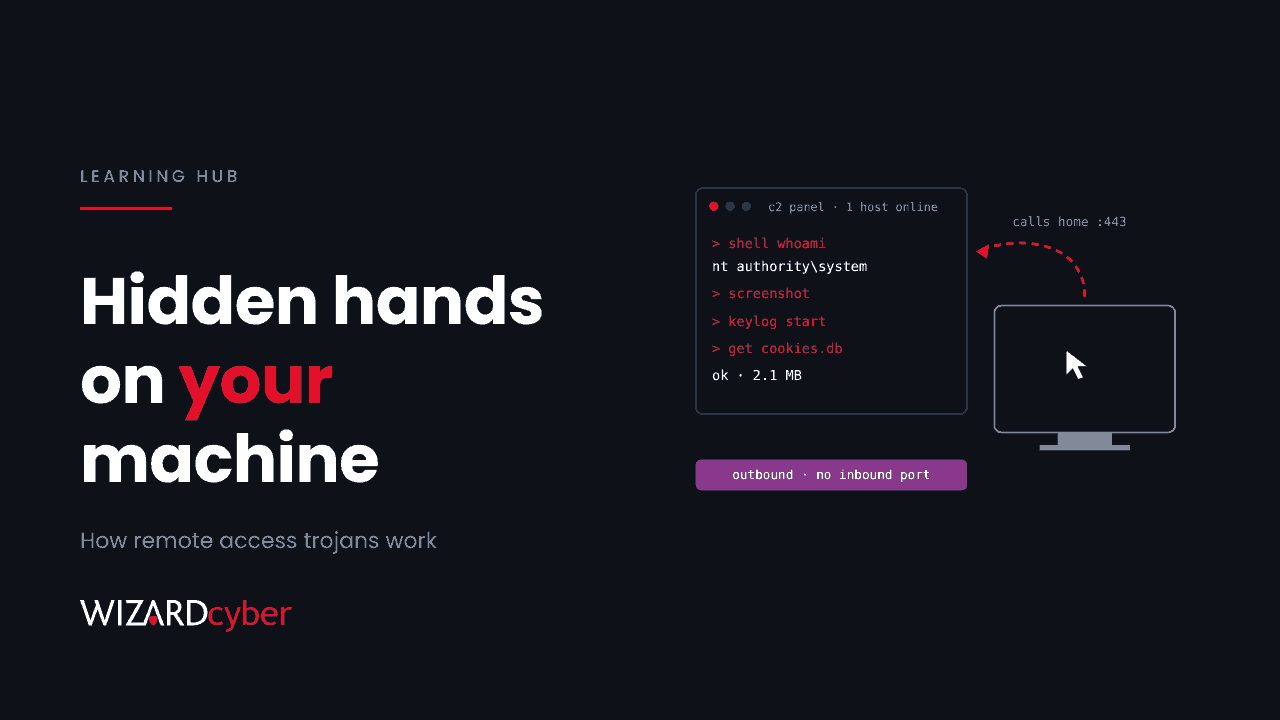
A remote access trojan (RAT) is malware that gives an attacker hidden, ongoing control of a computer over the network. Once it is installed, the attacker can run commands, move files, watch the screen, log keystrokes and use the machine as a base to reach the rest of the network, all without the user knowing. The "trojan" part means it arrives disguised as something harmless. Increasingly, attackers skip custom malware altogether and use legitimate remote-support software for the same job. This guide covers how RATs work, why that shift matters, and how to spot both kinds.
What is a remote access trojan?
A RAT has two halves. The client (sometimes called the implant or stub) runs on the victim's machine. The server, or command-and-control (C2) panel, runs on infrastructure the attacker controls. The client calls out to the server, waits for instructions and carries them out. Because the connection starts from inside the network, it usually passes through firewalls that would block an inbound connection.
The word "trojan" refers to how it is delivered. Like the wooden horse, the malware gets in disguised as something the user wants: an invoice, a cracked application, a game mod, a fake browser update or a document with a macro. After that it tries to stay hidden and survive reboots.
RATs are related to backdoors and to remote monitoring and management (RMM) tools. The difference is consent and concealment. An RMM tool installed by your IT team does many of the same things a RAT does, but with your permission and in plain view. A RAT does it without either.
What can a RAT do?
Capabilities vary between families, but most RATs offer some combination of:
- Remote shell: running commands and scripts as the logged-in user, or as SYSTEM if the RAT has elevated privileges.
- File management: browsing, uploading and downloading files, including dropping more tools onto the machine.
- Surveillance: screenshots, live screen viewing, keylogging, and sometimes webcam or microphone access.
- Credential theft: pulling saved passwords, browser cookies and session tokens. Stolen session cookies can be replayed to get past MFA, as our guide to session hijacking explains.
- Proxying and pivoting: tunnelling the attacker's traffic through the victim's machine to reach internal systems.
- Persistence and self-protection: scheduled tasks, services, Run keys, and attempts to disable or exclude themselves from antivirus.
A RAT is rarely the end goal. It is the foothold that comes before data theft, business email compromise or ransomware.
How do RATs get onto a machine?
- Phishing: a malicious attachment or link, often an archive, a disk image, a shortcut file or a script.
- Fake software and updates: trojanised installers for popular tools, sometimes promoted through search adverts. Our DLL sideloading guide shows how a genuine signed installer can be made to load a malicious file.
- Paste-and-run lures: pages that trick users into pasting a command into the Run dialog. See what is ClickFix.
- Exploited internet-facing systems: an unpatched web application or appliance lets the attacker install the RAT directly.
- Compromised management tools: if an attacker controls software that already runs code on many machines, they can push a RAT to all of them at once.
Why attackers now use legitimate remote tools instead
Custom RATs have a weakness: security products know what they look like. A new family gets signatures and behavioural detections within weeks. Commercial remote-support and RMM software has none of those problems. It is signed by a reputable vendor, allowed by default in many estates, generates traffic that looks normal, and offers almost everything a RAT does.
So attackers increasingly install a legitimate remote tool connected to their account or server, and use it as a RAT. The software is real. What makes it malicious is who it reports to.
A current example shows how far this has gone. On 11 November 2026, Huntress reported an attacker using compromised ScreenConnect servers to push a second, attacker-controlled ScreenConnect client to at least 288 machines across 48 organisations. The rogue client was then used to install further tooling and to make the attacker's copy replace the genuine one. Our threat research write-up covers the detail and the hunting queries.
This is why the question "is this software malicious?" is often the wrong one. The useful question is "should this software be here, and who controls it?"
Signs of a RAT or a rogue remote tool
Users sometimes notice a RAT: the mouse moves on its own, the webcam light comes on, or the machine is slow. More often there is nothing visible, and the signs are in telemetry:
- Remote-access software you didn't approve, or a second instance of one you did. Two clients of the same support tool on one machine, connecting to different servers, is a strong signal.
- New persistence: unexpected services, scheduled tasks, Run keys or startup items, especially ones created by scripting engines.
- Changes to antivirus settings: new Microsoft Defender exclusions or attempts to turn off real-time protection.
- Unusual outbound connections: regular "beaconing" to an unfamiliar host, dynamic DNS domains, or connections on odd ports from processes that shouldn't need the internet.
- Script and download activity: PowerShell with encoded commands or execution-policy bypass, or
curlandcertutilfetching installers into Temp folders. - Credential access: processes reading browser cookie or password stores, or touching LSASS memory.
How to detect RATs in a Microsoft environment
Microsoft Defender for Endpoint detects many RAT families and much of the behaviour above. Three things make a big difference beyond the defaults.
Keep an inventory of remote-access software
Know which remote tools are approved, which accounts or instances they connect to, and which machines they should be on. Defender's software inventory and advanced hunting make this possible. This query is a starting point that lists remote-access processes by device:
DeviceProcessEvents
| where Timestamp > ago(30d)
| where ProcessVersionInfoFileDescription has_any ("remote", "support", "screen")
   or FileName has_any ("ScreenConnect", "AnyDesk", "TeamViewer", "rustdesk", "Splashtop", "AteraAgent")
| summarize Devices = dcount(DeviceId), FirstSeen = min(Timestamp), Folders = make_set(FolderPath, 5)
    by FileName, ProcessVersionInfoCompanyName
| order by Devices asc
Sort by the smallest device counts. A tool on two machines out of two thousand is more interesting than one on all of them. Tune the name list to match your estate.
Block what you don't use
App Control for Business or AppLocker can stop unapproved remote tools from running at all. Defender's indicators can block specific files or certificates. Blocking is more reliable than spotting the tool after it has run.
Watch the behaviour, not just the binary
Alert on new Defender exclusions, new services and scheduled tasks created by script hosts, and outbound connections to newly registered or dynamic DNS domains. These catch a RAT whatever it is called, including a genuine remote tool used for the wrong purpose.
How to protect against RATs
- Reduce the ways in. Filter email attachments, block macros from the internet, patch internet-facing systems quickly and keep users from running unapproved installers.
- Turn on attack surface reduction rules in Microsoft Defender, starting in audit mode, to block common delivery techniques such as Office apps creating child processes and obfuscated scripts.
- Control remote-access tools. Pick one approved tool, use it consistently, and block the rest.
- Protect the tools that manage your estate. Your RMM and remote-support consoles need MFA, restricted admin access and logging, because whoever controls them can push software to every machine they manage.
- Limit local admin rights so a RAT running as a user can't easily become SYSTEM.
- Have a plan for when one is found. Isolate the machine through your EDR rather than through the remote tool itself, find out how it got there, and check for persistence and stolen credentials before you trust the machine again.
Frequently asked questions
Is a RAT a virus?
Not strictly. A virus copies itself by infecting other files. A RAT is a type of trojan: it relies on being installed by someone, usually a tricked user. People often use "virus" loosely for any malware, though.
Can antivirus detect a RAT?
Modern endpoint protection detects most known RAT families and many unknown ones by their behaviour. It is much less likely to flag a legitimate remote-support tool, because the software itself isn't malicious. That is why an approved-software list and behavioural alerting matter.
Is remote desktop software a RAT?
Not by itself. Remote desktop and support tools become RATs when they are installed without permission or controlled by someone who shouldn't have access. The software is the same either way.
What should I do if I find a RAT?
Isolate the machine using your EDR, keep evidence rather than wiping straight away, and find out how it got in and what it touched. Reset credentials that were used on the machine, from a clean device. If the RAT arrived through a management tool, check every other machine that tool can reach.
Can a RAT bypass MFA?
Not directly, but it can steal browser session cookies and tokens issued after MFA was completed. An attacker who replays them may be able to use the session without being asked for MFA again.
How Wizard Cyber helps
Spotting a RAT, and especially a legitimate tool being misused, depends on context: what is normal for this machine, this user and this support team. Our SOCs are staffed 24/7 and investigate alerts like these across your Microsoft estate, with senior analyst sign-off as the default on the managed service. If you suspect something is already in place, a compromise assessment will tell you. To see how we work, book a demo.