
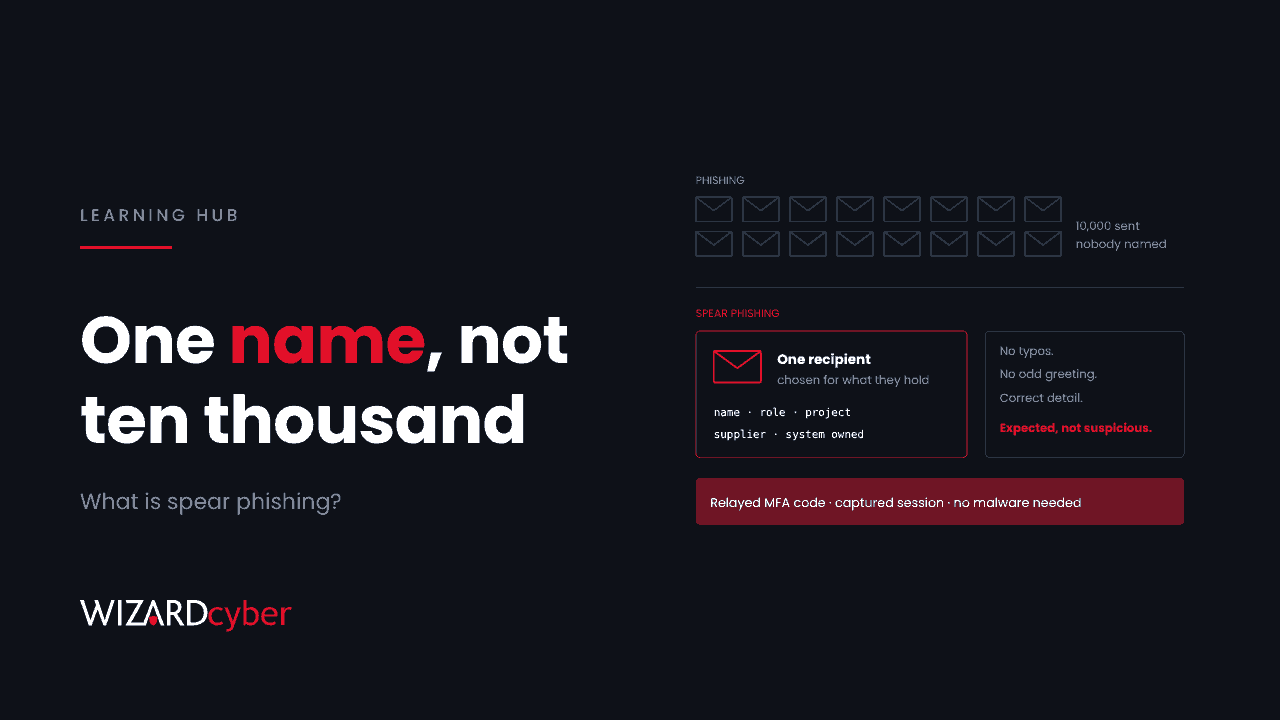
Spear phishing is a phishing attack aimed at a specific person or a small group, written using real details about them so that it reads as something they were expecting. Ordinary phishing is sent to thousands of people and hopes a few respond. Spear phishing is sent to one person who holds something the attacker wants, and it works because it is accurate: it uses their name, their role, a project they are actually on, a supplier they actually use, or a system they actually administer.
This guide explains how a spear phishing campaign is put together, how it differs from phishing and whaling, where attackers get their details, and the controls that reduce it — with an emphasis on Microsoft 365, where most of these attacks land.
Spear phishing vs phishing vs whaling
- Phishing is volume. The same message to as many addresses as possible, usually impersonating a well-known brand. Cheap, easy to detect at scale, and effective only because of the numbers.
- Spear phishing is targeted. A small number of recipients, chosen because of what they can access, and a message tailored to them. It survives security awareness training that teaches people to look for poor spelling and generic greetings, because it has neither.
- Whaling is spear phishing aimed at the top of the organisation — a chief executive, a finance director, a board member. The term exists mainly because the consequence is different: these are the people who can authorise a payment or instruct someone else to.
A related term you will see is business email compromise (BEC). That usually describes the outcome rather than the method: an attacker, often having spear phished their way into one mailbox, uses it to redirect a payment or a payroll change. Our post on voice-cloned executive fraud covers where that leads when the impersonation moves off email.
How a spear phishing attack is built
1. Target selection
Attackers do not pick people at random, they pick access. The accounts that attract targeted mail are the ones that hold privilege or sign things: IT and identity administrators, finance staff who release payments, HR who hold personal data, executive assistants who act on behalf of senior people, and developers who hold keys.
2. Reconnaissance
This is the step that makes the message credible. Common sources:
- Public profiles and your own website. Names, roles, reporting lines, who has just joined, who is speaking at what.
- Email address format. One known address reveals the pattern for everyone else.
- Out-of-office replies and email signatures. Travel, absence, job titles, phone numbers, and sometimes the name of the system that generated the footer.
- Previous breaches. Credential dumps and contact lists from unrelated incidents, often years old.
- Third-party and supplier incidents. A leak somewhere else can hand over the exact list of people at your organisation who hold a particular role. The Entra Connect Health metadata exposure in November 2026 is a clean example: no credentials were taken, but administrator and technical contact addresses were, alongside the tenant's name and whether directory sync was running — enough to write a very convincing message about a sync failure to exactly the right person.
- A mailbox the attacker already has. The best reconnaissance material is your own mail. Real thread subjects, real tone, real invoice numbers.
3. The pretext
The story. The effective ones share a shape: plausible, mildly urgent, and operational rather than dramatic. A failed sync. A held message after an outage. A document to review before a meeting that is genuinely in the diary. An invoice query on a real purchase order. Security teams often expect attackers to shout; the good ones sound like a colleague mentioning something routine.
4. Delivery
Email is the default, but targeted social engineering runs across every channel. A phone call to the help desk is vishing. A chat message in a collaboration tool exploits the trust people place in internal tooling. Attackers also combine them: an email that is expected because a call said it was coming.
5. The ask
Usually one of four things: credentials on a lookalike sign-in page; approval of an MFA prompt or entry of a code; opening an attachment or running a command; or a business action such as changing bank details. The first two are the most common now, because an attacker with a valid session does not need malware.
Why targeted phishing beats MFA
Being targeted makes the message credible; the kit behind it defeats the second factor. Modern phishing platforms sit between the user and the real sign-in page, relay the genuine MFA prompt, and capture the session cookie once authentication succeeds. The victim signs in successfully, sees the real service, and notices nothing. Our explainers on phishing-as-a-service and session hijacking go into the mechanics.
The practical consequence: an SMS code or an approval prompt is not a defence against a targeted campaign. Phishing-resistant methods are, because they are bound to the real domain and have nothing to relay.
How to reduce spear phishing
Make the credential worth less
- Phishing-resistant MFA for anyone who holds privilege. Passkeys, FIDO2 security keys, Windows Hello for Business or certificate-based authentication, required through Conditional Access using the phishing-resistant authentication strength. Start with administrators. See our passkey guide.
- Time-bound privilege. With Privileged Identity Management, a successful lure lands on an account that is not currently holding its role.
- Block legacy authentication. Older protocols cannot prompt for MFA at all, so a password alone is enough.
Make the message harder to deliver
- Impersonation protection. In Microsoft Defender for Office 365, anti-phishing policies can protect specific users — your executives, finance team and administrators — and your own domains against display-name and domain look-alikes. This is the control most directly aimed at spear phishing, and it needs the right names in it to work.
- SPF, DKIM and DMARC, enforced. These stop exact-domain spoofing. They do not stop a look-alike domain, which is why impersonation protection matters alongside them. See our typosquatting explainer.
- External sender marking. A clear, consistent banner on mail from outside. Useful, but it fades into the background, so do not rely on it alone.
- Review your allow-lists. Exceptions accumulate, and they are frequently how a targeted message arrives unchallenged. We looked at the scale of that problem in this post.
Make the business action safe to refuse
- A second channel for anything that moves money or access. Payment changes, bank detail changes, and account resets get verified by a known number, not by replying. This single rule defeats most whaling.
- A help desk process that cannot be rushed. Identity verification for resets and MFA re-registration, with no exception for people who sound senior or annoyed.
- Permission to pause. Tell people explicitly that nobody will be criticised for checking, and that delay is acceptable. Campaigns rely on the social cost of double-checking a senior colleague.
Make it detectable
Assume one will get through. The signals that matter are a message to a targeted account, a click, and then a sign-in from somewhere that account has never used — in sequence, within minutes. Any of those alone is background noise. Together they are an incident, which is why targeted phishing is caught by correlation rather than by a single alert.
Frequently asked questions
How is spear phishing different from phishing?
Scale and research. Phishing is a generic message to many people. Spear phishing is a researched message to a named person, built around details that make it credible to them specifically.
What is the difference between spear phishing and whaling?
Whaling is spear phishing where the target is a senior executive or board member. The technique is the same; the authority of the target changes the potential impact.
Does security awareness training stop spear phishing?
It helps, but a well-researched message has none of the tells that training teaches people to spot. Training is most valuable when it covers process — verify payment changes on a known number, expect lures after a public incident — rather than spotting typos.
Can spear phishing get past MFA?
Yes, where the MFA method can be relayed, which includes SMS codes, authenticator codes and simple approval prompts. Phishing-resistant methods such as passkeys and FIDO2 keys are bound to the real domain and cannot be relayed.
What should someone do if they have clicked?
Report it straight away, and expect to be thanked rather than blamed. From the response side, treat it as a possible session compromise, not just a password problem: review the account's registered authentication methods and remove anything the user cannot vouch for, then revoke sessions — in that order, as we explain in You Reset The Password. Their Passkey Still Worked.
Do attackers use AI to write these messages?
The quality and fluency of targeted lures has clearly improved, and the research step is the part that automates most easily. The defensive implication is not a new control, it is that "it was well written, so it was probably genuine" has stopped being a useful test.
Where we can help
Getting the Microsoft 365 side right — impersonation protection with the right names in it, authentication strengths, Conditional Access, and the allow-lists nobody has reviewed — is design work our Microsoft security consultancy does. Catching the one that gets through is a 24/7 correlation job, which is what our managed SOC and identity threat detection and response services are for.
To talk it through, get in touch or book a demo.