

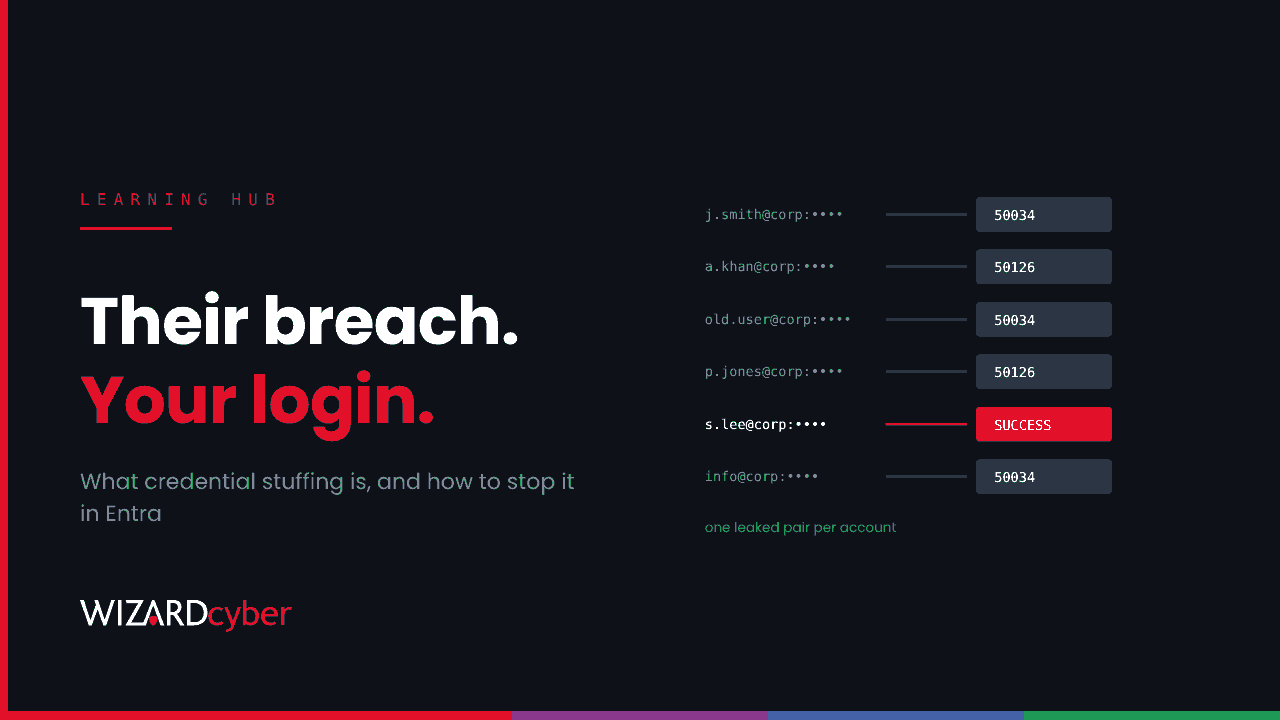
Credential stuffing is an attack where someone takes username and password pairs leaked from one breach and tries them, automatically and at scale, on other services. It works because people reuse passwords. If an employee used their work email and the same password on a shopping site that was breached, an attacker can try that exact pair against your Microsoft 365 sign-in page. No guessing is involved: every attempt uses a real password someone once chose.
MITRE ATT&CK tracks it as T1110.004, a sub-technique of brute force. OWASP lists it among the most common automated attacks on web applications. France's national CERT recently reviewed web application breaches and found that most came from reused credentials, social engineering or missing access controls, not technical exploits.
How a credential stuffing attack works
- Get the list. Combo lists of email and password pairs circulate on criminal forums and Telegram channels. They're built from old breaches and, increasingly, from infostealer logs taken from infected home and work machines.
- Filter for the target. Attackers keep the pairs whose email domain matches your organisation, or that look like they belong to staff.
- Automate the logins. Tools replay each pair against a sign-in page or API, rotate through residential proxies so traffic looks like ordinary users, and handle simple bot checks.
- Keep the hits. Pairs that work are sold or used straight away, for mailbox access, invoice fraud, internal phishing or as a starting point for ransomware.
Credential stuffing vs password spraying vs brute force
All three are password attacks, but they behave differently in your logs. That matters when you're trying to spot them.
- Brute force tries many passwords against one account. It's loud on a single account and trips lockout quickly.
- Password spraying tries one or two common passwords against many accounts, staying under lockout limits. We cover it in detail in What is password spraying?
- Credential stuffing tries one specific password per account, a password that person really used somewhere else. The success rate per attempt is higher than spraying, and the attempts are spread across many sources.
One practical difference shows up in Microsoft Entra ID. Combo lists are messy, so stuffing produces a lot of attempts against accounts that don't exist in your tenant, such as old addresses, typos and other people's domains. Spraying usually starts from a cleaned list of valid users.
Why it works against Microsoft 365
- Password reuse is normal. Staff sign up for webinars, suppliers' portals and SaaS trials with their work email. Some will reuse their work password.
- Lockout doesn't help. Each account sees one or two attempts, often from different IP addresses. Smart Lockout is designed for repeated failures, not one correct guess.
- MFA gaps. Where MFA is enforced, a stuffed password alone isn't enough. But accounts excluded from MFA, legacy authentication protocols and on-premises services that accept a plain password are all open to it.
- MFA fatigue. A correct password followed by repeated MFA prompts is a common next step. Some users eventually approve one.
Signs of credential stuffing in Microsoft Entra ID
- Bursts of error code 50034 (user not found) mixed with 50126 (invalid password) from the same IP ranges or user agent.
- Successful sign-ins at the first attempt for an account, from a network the user has never used, especially residential proxy or hosting ranges.
- Error 500121 (MFA not completed) or repeated MFA prompts straight after a correct password. The password is right, so treat it as compromised.
- Conditional Access blocks on a correct password, such as AADSTS53003. We explain why a blocked sign-in is still a breached password.
- Microsoft Entra ID Protection's Leaked credentials risk detection (Entra ID P2), which flags users whose current credentials Microsoft has found in leaked data. It only works if password hash sync is enabled for hybrid accounts.
A starter KQL query for Microsoft Sentinel
This looks for sources hitting many accounts with a mix of unknown-user and wrong-password errors, then checks whether any of them got a correct password. It's a starting point. Tune the thresholds to your tenant and exclude your own egress IPs.
let window = 3d;
let Stuffers = union SigninLogs, AADNonInteractiveUserSignInLogs
| where TimeGenerated > ago(window)
| where ResultType in ("50034", "50126")
| summarize Unknown = countif(ResultType == "50034"),
            BadPassword = countif(ResultType == "50126"),
            Accounts = dcount(UserPrincipalName)
    by IPAddress
| where Accounts >= 10 and Unknown >= 3 and BadPassword >= 3;
union SigninLogs, AADNonInteractiveUserSignInLogs
| where TimeGenerated > ago(window)
| where ResultType in ("0", "500121", "53003", "50074")   // right password, whatever happened next
| join kind=inner Stuffers on IPAddress
| project TimeGenerated, UserPrincipalName, IPAddress, ResultType, Accounts, AppDisplayName, UserAgent
Stuffing campaigns rotate IP addresses, so also run the first half grouped by UserAgent or by autonomous system (AutonomousSystemNumber) to catch campaigns spread thinly across many addresses.
How to stop credential stuffing
- Enforce MFA everywhere, and move to phishing-resistant methods such as passkeys for admins and high-risk roles. Number matching on push approvals reduces fatigue attacks.
- Block legacy authentication with Conditional Access so no protocol accepts a password alone.
- Turn on leaked-credential detection: enable password hash sync for hybrid users, and use risk-based Conditional Access to require a secure password change when a user's credentials appear in a leak.
- Ban weak and known-breached passwords with Entra Password Protection, including on on-premises domain controllers. Follow the NCSC's password guidance: block common passwords instead of forcing frequent changes.
- Tell staff why. A simple rule works: never reuse the work password anywhere else, and use a password manager for everything else.
- Protect customer-facing logins too. If you run a portal, add bot detection, rate limiting per account and per network, and MFA or passkeys for customers.
What to do if credential stuffing succeeds
- Reset the password, revoke the user's sessions and check the MFA methods registered on the account.
- Look for inbox rules, forwarding, new app consents and new devices registered after the sign-in.
- Check what the account accessed: mail, OneDrive, SharePoint and any SaaS apps reached through single sign-on.
- Look for other accounts that signed in from the same IP addresses or user agent.
- Find out where the password leaked. Ask the user and check whether they reused it. If a device was infected with an infostealer, the problem is bigger than one password.
Frequently asked questions
Is credential stuffing illegal?
Yes. In the UK, using someone else's credentials to access a system without permission is an offence under the Computer Misuse Act 1990, whether or not the attacker stole the credentials themselves.
Does MFA stop credential stuffing?
It stops a stuffed password from being enough on its own, wherever MFA is enforced. Attackers then look for accounts without MFA, legacy protocols, or users who approve a prompt they didn't start. A correct password should be treated as a compromise even if MFA stopped the sign-in.
How is credential stuffing different from password spraying?
Stuffing uses real, leaked username and password pairs, one per account. Spraying guesses a few common passwords across many accounts. Stuffing usually produces more "user not found" errors, because leaked lists contain addresses that don't exist in your tenant.
How do I know if our staff's passwords have leaked?
With Entra ID P2, review Leaked credentials risk detections in ID Protection. Breach notification services that monitor your email domain are also worth using. And treat any infostealer detection on a device as a leak of every password saved on it.
Are password managers safe?
A reputable password manager with a strong master password and MFA is far safer than reusing passwords. It removes reuse, which is the thing credential stuffing depends on.
How Wizard Cyber helps
Credential stuffing is quiet on any one account. The signal only appears when you correlate failures, sources and the one sign-in that worked, and someone has to do that around the clock. Our SOCs are staffed 24/7, and CYBERSHIELD AI's Investigation Agent links the failed attempts, the successful sign-in and what happened next into a single verdict, typically within 3 minutes 30 seconds. On the managed service, a senior analyst signs off by default.
If you'd like to know whether your tenant would catch a stuffing run today, talk to us or book a demo.