

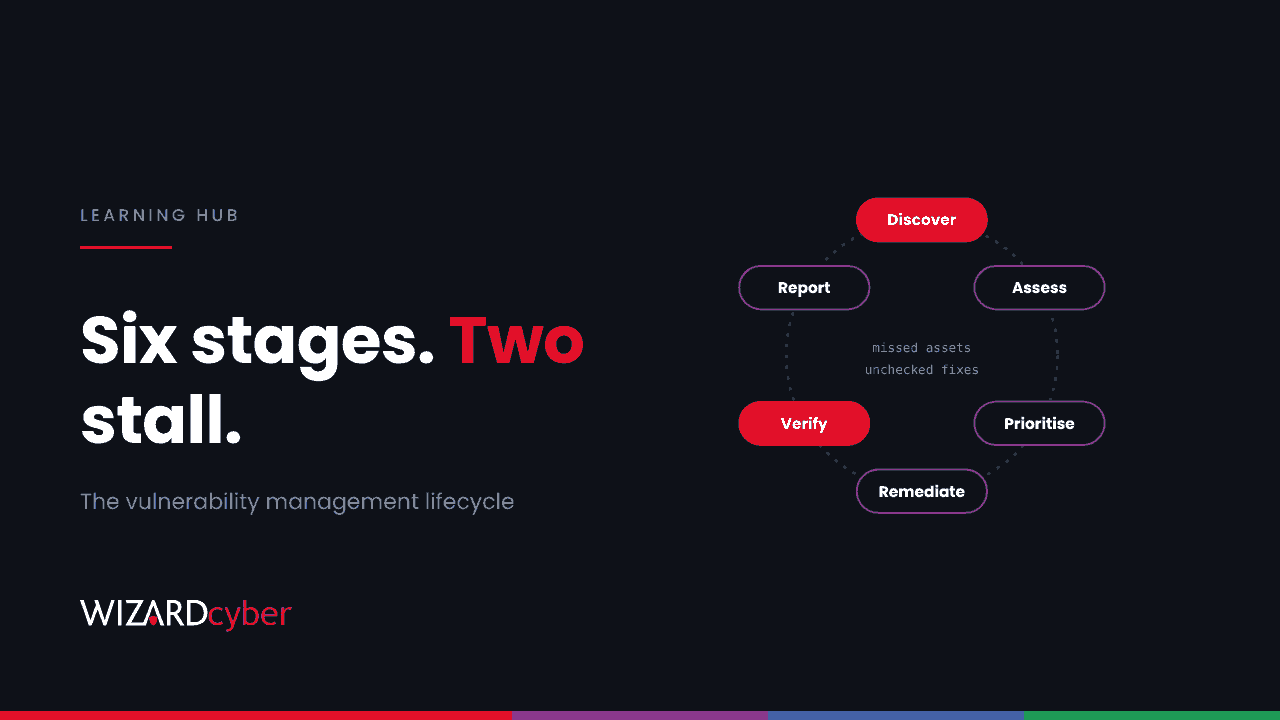
The vulnerability management lifecycle is the repeating process of finding the weaknesses in your systems, deciding which matter, fixing them and proving they're fixed. It usually has six stages: discover, assess, prioritise, remediate, verify, and report and improve. Most organisations run the middle stages well enough. Programmes stall at the edges: assets nobody found, and fixes nobody checked.
This guide walks through each stage, explains where programmes go wrong and covers how to measure whether yours is working.
Why it is a lifecycle, not a project
New vulnerabilities are published every day, and the pace is rising. Microsoft fixed a record number of flaws in a single month this October, which we wrote about in 1,413 CVEs In One Month. Your estate changes too: new laptops, new cloud services, new suppliers. A scan that was accurate last month isn't accurate today, so the work has to be continuous.
The aim isn't zero vulnerabilities, which no organisation reaches. It's to keep the window in which an attacker can use a known weakness as short as possible, especially for the ones being exploited.
The six stages
1. Discover
You can only fix what you know you have. Discovery builds and maintains the inventory: endpoints, servers, cloud workloads, network appliances, IoT and OT devices, internet-facing services and the software and libraries running on all of them. Each asset needs an owner and a business importance.
2. Assess
Assessment finds the weaknesses on each asset: missing patches, vulnerable versions, insecure configurations and exposed services. Sources include authenticated scanning, endpoint agents such as Microsoft Defender Vulnerability Management, cloud posture tools, external attack surface scans and penetration testing.
3. Prioritise
Assessment always produces more findings than anyone can fix, so prioritisation decides the order. A good priority combines:
- Exploitation: is it in CISA's Known Exploited Vulnerabilities catalogue or being exploited in the wild? EPSS, the Exploit Prediction Scoring System, estimates the likelihood for the rest.
- Impact class: remote code execution, authentication bypass and privilege escalation are the flaws attackers use most.
- Exposure: internet-facing systems and those holding privileged credentials come first.
- Business importance: what the asset does and what breaks if it's compromised.
Severity scores (CVSS) describe how bad a flaw could be, not how likely it is to be used against you. On their own they're a poor ranking.
4. Remediate
Remediation means patching, upgrading, changing a configuration or removing the vulnerable component. Where that isn't possible yet, you mitigate: restrict access, turn off a feature, add a detection. Occasionally you accept the risk, which should be a recorded decision with an owner and an expiry date, not a default.
5. Verify
Verification proves the fix worked: a rescan, a version check or a test. It matters more than most programmes allow for. Vendors sometimes need several attempts to fix a flaw, and fixes for exploited bugs are reported broken more often than others, as we covered in Patched Isn't Fixed. For exploited flaws on exposed systems, verification should also ask whether the system was compromised before the patch went on.
6. Report and improve
Reporting shows leadership where risk sits and whether it's falling. Improvement feeds lessons back in: why was that server missing from the inventory? Why did that fix take 90 days? Then the cycle starts again.
Where most programmes stall
Discovery misses whole classes of asset
Network appliances, storage, cameras, building systems and software libraries are routinely missing from inventories built around Windows. Our posts on library flaws and SBOMs cover the software side.
Prioritisation by severity alone
Microsoft's November 2026 analysis found that of roughly 383,000 published CVEs, about 2,056, around 0.5%, have been linked to real-world exploitation. Remote code execution, authentication bypass and privilege escalation account for 78% of those. A list sorted only by CVSS spreads effort across thousands of findings that will never be used.
Remediation stuck between teams
Security finds the problem, and someone else owns the system. Without agreed timescales and an owner for every asset, findings sit in a queue. The same Microsoft data puts median time to patch at about two weeks for Windows workstations but more than a year for network appliances, which are often the most exposed systems you have. We look at that gap in Two Weeks For Laptops, A Year For Appliances.
"Patched" without verification
A ticket closed is not a flaw fixed. Without a rescan, a failed deployment, a reverted change or an incomplete vendor fix stays open while the report shows green.
Exceptions that never expire
Risk acceptances agreed years ago for systems "due to be retired" pile up. Give every exception an owner and a review date.
How to measure it
- Coverage: the share of known assets that are assessed, by asset class. Track appliances and cloud separately from Windows.
- Time to remediate by priority and asset class, as a median and the slowest 10%.
- Exploited-flaw window: how long KEV-listed flaws stay open on internet-facing systems.
- Verification rate: the share of closed findings confirmed by a rescan.
- Exception age: how many risk acceptances are past their review date.
Set your own targets based on exposure and how fast attackers move. Microsoft's data puts the 2026 median from CVE publication to KEV listing at three days, so exploited flaws on internet-facing systems need a route measured in days, not a monthly cycle.
How Wizard Cyber helps
Our vulnerability and patch management service helps you run each stage of the lifecycle, and our offensive security team tests whether the weaknesses that remain can be used. For exploited flaws on exposed systems, our SOCs are staffed 24/7 to look for signs of compromise while the fix is on its way.
Frequently asked questions
What is the difference between vulnerability management and patch management?
Patch management is applying vendor updates. Vulnerability management is the wider process of finding, prioritising and fixing all weaknesses, including configuration problems and flaws with no patch yet. Patching is one way to remediate.
How often should we scan?
Continuously where you can, using endpoint agents and cloud posture tools, with authenticated network scans at least monthly and external scans more often. Scan again after any emergency patch to verify it.
Is a penetration test part of vulnerability management?
It feeds it. Scanning finds known weaknesses at scale. A penetration test shows how they combine into a real attack path and finds problems scanners miss.
What is a good remediation timescale?
It depends on exposure and exploitation. Exploited flaws on internet-facing systems need the fastest route you can run. Lower-priority findings on internal systems can follow the normal patch cycle. Agree the timescales with system owners in advance, so nobody negotiates during an incident.
What is the vulnerability management lifecycle in ISO 27001?
ISO/IEC 27001:2022 Annex A control 8.8, "Management of technical vulnerabilities", expects you to obtain information about vulnerabilities, evaluate your exposure and take appropriate measures. A documented lifecycle like the one above is the usual way to show that.
If your vulnerability programme stalls at the edges, talk to our team.