

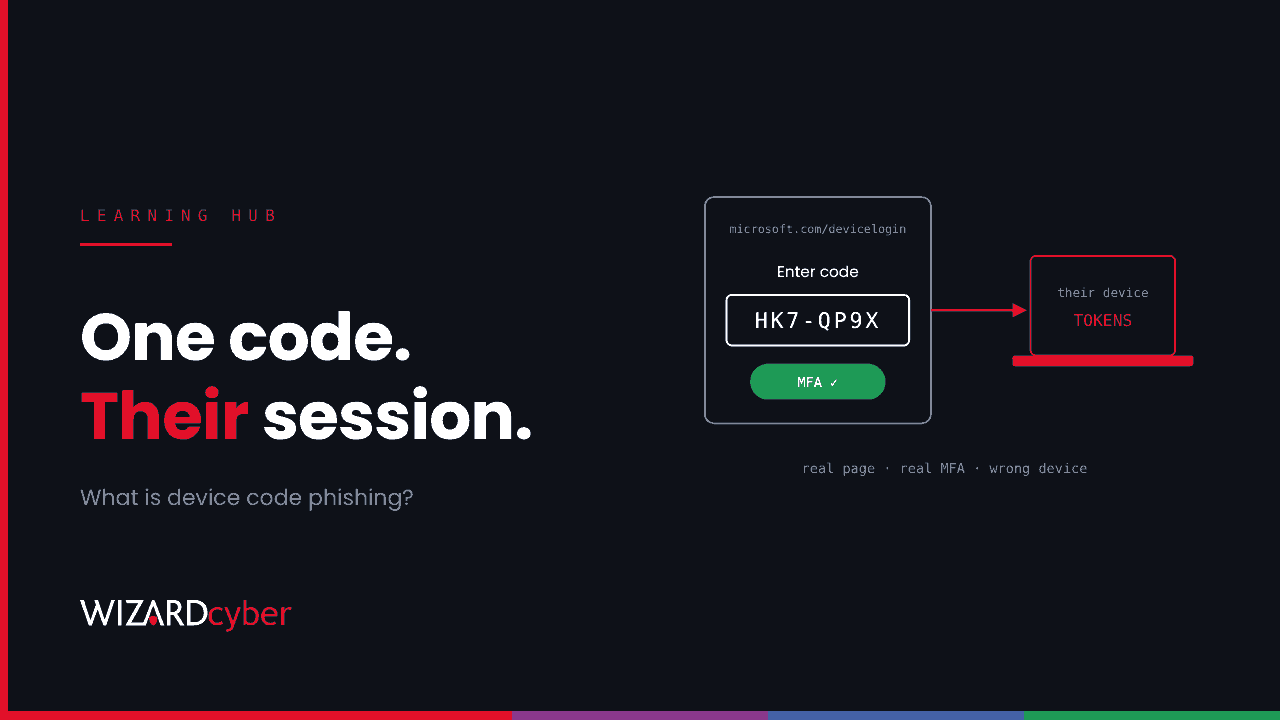
Device code phishing is an attack that abuses a legitimate Microsoft sign-in flow built for devices without a keyboard. The attacker starts a sign-in, gets a short code from Microsoft, and persuades the victim to enter that code on Microsoft's real device login page. When the victim signs in and completes MFA, the session goes to the attacker's device. The attacker never needs the password. The victim never sees a fake page, and the MFA prompt they approve is genuine.
This guide explains how the device code flow works, how attackers turn it against Microsoft 365 users, what it looks like in your logs, and how to block it with Conditional Access.
What is the device code flow?
The OAuth 2.0 device authorisation grant, usually called the device code flow, exists for devices where typing a password is awkward or impossible: smart TVs, conference room systems, digital signage, printers and command-line tools. Instead of signing in on the device itself:
- The device asks Microsoft Entra ID for a code.
- Entra ID returns a short user code and a verification URL (
microsoft.com/devicelogin). - The device shows the code and asks the user to enter it on another device, such as a phone or laptop.
- The user goes to the URL, enters the code, signs in and completes MFA.
- The original device, which has been polling Entra ID, receives access and refresh tokens for the user.
The design assumes the person entering the code is standing in front of the device that asked for it. Nothing in the flow checks that, and device code phishing exploits exactly that gap.
How device code phishing works
The attacker plays the part of the device:
- The attacker requests a device code from Entra ID, often posing as a well-known Microsoft client such as Office or Teams.
- The attacker sends the code to the victim with a pretext. Common ones are a Teams meeting invite ("enter this code to join"), a document share, an IT support request or a message on a third-party chat app.
- The victim goes to the real Microsoft page, enters the code, signs in and approves MFA. Every page they see is genuine.
- The attacker's script receives the tokens. They now have access to the victim's mailbox, files and Teams, and a refresh token that can keep that access going.
The code is only valid for a short time, typically around 15 minutes, so attackers generate it at the moment of contact. That is why these lures often arrive through live chat or as an "urgent" message.
Microsoft documented a large campaign in February 2025 in which Storm-2372 used fake Teams meeting invitations to collect device codes from government, NGO and industry targets. In October 2026, Huntress reported device code phishing as one capture route in a Microsoft 365 token-replay campaign that reached 79 organisations. We break that campaign down in our threat research post.
Why MFA doesn't stop it
MFA confirms that the right person is signing in. In device code phishing, the right person is signing in. The victim enters their own password and approves their own MFA prompt on Microsoft's own page. The flaw is in where the resulting session goes, and push notifications, SMS codes and authenticator app codes all hand it over just the same.
Because the victim is on Microsoft's genuine page, even stronger sign-in methods can't be relied on to catch it. The most reliable defence is to stop the flow from being used where it isn't needed.
What attackers do with the access
Once they hold tokens, attackers typically:
- Read and search email for payment, payroll and credential information.
- Create inbox rules to hide replies or redirect invoices, a common route to business email compromise.
- Download files from OneDrive and SharePoint.
- Register a device in Entra ID or add their own MFA method, so access survives a password reset.
- Send further phishing from the trusted mailbox to colleagues and suppliers.
How to detect device code phishing
Device code sign-ins are recorded in the Entra ID sign-in logs with the authentication protocol set to Device code. Microsoft also tags the session with an original transfer method of device code flow, which persists through token refreshes. Useful signals:
- Device code sign-ins by users who have no reason to use the flow.
- Device code sign-ins from hosting providers, VPN services or countries where the user isn't.
- A device code sign-in followed shortly by a new device registration, a new MFA method or a new inbox rule.
A starting query for Microsoft Sentinel, to tune for your tenant:
SigninLogs
| where TimeGenerated > ago(30d)
| where AuthenticationProtocol == "deviceCode"
| project TimeGenerated, UserPrincipalName, AppDisplayName, IPAddress,
          AutonomousSystemNumber, Location, ResultType, UserAgent
| order by TimeGenerated desc
In most organisations this returns very little, which makes every result worth reading. Shared meeting room devices and a few administrators using command-line tools are the usual legitimate users. Note them, so anything else stands out.
How to block device code phishing in Microsoft Entra ID
Microsoft's guidance is to block device code flow wherever possible and allow it only where it's needed. Conditional Access has an authentication flows condition for this.
- Find out who uses it today. Filter the sign-in logs by authentication protocol "Device code", or run the query above over 30 to 90 days.
- Create a Conditional Access policy in report-only mode that targets all users and all resources, with the authentication flows condition set to device code flow and the grant control set to block.
- Exclude what genuinely needs it: specific meeting room or signage accounts, ideally limited to a named location, and a small group of admins if their tools require it.
- Check the Device Registration Service. Since September 2024, authentication flows policies that target all resources also apply to device registration. If your process registers devices with device code flow, exclude it.
- Review the report-only results for a week or two, then switch the policy on.
Sessions that started with device code flow are tracked, so once the policy is on, an attacker with an existing device code session will find their refresh token stops working for blocked resources.
Other controls that help
- User awareness. Teach one simple rule: never enter a code on microsoft.com/devicelogin unless you are setting up a device in front of you.
- Phishing-resistant MFA for administrators and finance users, which closes off the other common token-theft route, adversary-in-the-middle phishing.
- Restrict device registration to managed processes, and require MFA to register or join devices.
- Disable user consent to applications, so captured sessions can't easily be turned into persistent app access.
- Monitor continuously. A device code sign-in from a hosting provider at 2am needs someone to look at it while the session is still young.
Frequently asked questions
Is device code phishing the same as AiTM phishing?
No. Adversary-in-the-middle phishing uses a fake site that relays the real sign-in page and steals the session cookie. Device code phishing uses Microsoft's real page and no fake site at all. Both end with the attacker holding a session the victim authenticated, and some campaigns use both.
Can I just turn off device code flow for the whole tenant?
Mostly, yes. Conditional Access is the supported way to do it. Check first for meeting room devices, shared devices and admin tooling that depend on it, and exclude them deliberately rather than discovering them when they break.
Does resetting the password remove the attacker?
Not on its own. Revoke the user's sessions as well, then check for registered devices and authentication methods the user doesn't recognise, and for new inbox rules.
Which logs do I need?
Entra ID sign-in logs (interactive and non-interactive), audit logs for device and authentication method changes, and Exchange Online audit data for inbox rules. Microsoft Sentinel can bring all three together.
How Wizard Cyber can help
We help organisations find where device code flow is still used, design Conditional Access policies that block it without breaking meeting rooms, and watch for the signs of a captured session around the clock. Our 24/7 SOC has run Microsoft Sentinel since 2019 and works identity incidents through to a conclusion.
To see how that would work for your tenant, talk to us or book a demo.