

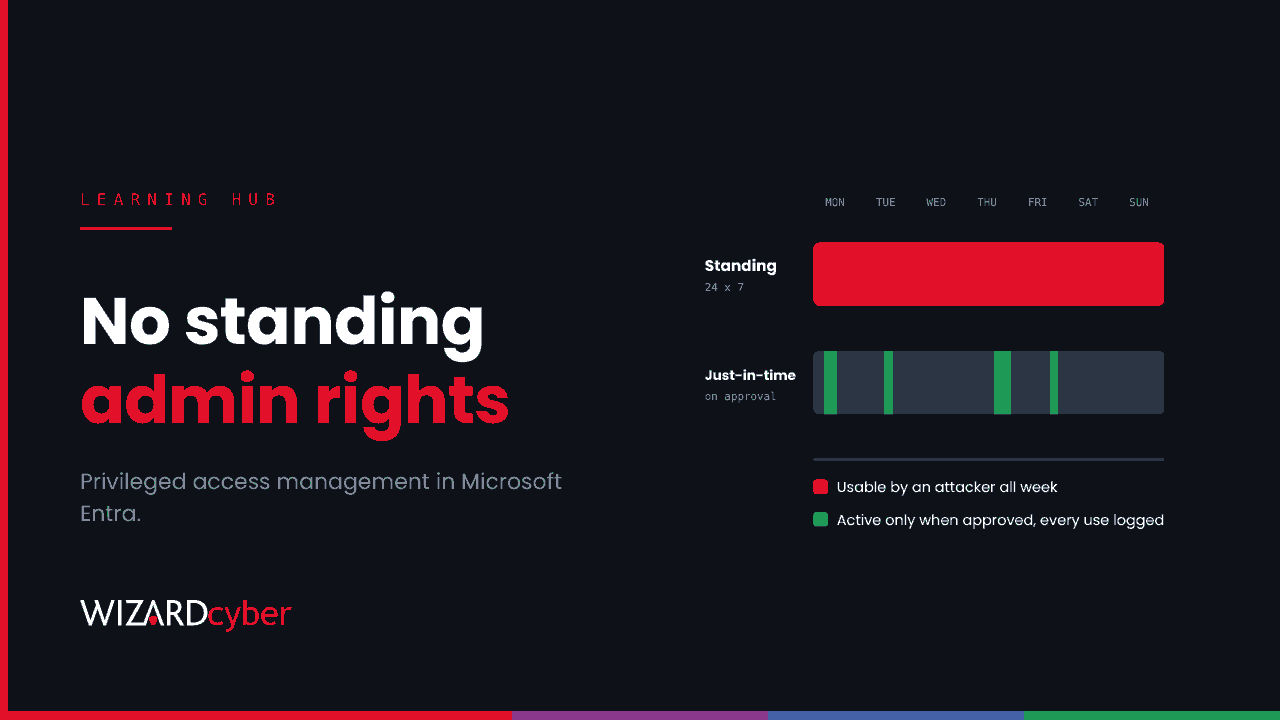
Privileged access management (PAM) is the set of controls that decides who can hold administrator-level access, when they can use it, and how that use is checked and recorded. Instead of giving admins permanent, always-on rights, PAM makes privilege something you request when you need it, approve, limit in time and log. The aim is simple. If an attacker steals an admin's password or session, there should be as little standing privilege behind it as possible.
In Microsoft environments, most of this is done with Microsoft Entra Privileged Identity Management (PIM), alongside emergency access accounts, privileged access workstations and the local admin controls in Windows. This guide explains what PAM covers, how it works in Entra, where it usually falls short, and how a SOC can tell when privileged access is being misused.
Why privileged accounts matter
Almost every serious intrusion becomes serious at the point an attacker gets admin rights. With a Global Administrator in Entra ID, a Domain Admin in Active Directory or root on a firewall, they can switch off defences, read any mailbox, create persistence and push ransomware everywhere at once. Our recent write-ups on firewall management-plane attacks and hijacked Microsoft 365 tenants both turn on admin access.
Privileged accounts are also the ones organisations are most tempted to leave alone. They're used for urgent work, by senior people, and adding friction to them feels risky. That's why so many tenants still have a handful of permanent Global Administrators who don't need the role most days.
PAM vs PIM vs IAM
| What it covers | Typical question it answers | |
|---|---|---|
| IAM (identity and access management) | Every identity and everything it can access | "Who is this, and what can they reach?" |
| PAM (privileged access management) | The subset of access that can change or control systems | "Who can act as an admin, and how is it controlled?" |
| PIM (privileged identity management) | Time-bound, approved activation of privileged roles | "Who holds this role right now, and why?" |
In practice the terms overlap. PIM is one part of PAM, and in Microsoft's world it's also the name of the Entra feature that delivers it. PAM is the wider discipline. It also covers credential storage and rotation, session controls, secure admin devices and the processes around them.
The building blocks of PAM
- Inventory. Know every privileged account and role: cloud and on-premises, human and non-human, including service accounts, app registrations and break-glass accounts. You can't control what you haven't found.
- Least privilege. Give the narrowest role that does the job. A helpdesk analyst who resets passwords needs a password administrator or helpdesk role, not Global Administrator.
- Just-in-time access. Make people eligible for a role rather than permanently assigned, and have them activate it for a limited time when they need it.
- Approval and justification. For the most sensitive roles, a second person approves activation and the requester records why.
- Strong authentication at the point of use. Require MFA, ideally phishing-resistant, every time a role is activated, not just at first sign-in.
- Credential control. Store, rotate and limit shared and local admin credentials so a password found once doesn't work forever.
- Secure admin devices. Do admin work from hardened, dedicated workstations, not the laptop used for email and browsing.
- Monitoring and review. Log every activation and every privileged action, alert on the unusual ones, and review regularly who still needs what.
How PAM works in Microsoft Entra
Privileged Identity Management
Microsoft Entra PIM manages Microsoft Entra roles, Azure resource roles and group membership (PIM for Groups). It provides:
- Just-in-time privileged access to Entra ID and Azure resources
- Time-bound assignments with start and end dates
- Approval workflows for activating a role
- MFA enforcement on activation, and justification for why the role is needed
- Notifications when privileged roles are activated
- Access reviews to confirm people still need their roles
- Audit history of assignments and activations
PIM is licensed. Check Microsoft's Entra ID Governance licensing guidance for which plans include it for your users.
Emergency access (break-glass) accounts
PAM needs a way back in if normal admin access fails, for example if a Conditional Access change locks everyone out. Microsoft recommends two or more cloud-only emergency accounts on the .onmicrosoft.com domain, with a permanent Global Administrator assignment, phishing-resistant passwordless authentication (passkeys are the recommended method), exclusion from Conditional Access policies that could block them, an alert on every sign-in, and a test at least every 90 days.
On-premises and endpoints
Entra PIM doesn't manage Active Directory groups such as Domain Admins, or the local administrator account on each Windows device. Those need their own controls: tiered admin accounts, protected groups, Windows LAPS for unique, rotated local admin passwords, and admin work restricted to privileged access workstations.
Where PAM usually fails
Most organisations have some PAM. The gaps tend to look the same.
- Permanent assignments "for now". PIM is switched on, but several people are still permanently assigned the most powerful roles because activation was inconvenient once.
- Non-human identities left out. Service principals and app registrations with powerful Graph permissions, and on-premises service accounts in Domain Admins, never pass through PIM at all. They often hold more standing privilege than any person.
- Phishable activation. If activation MFA is a push notification or a code, an attacker with a stolen session can be prompted into approving it, or approve it themselves with a registered method.
- Rubber-stamp approvals. Approvers who approve everything within a minute provide an audit trail, not a control.
- Unwatched break-glass accounts. Accounts excluded from Conditional Access by design, with no alert on their use, are exactly what an attacker would choose.
- On-premises forgotten. The cloud tenant is well governed, but Domain Admins still has fifteen members and the same local admin password is on every server.
- Logs collected, not read. PIM produces good audit data. It only helps if someone looks at it in time.
Detecting privileged access misuse
Good PAM produces a small number of high-value signals. These KQL queries for Microsoft Sentinel are starting points: field values and operation names can vary, so check them against your own AuditLogs and tune before you rely on them.
Role activations, with who and why
AuditLogs
| where TimeGenerated > ago(7d)
| where OperationName has "PIM activation" and Result == "success"
| extend User = tostring(InitiatedBy.user.userPrincipalName),
         Role = tostring(TargetResources[0].displayName),
         Reason = tostring(ResultReason)
| project TimeGenerated, User, Role, Reason, OperationName
| order by TimeGenerated desc
Look for activations out of hours, from unfamiliar locations, with empty or copy-pasted justifications, or by people who rarely activate.
Privileged roles assigned outside PIM
AuditLogs
| where TimeGenerated > ago(30d)
| where OperationName == "Add member to role"
| extend Actor = coalesce(tostring(InitiatedBy.user.userPrincipalName),
                          tostring(InitiatedBy.app.displayName)),
         Target = tostring(TargetResources[0].userPrincipalName),
         Details = tostring(TargetResources[0].modifiedProperties)
| where Actor !in ("MS-PIM", "MS-PIM-Fairfax")   // PIM's own activations
| project TimeGenerated, Actor, Target, Details
A direct, permanent role assignment that bypasses your PIM process is one of the clearest signs of an attacker building persistence.
Any use of a break-glass account
let BreakGlass = dynamic(["<object-id-1>", "<object-id-2>"]);
SigninLogs
| where TimeGenerated > ago(1d)
| where UserId in (BreakGlass)
| project TimeGenerated, UserPrincipalName, IPAddress, Location, AppDisplayName, ResultType
Every result should match a planned test or a declared emergency. Anything else is an incident.
Getting started with PAM in Microsoft 365
- Count your Global Administrators. Bring it down to a small number of named people, all eligible through PIM rather than permanently assigned, plus your emergency accounts.
- Move other admins to narrower roles and make those eligible, not active.
- Require phishing-resistant MFA for administrators, with an authentication strength in Conditional Access.
- Set up two emergency access accounts the way Microsoft recommends, with alerts on their use.
- Find your non-human admins: service principals with high-privilege permissions and service accounts in privileged on-premises groups. Reduce or replace them.
- Deploy Windows LAPS and stop reusing local admin passwords.
- Send PIM, audit and sign-in logs to your SIEM and alert on the signals above.
- Schedule access reviews for privileged roles every quarter.
Frequently asked questions
What is privileged access management in simple terms?
It's the way you control admin access. People get admin rights only when they need them, for a limited time, with checks and a record of what they did.
Is Microsoft Entra PIM a PAM solution?
It covers a large part of PAM for Microsoft Entra roles, Azure resources and groups: just-in-time activation, approval, MFA, time limits, access reviews and audit. It doesn't manage on-premises Active Directory groups or local admin accounts on devices, so a complete PAM approach adds controls for those.
What is just-in-time access?
Instead of holding a privileged role permanently, a user is eligible for it and activates it when needed, usually for a few hours. When the time runs out, the privilege goes away automatically.
What's the difference between PAM and PIM?
PAM is the overall discipline of controlling privileged access. PIM focuses on managing privileged role assignments and activations, and is also the name of Microsoft's Entra feature for doing that.
Do break-glass accounts break PAM?
No, if they're handled properly. They're a deliberate exception: a small number of tightly secured accounts that are monitored on every use and tested regularly. The risk comes from emergency accounts nobody watches.
How do I know if PAM is working?
Few permanent privileged assignments, activations that match real work, no role assignments outside your process, and alerts on break-glass use that only fire for tests. If you can't see those things in your logs, you can't tell.
How Wizard Cyber helps
PAM reduces how much privilege an attacker can find. Monitoring tells you when someone is trying to use what's left. Our SOCs are manned 24/7, and CYBERSHIELD AI's Investigation Agent works privileged-access alerts, such as an unexpected role activation, a role assigned outside PIM or a break-glass sign-in, through to a verdict, typically in 3m 30s. On the managed service, a senior analyst signs off by default. Our Microsoft security consultants can also help design and roll out PIM, emergency access and admin tiering.
If you'd like to know how much standing privilege your tenant has today, book a demo or talk to our team.