

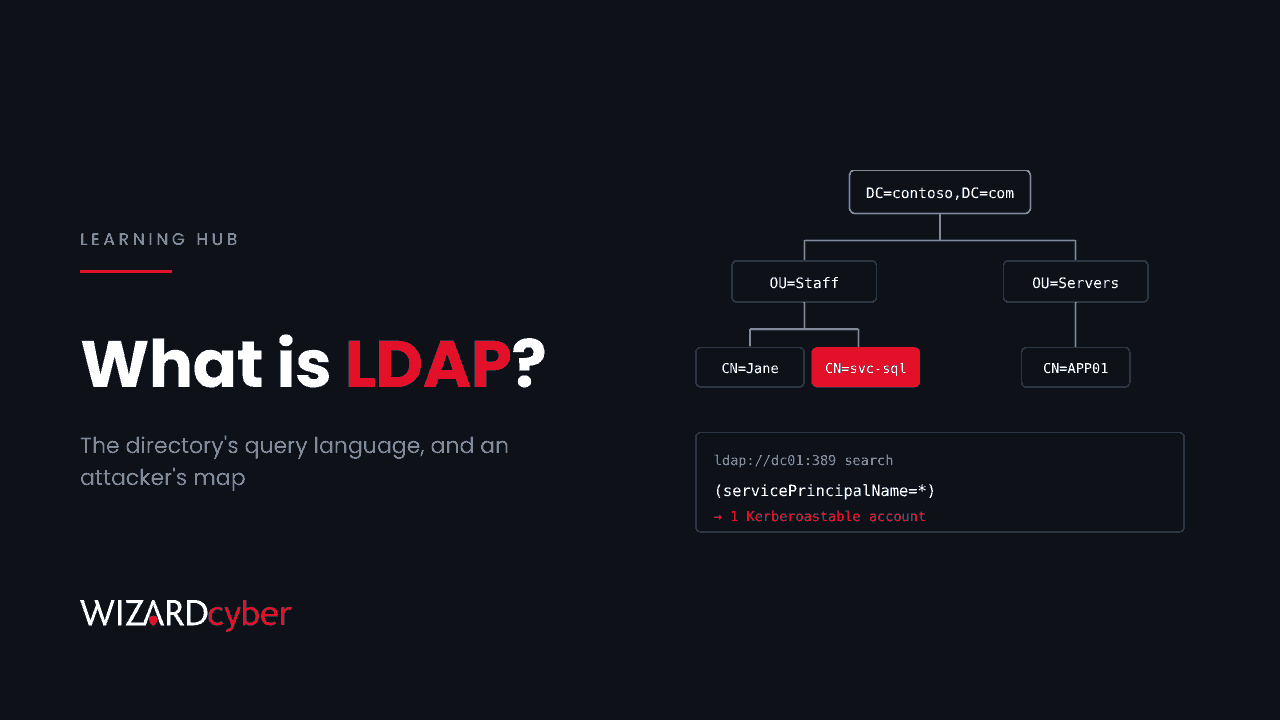
LDAP (Lightweight Directory Access Protocol) is the language applications use to read and search a directory. In a Windows estate that directory is Active Directory: when a VPN checks your password, a printer looks up an email address or an HR system creates an account, it is usually speaking LDAP to a domain controller. Attackers use the same protocol, with the same rights, to map your domain and look for secrets.
This guide explains how LDAP works, how it relates to Active Directory, the security settings that matter, and how attackers use it.
What LDAP is
LDAP is an open standard, defined in RFC 4511, for accessing directory services over a network. A directory is a database built for lookups: lots of reads, few writes, organised as a tree of objects such as users, groups, computers and printers. Each object has attributes, for example mail, memberOf or lastLogonTimestamp.
LDAP defines how a client connects, proves who it is, and searches, reads or changes those objects. Active Directory is Microsoft's directory service, and LDAP is one of its main protocols. Entra ID does not use LDAP natively, although Microsoft Entra Domain Services provides an LDAP interface for older applications.
How LDAP works
Names: distinguished names
Every object has a distinguished name (DN) that describes its place in the tree, read from the object up to the domain:
CN=Jane Smith,OU=Finance,OU=Staff,DC=contoso,DC=comCN is the common name, OU an organisational unit and DC a domain component.
Binding: proving who you are
A client starts a session with a bind. There are three kinds:
- Anonymous bind: no credentials. Modern Active Directory gives anonymous users almost nothing.
- Simple bind: a username and password sent to the server. Over plain LDAP that password crosses the network in clear text.
- SASL bind: authentication through Kerberos or NTLM, which Windows clients use by default. This can also sign and seal the traffic.
Searching
Once bound, the client sends searches. Each search has a starting point (the base DN), a scope, a filter and a list of attributes to return. For example, this filter finds enabled user accounts with a service principal name:
(&(objectCategory=person)(servicePrincipalName=*)
  (!(userAccountControl:1.2.840.113556.1.4.803:=2)))
What a search returns depends on the permissions of the account that bound. By default, any authenticated user in Active Directory can read a great deal: every user, group, computer and group membership, and most attributes.
Ports
- 389: LDAP, in clear text unless signing or StartTLS is used.
- 636: LDAPS, LDAP over TLS.
- 3268 and 3269: the global catalogue, which can search the whole forest, without and with TLS.
LDAP vs Active Directory vs LDAPS
- Active Directory is the directory: the database, the domain controllers, Kerberos, Group Policy and more.
- LDAP is one of the protocols used to talk to it.
- LDAPS is LDAP wrapped in TLS, so the session is encrypted. It needs a certificate on each domain controller, often from AD CS.
The security settings that matter
LDAP signing
Signing protects the integrity of a SASL-bound session, so an attacker in the middle can't change the traffic or relay it. Domain controllers can be set to require it with the Group Policy setting "Domain controller: LDAP server signing requirements". Before you enforce it, find the clients that would break: with LDAP interface diagnostic logging turned up, domain controllers log event 2889 for each unsigned SASL bind or clear-text simple bind, with the client's IP address and account. Event 2887 gives a daily count.
Channel binding
Channel binding ties an LDAPS session to its TLS connection, which stops NTLM authentication being relayed into LDAPS. Set "Domain controller: LDAP server channel binding token requirements" to "When supported" first, then "Always" once clients are ready.
Clear-text simple binds
Appliances and older applications often use simple binds on port 389. Anyone who can see that traffic, or who controls the appliance, gets each user's password. In the recent Ivanti Connect Secure intrusion, the attacker ran a packet capture on the VPN appliance for exactly this reason. Move these clients to LDAPS.
How attackers use LDAP
LDAP is the first tool most attackers reach for after getting any domain credentials, because a normal user can read so much and the traffic looks like ordinary business.
- Domain mapping. Collection tools pull every user, group, computer, session and permission over LDAP to map attack paths to Domain Admins.
- Finding Kerberoasting targets. A search for accounts with a
servicePrincipalNamelists every service account whose ticket can be requested and cracked offline. - Finding AS-REP roasting targets. Accounts with Kerberos pre-authentication turned off show up in a
userAccountControlsearch. - Reading secrets that are readable. LAPS passwords, BitLocker recovery keys and passwords left in
descriptionorinfofields can all be read by any account with rights to them. Attackers search for these first. - Relay. NTLM authentication captured elsewhere can be relayed to LDAP to add accounts or change permissions where signing and channel binding are not enforced. Our guide to NTLM explains why.
- LDAP passback. An attacker with access to a printer's or appliance's admin page points its LDAP server setting at a machine they control. The device then sends its stored service account password.
- LDAP injection. Web applications that build LDAP filters from user input without escaping it can be tricked into returning data or bypassing login, in the same way as SQL injection.
How to detect LDAP abuse
- Microsoft Defender for Identity watches LDAP traffic on domain controllers. It raises alerts such as "Security principal reconnaissance (LDAP)" and "Active Directory attributes reconnaissance (LDAP)", and logs many queries in the
IdentityQueryEventstable for hunting. - Event 1644 in the Directory Service log records expensive or inefficient searches once Field Engineering diagnostics are turned on. It is useful for spotting bulk collection.
- Event 4662 records reads of objects and attributes you audit, such as LAPS password attributes.
- Baseline service accounts. An appliance or application account normally runs the same few searches. Alert when it starts asking for SPNs, LAPS or BitLocker attributes, or the whole directory.
Here is a starting query for Microsoft Sentinel or Defender advanced hunting:
IdentityQueryEvents
| where Timestamp > ago(7d)
| where Protocol =~ "Ldap"
| where Query has_any ("servicePrincipalName","ms-Mcs-AdmPwd","msLAPS-Password",
                       "msFVE-RecoveryPassword","DONT_REQ_PREAUTH","4194304")
| summarize Queries = count(), Targets = dcount(QueryTarget) by AccountName, IPAddress, DeviceName
| order by Queries desc
How to harden LDAP in Active Directory
- Find clear-text and unsigned binds with event 2889, and move those clients to LDAPS or signed SASL binds.
- Require LDAP signing, then channel binding, on domain controllers.
- Give service accounts only the read access they need, and keep them out of privileged groups. See our post on appliance service accounts.
- Lock down who can read LAPS and BitLocker secrets, and never store passwords in description fields.
- Restrict which networks can reach domain controllers on 389 and 636, so the DMZ and guest networks can't query the directory.
- Deploy Defender for Identity sensors on every domain controller and send the data to your SIEM.
How Wizard Cyber helps
Our SOCs are staffed 24/7 and investigate Defender for Identity alerts, including LDAP reconnaissance. Every investigation produces a full report, with senior analyst sign-off by default on the managed service. Our Microsoft security consultants can review signing, channel binding and service account rights with you.
Frequently asked questions
Is LDAP secure?
Plain LDAP on port 389 with simple binds is not: passwords cross the network in clear text. LDAP with Kerberos binds, signing, and channel binding over LDAPS is far safer. The risk usually comes from old clients and appliances that still use simple binds.
What is the difference between LDAP and Kerberos?
Kerberos proves who you are and issues tickets. LDAP reads and searches the directory. In Active Directory a client often uses Kerberos to authenticate its LDAP bind.
Does Entra ID support LDAP?
Not natively. Entra ID uses modern protocols such as OAuth 2.0, OpenID Connect and SAML. Microsoft Entra Domain Services provides a managed domain with LDAP for applications that need it.
Can a normal user run LDAP queries?
Yes. Any authenticated domain user can query Active Directory and read most of it by default. That is why one phished account is enough for an attacker to map your domain.
What is LDAP injection?
A web application flaw where user input is placed into an LDAP filter without escaping. An attacker can change the filter to return extra data or bypass authentication. The fix is to escape input and use parameterised directory APIs.
If you want to know what an attacker could read from your directory with one stolen account, talk to our team.