
Vishing, short for voice phishing, is when an attacker phones or calls someone, often pretending to be IT support, a bank, a supplier or a senior colleague, to persuade them to hand over access, money or information. A convincing voice and a sense of urgency do the work that a malicious link does in email. Calls now arrive on Microsoft Teams as well as phones, and AI can clone a familiar voice.
This guide explains how vishing works, the forms it takes against businesses, how to recognise it, and the processes and Microsoft 365 controls that stop it.
How vishing works
A vishing call usually has four stages:
- Research. The caller finds names, roles, suppliers and internal jargon from LinkedIn, the company website or earlier breaches.
- Set-up. Sometimes they create the problem they offer to solve, such as flooding an inbox with spam or triggering MFA prompts.
- The call. They introduce themselves with a believable reason, using the details they found, and add time pressure.
- The ask. One concrete action: read out a code, open a remote support tool, approve a sign-in, reset an MFA method or make a payment.
Voice works because people find it harder to say no to a polite, confident person in real time than to ignore an email. There is no URL to hover over and no sender address to check.
Common types of vishing against businesses
Fake help desk calls to staff
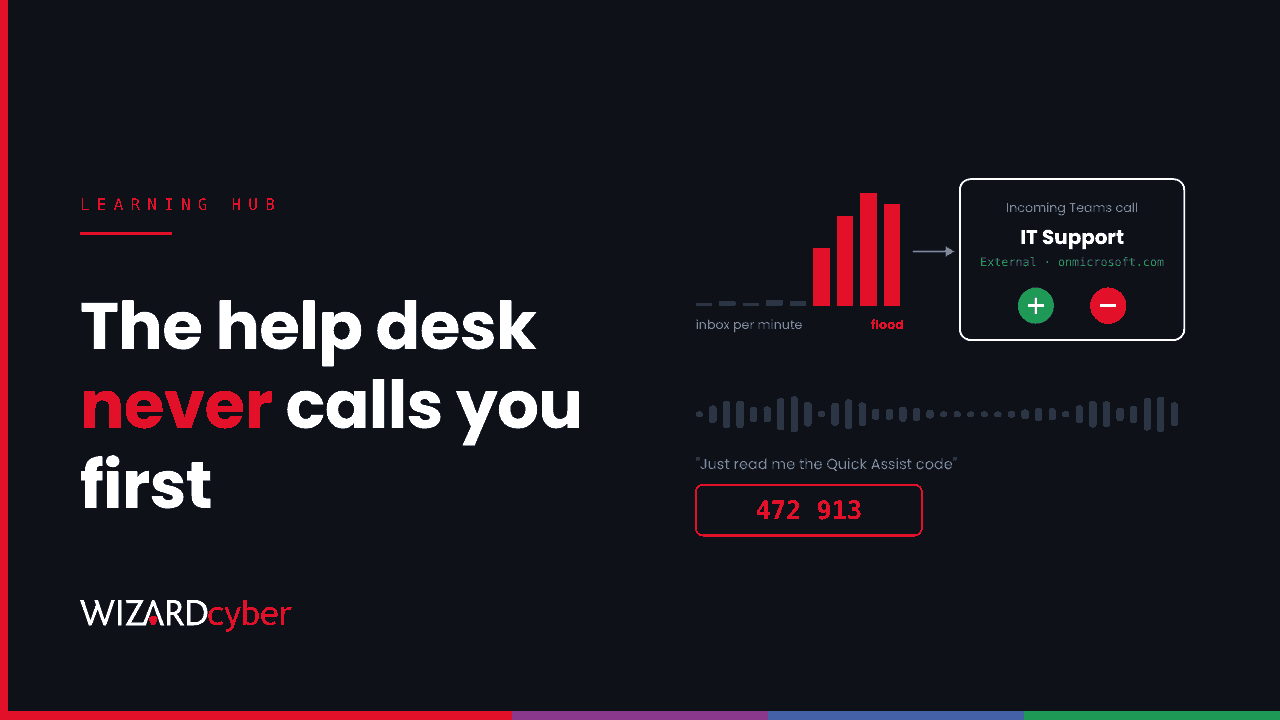
The attacker calls an employee pretending to be IT. A common pattern starts with email bombing: the user's inbox fills with hundreds of sign-up and newsletter emails, then "the help desk" calls on Teams offering to fix it. The caller asks the user to open Quick Assist, the remote support tool built into Windows, and read out the six-digit code. That gives the attacker control of the machine.
Microsoft described two intrusions that began this way in October 2026. The calls came from external Teams tenants with support-style names, and within hours the attackers had certificates for privileged accounts. We cover the technical side in our threat research post.
Calls to the service desk pretending to be staff
The reverse direction. The attacker calls your service desk pretending to be an employee with a new phone, asking for an MFA reset or a temporary password. Several high-profile attacks on UK and US companies in recent years reportedly started this way, and the callers often target staff with admin rights.
Executive and finance impersonation
A call or voice note from "the finance director" asking for an urgent payment or a change of supplier bank details, often following up an email so the two seem to confirm each other. This is a voice version of business email compromise.
Bank and supplier impersonation
Callers posing as your bank's fraud team, or a supplier's accounts department, asking staff to "verify" details, move money to a "safe" account or read out a one-time code.
AI voice cloning
A few seconds of audio from a webinar, podcast or social video can be enough to clone a voice. Cloned voices make a call from a known colleague much less reliable as proof of who is speaking.
Warning signs
- An unexpected call about a problem you did not report, or that started minutes ago.
- Pressure to act now, and discouragement from hanging up or checking.
- A request to install or open remote support software, or to read out a code.
- A Teams call or chat from an external account, especially one ending in
onmicrosoft.com, claiming to be internal IT. - A request to approve an MFA prompt you did not start, or to change payment details.
- A caller who knows some details but cannot answer a simple question only a real colleague would know.
Spotting the signs helps, but a skilled caller will avoid most of them. The stronger defence is a process that makes the request impossible to grant on a call alone.
How to stop vishing
Set rules people can follow
- IT never cold-calls. Tell staff that your help desk will not call them out of the blue on Teams from an external account, and will never ask for a Quick Assist code they did not request.
- Hang up and call back on a number from the intranet or your own records, never one the caller gives.
- Two people for money. Any new payee or change of bank details needs a second approver and a call-back to a known number.
- Reporting is welcome. Make it easy and blame-free to report a suspicious call, even after someone has done what was asked.
Harden the service desk
- Do not reset MFA or passwords on the strength of information an attacker can find, such as employee number or manager's name.
- Require a manager's approval through a separate channel, or a video check against ID, for MFA resets, especially for admins.
- Use Temporary Access Pass in Microsoft Entra ID for recovery, issued only after verification, so the desk never reads out a password.
- Alert on new MFA methods registered shortly after a reset.
Microsoft 365 and Windows controls
- Restrict Teams external access to the domains you work with, or at least block unmanaged accounts and new tenants. Keep the external-user warnings switched on.
- Remove or block Quick Assist if you do not use it, and use a remote support tool that your help desk starts, with the session logged.
- Phishing-resistant MFA such as passkeys or Windows Hello for Business, so a code read out over the phone cannot be used elsewhere.
- Conditional Access requiring compliant devices for sensitive apps. Our guide to Conditional Access and Identity Protection covers the policies.
- Application control that stops scripts and portable runtimes running from Downloads and AppData, which limits what a caller can do with a remote session.
Detect what gets through
Some calls will succeed. The signals that follow are visible: an external Teams chat with a "help desk" name, Quick Assist starting on a machine where it is never used, an archive extracted and run soon after, a new MFA method, or a sign-in from a new device. Defender and Entra record these, and they need someone watching them at all hours, because attackers often call late in the day or before weekends.
How Wizard Cyber helps
Our SOCs are staffed 24/7 and investigate the endpoint and identity activity that follows a successful call, with a full report for every investigation and senior analyst sign-off by default on the managed service. Our consultants can also review your Microsoft 365 configuration against the controls above. For the wider picture, see our guide What Is Social Engineering?
Frequently asked questions
What is the difference between vishing, phishing and smishing?
Phishing is the general term and usually means email. Vishing uses voice calls, including phone, Teams and voice notes. Smishing uses SMS and messaging apps. Attackers often combine them, such as an email followed by a call.
Is a Teams call safer than a phone call?
Not by default. Anyone with a Microsoft 365 tenant can call your users if external access allows it, and a tenant can be named anything. Teams shows an external label, but people under pressure miss it.
What should I do if I think I gave access to a vishing caller?
Disconnect the device from the network, tell IT or security straight away, and change any password you shared from a different device. If money was sent, call your bank immediately. In the UK, report fraud to Report Fraud. The NCSC's phishing guidance covers more.
Can MFA stop vishing?
Phishing-resistant MFA stops a caller from using a code or password you read out. It does not stop someone talking you into opening remote access or making a payment, which is why call-back and approval processes still matter.
Can you detect a cloned voice?
Not reliably by ear. Use a verification step that does not depend on recognising the voice, such as calling back on a known number or using an agreed code word for urgent requests.
If you would like help hardening your service desk and Microsoft 365 against vishing, talk to our team.