

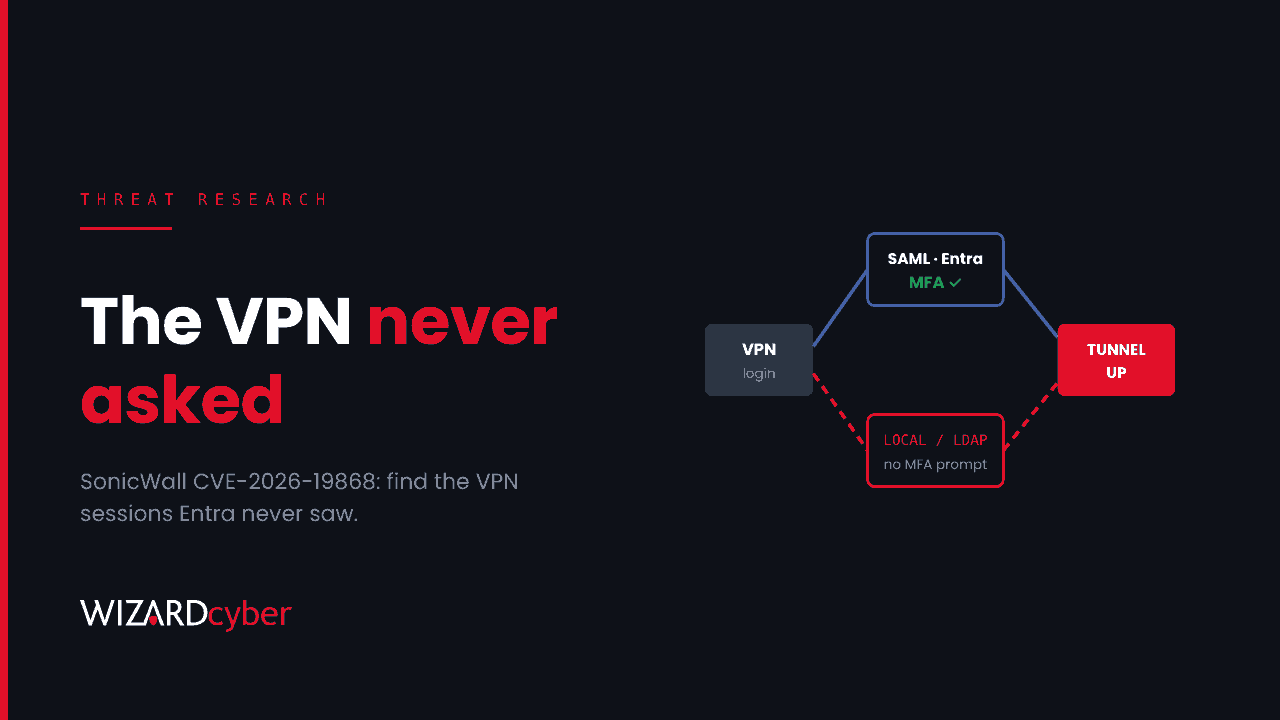
If your SonicWall SSL VPN sends users to Microsoft Entra ID for SAML sign-in and MFA, CVE-2026-19868 means some of those VPN sessions may not have gone through Entra. SonicWall says someone who holds valid credentials for another authentication method on the firewall can skip the SAML step, and the MFA that depends on it. Upgrading closes the flaw. It does not tell you whether anyone used it. This post shows how to check, starting with the one record an attacker can't fake: the Entra sign-in that should exist for every VPN session.
What happened
On 6 November SonicWall published advisory SNWLID-2026-0014, which fixes seven SonicOS flaws. The one that matters most is CVE-2026-19868 (CVSS 7.1). In SonicWall's words, it "may allow a user with valid credentials for an alternate authentication method to bypass SAML authentication controls", and successful exploitation "may also bypass SAML-enforced multi-factor authentication (MFA)". SonicWall says it "has investigated a report indicating potential exploitation". CISA added it to the Known Exploited Vulnerabilities catalogue the same day, with a 20 November deadline for US federal agencies.
Neither SonicWall nor CISA has said who exploited it, against whom, or when. SecurityWeek notes that it is unclear whether the bug was used before the patch existed. Until there are better answers, assume it might have been and look.
Who is affected
According to SecurityWeek's summary of the advisory:
- Gen7 TZ, NSa, NSsp and NSv firewalls running SonicOS 7.3.3-7015 or older. Fixed in 7.3.4-7013.
- Gen8 TZ, NSa and NSv firewalls running SonicOS 8.2.2-8015 or older. Fixed in 8.2.3-8015.
The SSL VPN is only exposed when SAML sign-in is turned on, and SonicWall says there is no workaround. If you send VPN sign-in to Entra ID so that Conditional Access and MFA apply, you are the customer this flaw targets. Check the advisory for your exact model and build.
The advisory doesn't say which "alternate authentication method" is involved. On a typical firewall that could be local user accounts, LDAP or RADIUS. That uncertainty is the reason the hunt below starts from the Entra side: whichever method was used, it didn't produce an Entra sign-in.
The idea behind the hunt
When SAML is working, every VPN sign-in has a matching record in Entra ID: a sign-in to the enterprise application you created for the SonicWall SSL VPN, from the user's public IP, a few seconds before the firewall logs the tunnel coming up. A VPN session for a user with no matching Entra sign-in either used another authentication method or bypassed SAML. On a firewall configured for SAML only, either one needs explaining.
The queries below are starting points to tune, not finished detections. SonicWall log field names in CommonSecurityLog vary by firmware and by how the logs are forwarded, so check a few raw rows first. Look back to at least 1 October. The advisory doesn't date first exploitation, so go further back if your retention allows.
1. VPN sessions from the firewall (Sentinel)
// SonicWall SSL VPN logins forwarded as CEF. Tune the Activity/Message filter to your logs.
let VpnLogins =
CommonSecurityLog
| where TimeGenerated > ago(40d)
| where DeviceVendor =~ "SonicWall"
| where Activity has_any ("SSL VPN", "SSLVPN") or Message has_any ("SSL VPN", "SSLVPN")
| where Activity has_any ("login", "logged in") or Message has_any ("login", "logged in")
| extend VpnUser = tolower(coalesce(SourceUserName, DestinationUserName)),
         ClientIP = SourceIP
| project VpnTime = TimeGenerated, VpnUser, ClientIP, DeviceName, Activity, Message;
VpnLogins
| summarize Sessions = count(), IPs = make_set(ClientIP, 20) by VpnUser
| order by Sessions desc
Look at the user names first. If you see local firewall accounts or names in a format your directory doesn't use, such as a short name where your UPNs are email-style, that alone points to a non-SAML path.
2. VPN sessions with no matching Entra sign-in
// Replace with the display name or app ID of your SonicWall SSL VPN enterprise app
let VpnApp = "SonicWall SSL VPN";
let EntraVpnSignins =
SigninLogs
| where TimeGenerated > ago(40d)
| where AppDisplayName =~ VpnApp
| where ResultType == "0"
| project SigninTime = TimeGenerated, Upn = tolower(UserPrincipalName), IPAddress,
          MfaDetail = tostring(AuthenticationDetails), ConditionalAccessStatus;
CommonSecurityLog
| where TimeGenerated > ago(40d)
| where DeviceVendor =~ "SonicWall"
| where Activity has_any ("SSL VPN", "SSLVPN") or Message has_any ("SSL VPN", "SSLVPN")
| where Activity has_any ("login", "logged in") or Message has_any ("login", "logged in")
| extend VpnUser = tolower(coalesce(SourceUserName, DestinationUserName)), ClientIP = SourceIP
| extend UserKey = tostring(split(VpnUser, "@")[0])
| join kind=leftouter (
    EntraVpnSignins | extend UserKey = tostring(split(Upn, "@")[0])
  ) on UserKey
| extend Matched = iff(isnotempty(SigninTime) and abs(datetime_diff("second", TimeGenerated, SigninTime)) <= 600, 1, 0)
| summarize Matches = max(Matched), EntraIPs = make_set(IPAddress, 5)
    by VpnTime = TimeGenerated, VpnUser, ClientIP, DeviceName
| where Matches == 0
| order by VpnTime desc
Every row is a VPN session with no successful Entra sign-in to the VPN app within ten minutes. Expect some noise: clock skew, user name formats that don't match, and any accounts you deliberately left on local authentication. Write those down, because that list is your remaining exposure. For anything you can't explain, compare ClientIP with the user's usual sign-in locations in SigninLogs.
3. Where the session went next (Defender for Identity and endpoints)
A bypassed VPN login only matters for what it reached. Take the VPN address pool and the time windows of unexplained sessions, and look at what authenticated from them inside the network.
let VpnPool = "10.20.30.";    // your SSL VPN client address pool prefix
let Windows = datatable(Start:datetime, End:datetime)[
  datetime(2026-11-02 21:10), datetime(2026-11-02 23:40)   // windows from query 2
];
IdentityLogonEvents
| where Timestamp > ago(40d)
| where IPAddress startswith VpnPool
| extend k = 1
| join kind=inner (Windows | extend k = 1) on k
| where Timestamp between (Start .. End)
| summarize Logons = count(), Targets = make_set(DestinationDeviceName, 20),
            Protocols = make_set(Protocol) by AccountUpn, IPAddress, ActionType
| order by Logons desc
Look for accounts that aren't the person the VPN session belonged to, privileged or service accounts signing in from a VPN address, NTLM where you'd expect Kerberos, and remote access to servers (RDP, SMB admin shares, WinRM) that the user wouldn't normally touch. If you have Defender for Endpoint, run the same IP and time windows against DeviceLogonEvents with RemoteIP to see interactive logons on endpoints and servers.
4. Directory reconnaissance from the VPN pool
IdentityQueryEvents
| where Timestamp > ago(40d)
| where IPAddress startswith "10.20.30."
| summarize Queries = count(), Types = make_set(QueryType), Targets = dcount(QueryTarget)
    by AccountUpn, IPAddress, bin(Timestamp, 1h)
| where Queries > 50 or Targets > 30
| order by Timestamp asc
Large numbers of LDAP or SAM-R queries from a VPN address are what an intruder does in the first hour. Combine this with query 2: an unmatched session followed by a spike in directory queries should be treated as an incident.
Mitigation
- Upgrade to 7.3.4-7013 (Gen7) or 8.2.3-8015 (Gen8) or later. The same advisory fixes six other flaws, including a pre-authentication overflow in the SSL VPN service, so don't treat this as one bug.
- Remove the other doors. If SAML through Entra is meant to be the only way into the VPN, disable or tightly scope local user and other directory authentication for SSL VPN. Keep a single, documented emergency account that is excluded from the SAML policy and alerted on whenever it is used.
- Reset credentials that live on the firewall. The bug needs a valid password for an alternate method. Rotate local VPN account passwords and the bind credentials the firewall uses for LDAP or RADIUS. These are often old, shared and rarely changed.
- Check the management side too. Two of the other fixed flaws affect the management interface. Make sure it can't be reached from the internet.
- Keep the cross-check running. Query 2 is useful well after this CVE. Run as a scheduled analytic rule, it tells you whenever the VPN stops matching what Entra recorded.
This is the same lesson as the Ivanti Connect Secure and PAN-OS cases. Edge appliances are where identity controls meet the internet, and a flaw there can switch those controls off without anything showing in Entra. Our post on why edge devices are patched slowest and exploited fastest covers the wider pattern. If SAML itself is new to you, start with our SAML explainer.
How a managed SOC helps
The hunt above needs firewall logs, Entra sign-in logs and Defender for Identity data in one place, plus someone who knows what normal VPN traffic looks like for your users. Wizard Cyber has run Microsoft Sentinel since 2019. Our SOCs are staffed 24/7, and on the managed service senior analyst sign-off is the default. Every investigation produces a full report and, where it is escalated, an escalation write-up. If your SonicWall SSL VPN used SAML and you're not sure what happened before you upgraded, a compromise assessment will answer that.
Want help checking your VPN against your Entra sign-ins? Talk to our team.