

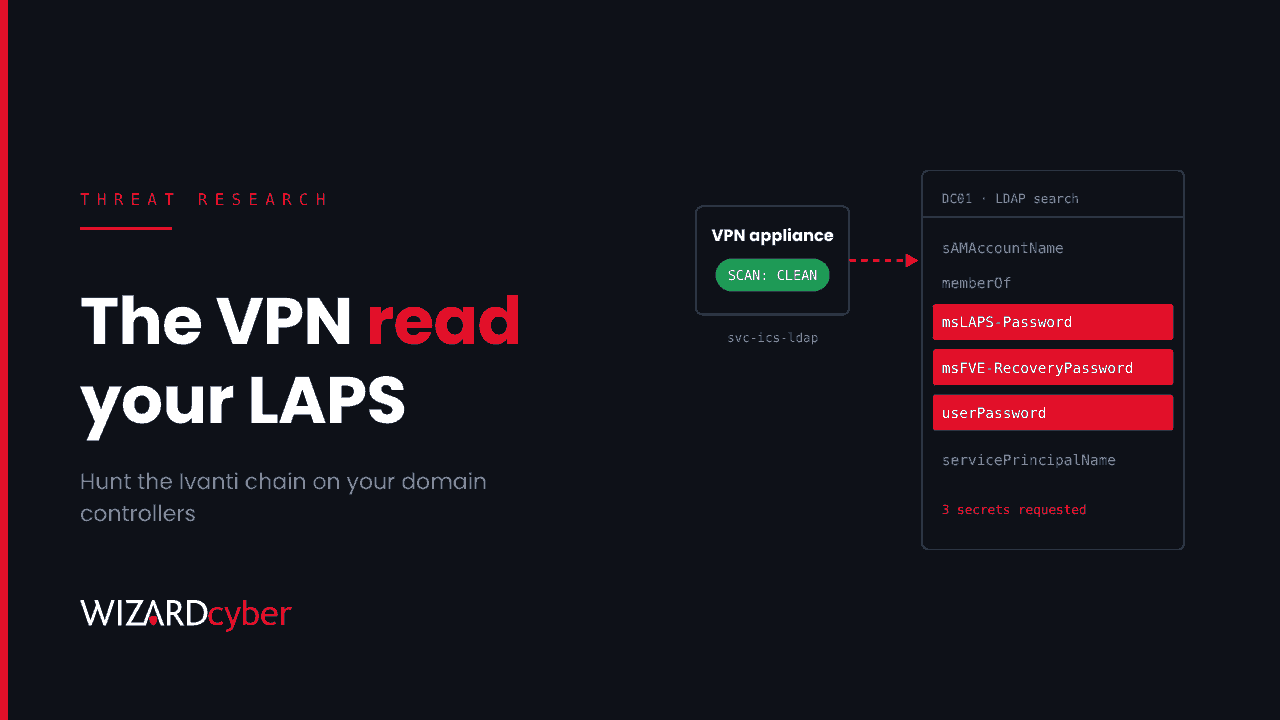
The attacker behind the Ivanti Connect Secure zero-day chain left no web shell and no implant, and Ivanti's Integrity Checker Tool found nothing. What they wanted was inside Active Directory. Using the VPN appliance's own service account, they searched for LAPS local admin passwords and BitLocker recovery keys, tried Kerberoasting and sprayed passwords. A clean appliance scan tells you little, so the hunt has to start on your domain controllers.
What happened
On 13 October, Volexity described an actor it tracks as UTA0576 chaining three flaws in Ivanti Connect Secure to run commands as root without logging in. Volexity first saw exploitation on 3 October. Ivanti fixed the authentication bypass and code execution flaw, CVE-2026-104935, on 13 October. On 29 October it fixed the other two, CVE-2026-111357 (privilege escalation) and CVE-2026-118527 (predictable file upload), in versions 25.1.1.3 and 22.8R2.6. CISA added both to its Known Exploited Vulnerabilities catalogue on 30 October.
That means an appliance upgraded promptly in mid-October was still exposed to part of the chain until the end of the month. Check Ivanti's advisory for your branch.
Why the appliance looks clean
The attacker re-ran the whole exploit chain for every command and read the output from ordinary HTTPS responses, so nothing needed to persist. The privilege escalation patched a configuration store in memory and then put it back. Selected entries were removed from the appliance's debug and audit logs, and temporary scripts deleted themselves. The Integrity Checker Tool checks files on disk, so it had nothing to find.
On the appliance, Volexity's indicators are behavioural: heavy request volume to /dana-na/auth/url_default/welcome.cgi, requests where the URL path and the X-DSCGI-PATH header disagree, leftover files in /tmp/, gaps in the logs, and a renamed packet capture binary in a hidden directory. Capture memory and network evidence before you upgrade if you can, because an upgrade can overwrite it.
What they did in Active Directory
According to Volexity, once the attacker had root they:
- Took the appliance's AD credentials and used them to bind to a domain controller over LDAP with a custom Python tool.
- Searched for secrets in the directory: LAPS local administrator passwords, BitLocker recovery information,
userPasswordandunixUserPasswordvalues, and logon script paths. - Brought a custom Kerberos implementation that could Kerberoast, and used it to test credentials.
- Sprayed passwords against AD accounts and saved the hits.
- Ran a packet capture on the appliance to collect cleartext LDAP credentials, HTTP Basic credentials and NTLM challenge-responses from traffic passing through it.
Volexity assessed with high confidence that this was preparation for lateral movement. The operation was disrupted before its goal was clear.
All of this leaves evidence on your side of the network, in places the attacker could not clean: domain controller logs, Defender for Identity and Sentinel.
Who is affected
Anyone running Ivanti Connect Secure on an affected build that was reachable from the internet in October. Pay closest attention if the appliance authenticates users against Active Directory, which most do. Its service account is the attacker's way in to the directory, and any LDAP traffic it sends without encryption is what the packet capture was after.
Hunting from the Active Directory side
These queries are starting points to tune, not finished detections. Before you run them, find the appliance's internal IP addresses and the name of its AD service account. Look back to at least 1 October.
1. LDAP queries for secrets from the appliance (Defender for Identity)
Defender for Identity records many of the LDAP queries it sees in IdentityQueryEvents. It does not record every query, so treat no results as "not seen", not "didn't happen".
let ApplianceIPs = dynamic(["10.0.10.5","10.0.10.6"]);   // your Connect Secure internal IPs
let ApplianceAccount = "svc-ics-ldap";                     // its AD service account
IdentityQueryEvents
| where Timestamp > datetime(2026-10-01)
| where IPAddress in (ApplianceIPs) or AccountName =~ ApplianceAccount
| where Query has_any ("ms-Mcs-AdmPwd","msLAPS-Password","msLAPS-EncryptedPassword",
                       "msFVE-RecoveryPassword","msFVE-RecoveryInformation",
                       "userPassword","unixUserPassword","servicePrincipalName","scriptPath")
| project Timestamp, AccountName, IPAddress, DestinationDeviceName, ActionType, QueryType, QueryTarget, Query
| order by Timestamp asc
A VPN normally uses its service account to look up users and groups. A query from it naming LAPS, BitLocker or password attributes should be treated as an incident.
2. Directory object reads by the service account (event 4662)
If you audit reads of LAPS attributes (Windows LAPS can configure this with Set-LapsADAuditing) and collect domain controller Security logs in Sentinel, look for the appliance account reading many objects in a short time. The attribute appears as a GUID in Properties, so this query counts objects instead of matching names.
SecurityEvent
| where TimeGenerated > datetime(2026-10-01)
| where EventID == 4662
| where SubjectUserName =~ "svc-ics-ldap"
| summarize Reads = count(), Objects = dcount(ObjectName),
            Sample = make_set(ObjectName, 10) by Computer, bin(TimeGenerated, 1h)
| where Objects > 20
| order by TimeGenerated asc
3. Kerberoasting from the appliance's address (event 4769)
A VPN appliance has little reason to request service tickets for many different services. Many requests from its IP, especially with RC4 encryption (0x17), point to Kerberoasting.
let ApplianceIPs = dynamic(["10.0.10.5","10.0.10.6"]);
SecurityEvent
| where TimeGenerated > datetime(2026-10-01)
| where EventID == 4769
| extend ClientIP = replace_string(IpAddress, "::ffff:", "")
| where ClientIP in (ApplianceIPs)
| summarize Services = dcount(ServiceName), RC4 = countif(TicketEncryptionType == "0x17"),
            Accounts = make_set(TargetUserName, 10) by ClientIP, bin(TimeGenerated, 1h)
| where Services > 5 or RC4 > 0
4. Password spraying through the appliance
The appliance passes real users' sign-ins through, so failures from its address are normal. The signal is a jump in the number of distinct accounts failing within an hour, or a protocol the appliance does not normally use.
let ApplianceIPs = dynamic(["10.0.10.5","10.0.10.6"]);
IdentityLogonEvents
| where Timestamp > datetime(2026-10-01)
| where IPAddress in (ApplianceIPs)
| summarize Failed = countif(ActionType == "LogonFailed"),
            FailedAccounts = dcountif(AccountUpn, ActionType == "LogonFailed"),
            Succeeded = dcountif(AccountUpn, ActionType == "LogonSuccess")
            by Protocol, bin(Timestamp, 1h)
| where FailedAccounts > 15
| order by Timestamp asc
For any hour that stands out, list the accounts that succeeded in the same window. Those are the spray hits. Our guide to password spraying covers the pattern in more detail.
5. Unsigned LDAP binds from the appliance (event 2889)
The packet capture only works if credentials cross the appliance in clear text. With LDAP interface diagnostics turned on, domain controllers log event 2889 in the Directory Service log for each unsigned or simple bind, with the client IP and account. If your appliance appears, its users' passwords were readable to anyone on that box.
What to rotate
Upgrading closes the holes but rotates nothing. If the appliance was exposed in October, or if any hunt above returns a hit, work through this list:
- The appliance's AD service account. Reset it, then review what it can read. In most estates it can read far more than it needs.
- LAPS passwords on any machine whose password the account could read. Force a rotation with
Reset-LapsPasswordon the device or by setting an immediate expiry. Check who can read them withFind-LapsADExtendedRights. - BitLocker recovery passwords stored in AD, where exposure is possible. Add a new recovery password protector, remove the old one with
manage-bde, and back up the new one to AD. - Service accounts with SPNs. Reset any that could have been Kerberoasted, give them long random passwords, and move them to AES or group managed service accounts where possible.
- Accounts the spray succeeded against, and any user whose credentials crossed the appliance in clear text.
- Secrets stored on the appliance, including local admin accounts, certificates and API keys, following Ivanti's recovery guidance.
This is the same lesson as the NetScaler and firewall configuration cases: once an edge device is compromised, every credential it holds should be treated as stolen. Our post on appliance service accounts covers how to stop one VPN account from being able to read your LAPS passwords in the first place.
How a managed SOC helps
The hunts above depend on telemetry that many teams don't collect: domain controller Security logs, Directory Service diagnostics and Defender for Identity. An analyst also needs to know what the appliance's account normally does. Wizard Cyber has run Microsoft Sentinel since 2019. Our SOCs are staffed 24/7, and every investigation produces a full report, with senior analyst sign-off by default on the managed service. If you ran an affected Connect Secure build in October, a compromise assessment will tell you whether the directory activity happened in your estate.
Want a second pair of eyes on your VPN appliance and the accounts behind it? Talk to our team.