

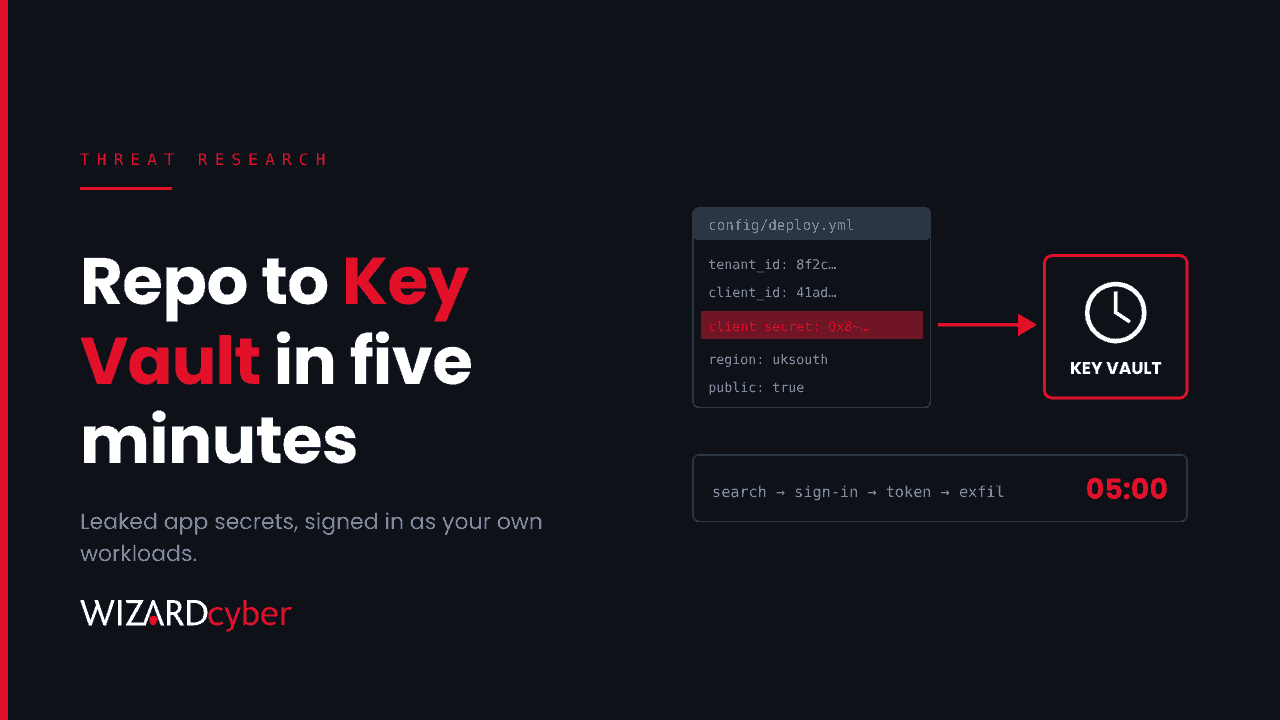
The attacker didn't phish anyone. They searched public code repositories for client secrets that developers had committed by mistake, then signed in to customers' Entra ID tenants as those customers' own applications. In one case Microsoft watched the whole run, from repository search to data leaving Azure Key Vault, take five minutes.
On 5 November, Microsoft Threat Intelligence published its analysis of the campaign. A day earlier, Todyl's MXDR team had described the same activity from its customers' side and named it "Key Eater". Both point to the same operator address. This post sets out what is known and how to hunt for it in Microsoft Defender and Sentinel.
What happened
- The secrets came from public repositories. Microsoft says the operator ran large volumes of code searches from August 2026, combining an organisation's name with words like "secret", a cloud keyword and an AI provider keyword. The haul included client secrets, service principal credentials, storage keys, connection strings and AI service API keys.
- The sign-ins started on 28 October. Service principal sign-ins came from
199.19.77[.]84, across dozens of applications and several tenants. - The work was done by AI agents. Microsoft attributes the activity to an agentic offensive security framework, whose agents read the search results and carried out the follow-on steps with little hands-on-keyboard work. When an Azure Resource Manager call failed because of a wrong API version, the tooling retried with a supported one and succeeded.
- The targets were the places secrets live. The operator went after Key Vault, storage account keys, App Service settings, publishing credentials, Azure DevOps personal access tokens and pipelines, and Azure AI deployments. It also searched SharePoint and OneDrive through Microsoft Graph and used Run Command on virtual machines.
- Managed service providers were hit hardest. Todyl counted about 45 app registrations targeted across roughly 18 organisations, at least 33 successful authentications, and access affecting 27 organisations including MSPs' downstream customers. It recorded 81 files downloaded and about 2,300 mailbox items accessed, and saw an Azure DevOps federated identity abused and refresh tokens replayed. One multi-tenant application swept 15 customer tenants in loops about ten seconds apart.
No Microsoft vulnerability was involved. Every sign-in used a valid credential that an organisation had left where someone could find it.
Why this one is hard to see
Most identity monitoring is built around users. Conditional Access policies, MFA and risky sign-in reviews all assume a person is signing in. Here, the attacker signs in as a workload. There is no MFA prompt, no unfamiliar device and no user to notice anything odd. Todyl noted that previously unused applications started authenticating within minutes, then requested tokens for Azure Resource Manager and Key Vault, often followed within seconds by Graph, Storage and AI service tokens.
Deleting the secret from the repository doesn't help either. As Microsoft puts it, removing the content does not invalidate the credential, and copies persist in commit history, caches and archives. A secret that has ever been public has to be treated as compromised.
Indicators
199.19.77[.]84: service principal sign-ins from 28 October, across multiple application IDs199.19.77[.]18: a Tor exit node, which Microsoft notes may also carry unrelated activity65.87.223[.]26: exploitation attempts, including shell commands embedded in user agents and attempts to obtain App Service tokens157.22.126[.]128: reconnaissance against AI workloads on Azure AI services- User agents
task177-f2267/1.0andsait-tenant-deep/37346(from Todyl, as reported by GBHackers). After 3 November the operator switched to spoofed browser user agents, so don't rely on these alone.
Hunting in Defender and Sentinel
Queries 1 and 2 are Microsoft's own, from its post. The rest are ours, built from the behaviour both reports describe. Treat them all as starting points to tune for your environment, and search as far back as your retention allows.
1. Application sign-ins from the operator's address (Defender, Microsoft's query)
let startTime = datetime(2026-10-28T00:00:00Z);
let endTime = now();
EntraIdSpnSignInEvents
| where Timestamp between (startTime .. endTime)
| where IPAddress in ("199.19.77.84")
| project Timestamp, TenantId, Application, ApplicationId, ServicePrincipalName, ServicePrincipalId, ResourceDisplayName, ResourceId, ResourceTenantId, IPAddress, ErrorCode, UserAgent, CorrelationId, RequestId
| order by Timestamp asc
2. Control-plane and storage activity from the addresses (Defender, Microsoft's queries)
CloudAuditEvents
| where IPAddress has_any ('199.19.77.84','65.87.223.26')

CloudStorageAggregatedEvents
| where IPAddress in ('199.19.77.84','65.87.223.26')
| where SuccessfulOperationsCount > 0
3. A bad secret, then a good one (Sentinel)
Microsoft's guidance is direct: errors AADSTS7000215 (invalid secret) or AADSTS7000222 (expired secret) mean someone holds a credential for your app, and a failure followed by a success is urgent.
let window = 1h;
let fails = AADServicePrincipalSignInLogs
| where TimeGenerated > ago(30d)
| where ResultType in ("7000215", "7000222")
| project FailTime = TimeGenerated, AppId, ServicePrincipalName, FailIP = IPAddress, ResultType;
AADServicePrincipalSignInLogs
| where TimeGenerated > ago(30d)
| where ResultType == "0"
| join kind=inner fails on AppId
| where TimeGenerated between (FailTime .. FailTime + window)
| project FailTime, SuccessTime = TimeGenerated, ServicePrincipalName, AppId, FailIP, SuccessIP = IPAddress, ResourceDisplayName
4. One address, many applications (Sentinel)
AADServicePrincipalSignInLogs
| where TimeGenerated > ago(30d)
| summarize Apps = dcount(AppId), AppNames = make_set(ServicePrincipalName, 20),
            Successes = countif(ResultType == "0"), Failures = countif(ResultType != "0")
          by IPAddress, bin(TimeGenerated, 1h)
| where Apps >= 3 and Successes > 0 and Failures > 0
| order by Apps desc
This is Microsoft's behavioural rule of thumb: one address authenticating to three or more service principals with mixed success. Exclude your own automation hosts once you've confirmed them.
5. One application, every resource, in minutes (Sentinel)
AADServicePrincipalSignInLogs
| where TimeGenerated > ago(30d) and ResultType == "0"
| summarize Resources = make_set(ResourceDisplayName, 10), ResourceCount = dcount(ResourceDisplayName),
            IPs = make_set(IPAddress, 5)
          by AppId, ServicePrincipalName, bin(TimeGenerated, 10m)
| where ResourceCount >= 3
| where Resources has "Key Vault" or Resources has "Azure Storage"
Applications usually call the same one or two resources every day. An app that suddenly asks for Resource Manager, Key Vault, Storage and Graph tokens within ten minutes is behaving like an attacker exploring what it can reach.
6. Secret reads from Key Vault (Sentinel)
AzureDiagnostics
| where TimeGenerated > ago(30d)
| where ResourceProvider == "MICROSOFT.KEYVAULT"
| where OperationName in ("SecretGet", "SecretList", "KeyGet", "CertificateGet")
| summarize Reads = count(), Vaults = make_set(Resource, 10), Ops = make_set(OperationName)
          by CallerIPAddress, identity_claim_appid_g, bin(TimeGenerated, 1h)
| order by Reads desc
This needs Key Vault diagnostic logs sent to your workspace. Column names vary with the diagnostic settings mode you use, so adjust if your vaults log to resource-specific tables. Todyl points out that without these logs you can't confirm which secrets were taken.
Microsoft also lists the Defender detections that fired on this activity, including Potentially compromised OAuth application identified through attack activity analysis in Defender XDR, Multiple Service Principal Sign-ins from Single IP, Suspicious service principal sign-in following credential addition in Defender for Identity, and a set of Defender for Key Vault alerts such as Unusual application accessed a key vault and Suspicious secret listing and query in a key vault. If any of these have fired since late October, investigate them now.
If you find a hit
- Remove every client secret, certificate and federated credential on the affected application, including any the attacker added, and disable the service principal if you can. Tokens already issued stay valid until they expire.
- Rotate everything the app could read in Key Vault, plus any credentials in documents it accessed: VPN profiles, backup and RMM API keys, firewall configs.
- Revoke sessions, Azure DevOps personal access tokens and SSH keys for any affected users.
- Review Azure DevOps auditing for new PATs, federated service connections and pipeline edits. Turn auditing on if it's off.
- If you're an MSP, review Partner Center access, GDAP relationships and customer tenants, and tell affected customers. Our guide to GDAP covers that review.
Prevention
- Take secrets out of code. Turn on secret scanning with push protection for your repositories. Then move pipelines to workload identity federation and Azure workloads to managed identities, so there's no stored secret to leak.
- Use Conditional Access for workload identities. Policies that restrict service principals to known locations close the gap user policies leave open. Microsoft notes they need Workload ID Premium licensing and cover single-tenant apps registered in your tenant.
- Cut service principal permissions back. Most apps don't need to read every vault or list storage keys. Our guide to service principals explains where permissions hide.
- Restrict who can register apps, and turn on the Defender for Cloud plans for Key Vault, Storage, Resource Manager and App Service.
How a managed SOC helps
- Workload identities watched like users. We hunt across service principal sign-ins, Graph activity and Key Vault logs in Sentinel, not just interactive sign-ins. We've been running Microsoft Sentinel since 2019.
- Speed that matches the attacker. Five minutes from search to exfiltration leaves no room for a morning queue. Our SOCs are staffed 24/7, and senior analyst sign-off is the default on the managed service.
- Containment and clean-up. Our identity threat detection and response service helps put workload identity controls in place, and our compromise assessment confirms what an attacker reached if you find a hit.
If you'd like to know which of your applications have signed in from somewhere new this month, book a demo or talk to our team.