

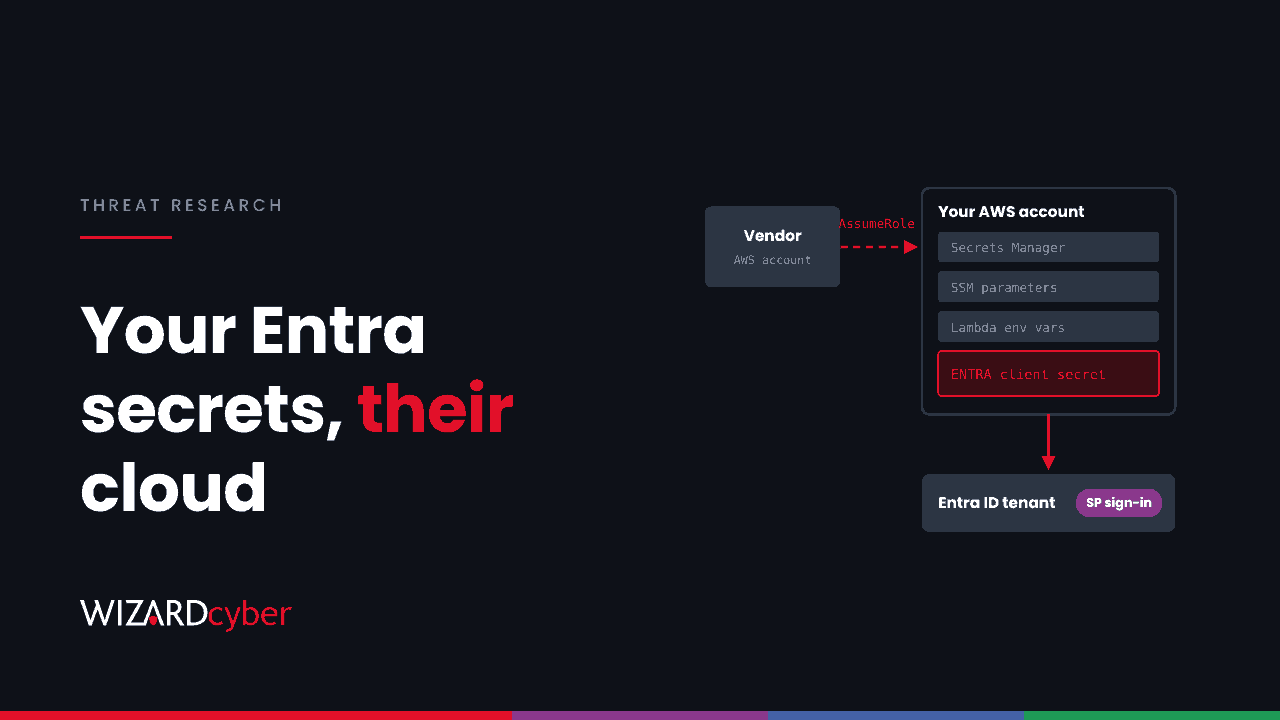
Most write-ups of the Qubole campaign are about AWS: a data platform's trusted role was used to walk into customers' accounts and read their secrets. But Wiz's research has a line that should worry anyone running Microsoft Entra ID. Among the credentials the attackers found, they used Entra ID client secrets to sign in as their victims' applications. If any of your app secrets live in an AWS account that ever trusted that vendor, your Entra tenant is part of this incident.
What happened
Wiz published the details on 9 November, working with Sentra and Mandiant. Qubole is a data-processing platform that integrates with customers' AWS accounts through cross-account IAM roles. The customer creates a role that trusts Qubole's AWS account, so no long-lived keys are handed over. That design is normally a good one.
From 14 October, someone with IAM credentials in Qubole's account (805246085872) used them to assume those customer roles. Every attributed call included the External ID and succeeded. In most affected environments, these were the only role assumptions from that account in October. Wiz's key observation was that many organisations had stopped using the platform but left the trust policy in place. Wiz does not say how the Qubole-side credentials were obtained.
Once inside, the attackers enumerated the account and went straight for secrets: Lambda environment variables, Secrets Manager values and SSM parameters. Some sessions downloaded whole S3 buckets. They then ran TruffleHog against what they had found. According to Wiz, that included:
- testing discovered AWS access keys with
GetCallerIdentity; - signing in as Entra ID service principals using discovered client secrets;
- requesting OAuth tokens with discovered Okta client credentials.
Wiz saw activity from 14 to 26 October and recommends reviewing logs from 1 October. On 11 November it noted that an actor calling itself "n0n" had claimed the intrusion. Wiz has not linked that claim to other activity, and neither do we.
Why this is an Entra problem
A client secret works from anywhere unless something stops it. An application that signs in with one has no MFA and no device. If the secret for an app with Microsoft Graph permissions sat in a Lambda environment variable, then whoever read that variable could, until it was rotated, act as that app in your tenant: read mail, list users or change directory objects, depending on what it was granted. Our service principal explainer covers how those permissions work.
Wiz does not say which Entra tenants were reached or what the attackers did after signing in. Treat the sign-in itself as the event to investigate, and assume nothing about what followed until your logs say otherwise.
Step 1: work out whether you're in scope
- Search CloudTrail from 1 October for
AssumeRolewhere the calling account is805246085872and the source IP is not an AWS address. Wiz says legitimate Qubole traffic comes from AWS infrastructure. - Treat any activity by the IAM principal
AIDA3W7DIFLYOLTK63SFSas malicious.AIDAJYRRH5Y3A7AAJM2HWwas also used legitimately, so filter it by source IP. - Look for role session names beginning
quiam-. - If you find sessions, list every secret, parameter and Lambda environment variable the role could read. Any Entra client secret in that list is your starting point for the hunts below.
Step 2: hunt in Entra ID
These Microsoft Sentinel queries are starting points to tune. Wiz's IP indicators include shared Mullvad VPN exits, so a hit on IP alone is a lead, not proof.
1. Service principal sign-ins from the campaign's infrastructure
let ips = dynamic(["57.129.54.120","45.83.220.211","185.209.199.73","89.37.63.175"]);
AADServicePrincipalSignInLogs
| where TimeGenerated between (datetime(2026-10-01) .. now())
| where IPAddress in (ips) or IPAddress startswith "2001:41d0:70d:7800:"
| project TimeGenerated, ServicePrincipalName, AppId, IPAddress, ResultType, ResourceDisplayName
| order by TimeGenerated asc
2. Apps signing in from somewhere new
Most apps sign in from a small, stable set of networks. A secret used from a VPS or VPN for the first time stands out.
let baseline = AADServicePrincipalSignInLogs
  | where TimeGenerated between (datetime(2026-08-01) .. datetime(2026-10-01))
  | where ResultType == "0"
  | distinct AppId, IPAddress;
AADServicePrincipalSignInLogs
| where TimeGenerated between (datetime(2026-10-01) .. now())
| where ResultType == "0"
| join kind=leftanti baseline on AppId, IPAddress
| summarize FirstSeen=min(TimeGenerated), SignIns=count(), Resources=make_set(ResourceDisplayName)
    by ServicePrincipalName, AppId, IPAddress
| order by FirstSeen asc
Expect noise from apps that run in cloud services with changing addresses. Focus on apps whose secrets you know were stored in AWS, and on residential, VPN or hosting-provider IPs.
3. What the app did once signed in
// Requires Microsoft Graph activity logs to be enabled and sent to Sentinel
MicrosoftGraphActivityLogs
| where TimeGenerated between (datetime(2026-10-01) .. now())
| where AppId in ("<app id from query 1 or 2>")
| where IPAddress !in ("<known good app IPs>")
| summarize Calls=count(), Paths=make_set(RequestUri, 50) by AppId, IPAddress, RequestMethod
| order by Calls desc
Pay close attention to write methods (POST, PATCH, DELETE) and to anything under /applications, /servicePrincipals, /users or mailboxes.
4. Persistence added to the app
AuditLogs
| where TimeGenerated between (datetime(2026-10-01) .. now())
| where OperationName has_any ("Certificates and secrets management", "Add service principal credentials",
    "Update application", "Add app role assignment", "Consent to application")
| extend Actor = coalesce(tostring(InitiatedBy.app.displayName), tostring(InitiatedBy.user.userPrincipalName))
| project TimeGenerated, OperationName, Actor, Target = tostring(TargetResources[0].displayName), Result
An attacker with an app's secret and enough Graph permission can add a second secret, certificate or federated credential to the same app. Rotating the original secret leaves that one in place. We wrote about this pattern in Rotation Isn't Recovery.
Step 3: contain and fix
- Remove persistence first. Check every affected app for credentials you didn't create (query 4), and remove them.
- Rotate the exposed secrets. New secret in, consumers updated, old secret deleted. Remember that access tokens already issued stay valid until they expire.
- Close the AWS side. Delete integration roles for vendors you no longer use, or remove the vendor's account from the trust policy. Wiz notes that a source-IP condition on the trust policy would have blocked every role assumption it observed.
- Stop storing Entra secrets where they can be read in bulk. Where the workload supports it, replace client secrets with workload identity federation or a managed identity. Where it doesn't, scope the app's permissions to what it actually uses.
- Restrict where apps can sign in from. Where licensed, Conditional Access for workload identities can block a single-tenant app from signing in outside known networks.
How a managed SOC helps
This campaign crossed two clouds and two identity systems. The AWS events and the Entra sign-ins only make sense together, and few teams have them in one place. Our SOC runs Microsoft Sentinel as the core of the managed service. Connectors, parsers and analytical rules for the rest of the estate, including other clouds, are built at onboarding, so a service principal sign-in from a new network can be read next to the cloud activity that preceded it. Our analysts are on shift 24/7, and a senior analyst signs off before anything is closed.
If you aren't sure which of your app secrets live outside Azure, or want an independent check on whether this campaign reached you, a compromise assessment will answer it. Or talk to our team.